dublove
Legend
June 6, 2025
Answered

How do I get a dialog box to pop up so I can choose whether to execute a certain piece of code?

  • June 6, 2025
  • 1 reply
  • 258 views

Specific:

I want the program to pop up a dialog box so that I can choose whether I want to skip table headers or not.

myTable.breakHeaders = HeaderFooterBreakTypes.IN_ALL_TEXT_COLUMNS;
myTable.skipFirstHeader = true;

Also I want to choose whether to execute a certain piece of code or not, for example:

var myFooterRow = myTable.rows[-1];

function dupeLastRow(p){
	myTable.rows.add(LocationOptions.AFTER, myTable.rows[-1]);
	myFooterRow = myTable.rows[-1];
}
dupeLastRow(myTable);
...
...

Thank you~
Correct answer rob day

Hi @dublove , There are two ways to make dialogs with the JS API I prefer this one:


https://www.indesignjs.de/extendscriptAPI/indesign-latest/#DialogColumn.html


There’s also the Window class but it think it is harder to learn


https://www.indesignjs.de/extendscriptAPI/indesign-latest/#WindowSUI.html


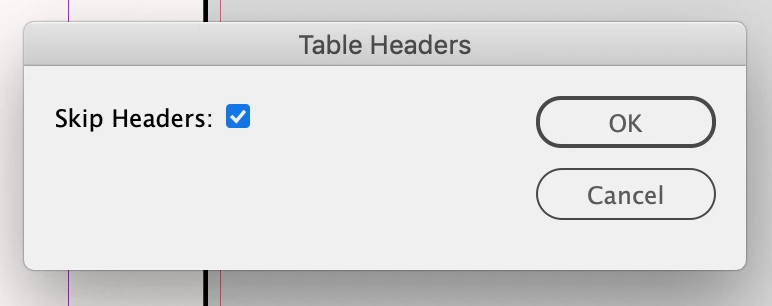
Here is a simple checkbox example:


//the checkbox result variable
var ck  
makeDialog();

/**
* Make the  dialog 
*/
function makeDialog(){
    var d = app.dialogs.add({name:"Table Headers", canCancel:true});
    with(d){
        with(dialogColumns.add()){
            staticTexts.add({staticLabel:"Skip Headers:"});
        }
        with(dialogColumns.add()){
            ck = checkboxControls.add({checkedState:false, minWidth:150});
        }
    }
    if(d.show()){
        //get the result
        ck = ck.checkedState;
        main()
	}else{
        d.destroy();
    }
}


/**
* The Script to run after getting dialog result
* @ return void 
*/

function main(){
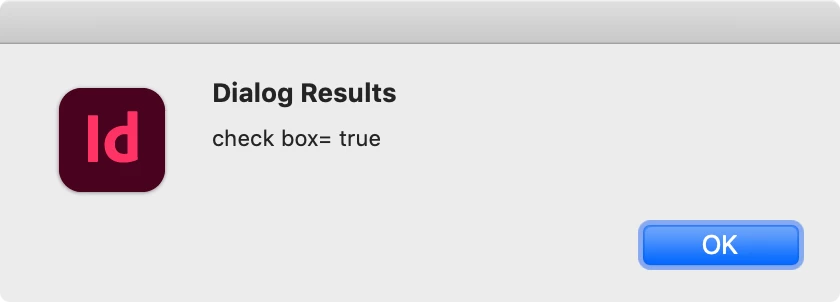
    alert("Dialog Results\ncheck box= "+ ck)
}

1 reply

rob day
Community Expert
rob dayCommunity ExpertCorrect answer
Community Expert
June 6, 2025

Hi @dublove , There are two ways to make dialogs with the JS API I prefer this one:


https://www.indesignjs.de/extendscriptAPI/indesign-latest/#DialogColumn.html


There’s also the Window class but it think it is harder to learn


https://www.indesignjs.de/extendscriptAPI/indesign-latest/#WindowSUI.html


Here is a simple checkbox example:


//the checkbox result variable
var ck  
makeDialog();

/**
* Make the  dialog 
*/
function makeDialog(){
    var d = app.dialogs.add({name:"Table Headers", canCancel:true});
    with(d){
        with(dialogColumns.add()){
            staticTexts.add({staticLabel:"Skip Headers:"});
        }
        with(dialogColumns.add()){
            ck = checkboxControls.add({checkedState:false, minWidth:150});
        }
    }
    if(d.show()){
        //get the result
        ck = ck.checkedState;
        main()
	}else{
        d.destroy();
    }
}


/**
* The Script to run after getting dialog result
* @ return void 
*/

function main(){
    alert("Dialog Results\ncheck box= "+ ck)
}
dublove
dubloveAuthor
Legend
June 6, 2025

Hi rob day

How does your dialog box hook up with my code?
How do I pass values to the code?

rob day
Community Expert
Community Expert
June 6, 2025

In my main function you can run an if statement to check and act on the result


function main(){
    //if the check box is checked
    if (ck) {
        alert("Skip First Head")
        //code to skip here

    } else (
        alert("Allow First Head")
        //code to allow here
    )
}