dublove
Legend
June 13, 2025
Answered

How do I get a script to read lines from Notepad as style names?

  • June 13, 2025
  • 2 replies
  • 1927 views

Hello, everyone.
I want to put a notepad "name.txt" in the same directory as the scripts.
The style names used in all my scripts will read the ones set in "name.txt".
This way I can change them uniformly at any time.
Is there a way to do this?


For example, the content of my notepad looks like this, one style name per line.
In parentheses ( ) are the style names:


paraStname(mypar)
charStname(title1)
tabStname(mytab)
footerStname(footer)
objStaname(mypic)


Thank you very much.

Correct answer dublove

You can check out a sample code at the following link

https://community.adobe.com/t5/premiere-pro-discussions/how-to-read-json-file-in-premiere-cep-extension/m-p/10647827#M229987

Change you input file to a JSON like the following

{
    "paraStname":"mypar",
    "charStname":"title1",
    "tabStname":"mytab",
    "footerStname":"footer",
    "objStaname":"mypic"
}

After executing the script you can access myPic with the code 

contentObj.objStaname

-Manan


@Manan Joshi @rob day 

Suddenly it worked ......

Thank you good people great good people.


I would like to ask:
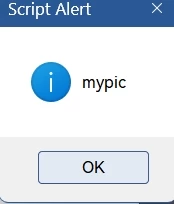
alert(objStn); can output "mypic"
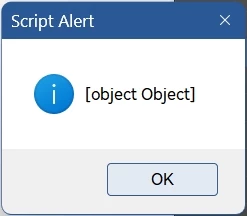
alert(contentObj); but not the whole content?

The result is: [object object]


Why?


This is the kind of thing that will unify the settings of all scripts now.

I wonder if it would be a waste of resources and time to call json.jsx and mystyle.json all the first time.


//@include "json.jsx";

var script_folder = script_dir();
var jsonFile = File(script_folder + "/mystyle.json");

jsonFile.open('r');
var content = jsonFile.read();
jsonFile.close();
contentObj = JSON.eval(content);
var objStn = contentObj.objStaname;
alert(objStn);

function script_dir() {
    try {
        return File(app.activeScript).path;
    } catch (e) {
        return File(e.fileName).path;
    }
}


2 replies

rob day
Community Expert
Community Expert
June 13, 2025

You can read a text file like this:


//Text file to opem. Here a file named test.txt on the desktop
var p = File(Folder.desktop + "/test.txt");
var t = readFile(p)
//an array of lines from the text file
var ta = t.split("\n")

//the returned array
alert(ta);
//array’s 2nd item
alert(ta[1])


/**
* Read a text file 
* @ param path to the file 
* @ return the text 
*/
function readFile(p) {
	var f = new File(p);
	f.open("r");  
	var x = f.read();  
	f.close();
	return x; 
}


The alerts:


dublove
dubloveAuthor
Legend
June 13, 2025

Hi rob day

I tested it and it works.

Thank you very much.
It just seems like this must have a fixed order of 0 1 2 3……?
Can't it just mess up the order?
For example, let the tabStname in the script just look for tabStname(mytab) without worrying about what line tabStname(mytab) is on.
I found this from Peter Kahrel's script.


It seems to work.

var script_folder = script_dir();
var p = File(script_folder + "/test.txt");
function script_dir() {
    try {
        return File(app.activeScript).path;
    } catch (e) {
        return File(e.fileName).path;
    }
}

 

rob day
Community Expert
Community Expert
June 13, 2025
var ta = t.split("\n")

Converts your plain text into an array in the order it is written.


Community Expert
June 13, 2025

I did not understand your ask here. Is it just about reading the contents of the texfFile? If so it is pretty easy

  • Create a file object
  • Open the file in read mode
  • Read the file line by line using readln method
  • Close the file when done

If there is something else you want please explain better with examples.

https://www.indesignjs.de/extendscriptAPI/indesign-latest/#File.html

-Manan

-Manan
dublove
dubloveAuthor
Legend
June 13, 2025

I'm using these style names in multiple scripts.
I want to get them all from this name.txt.

brian_p_dts
Community Expert
Community Expert
June 13, 2025

Manan has given you a starting point to write the code. We are not here to write code for you. An AI tool is your next step to get starting code if you can't or won't write it yourself. We can provide guidance if you get stuck.
