Answered
How do I get rid of the "View by Group" notification?
How do I get rid of this notification in Adobe InDesign?
I've clicked "Cancel." I've clicked "View by Group." And yet it reappears every time I start InDesign.
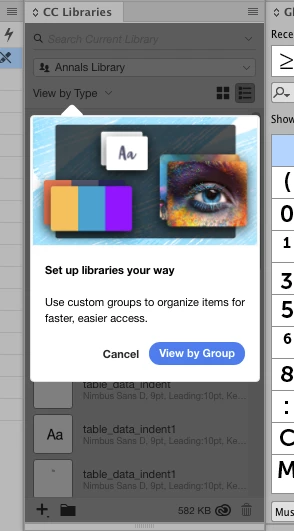
How do I get rid of this notification in Adobe InDesign?
I've clicked "Cancel." I've clicked "View by Group." And yet it reappears every time I start InDesign.
Hi there,
Sorry about that. Ideally, it should stop once you cancel it. If that not happening please raise feedback here: Adobe InDesign Feedback.
This is the best way of communicating with the Engineering and Product Management teams regarding issues and suggestions so they can be implemented in future releases.
Regards,
Srishti
Already have an account? Login
Enter your E-mail address. We'll send you an e-mail with instructions to reset your password.
 AdChoices