
Participant
February 14, 2023
Question

How do I get text to wrap correctly?

  • February 14, 2023
  • 2 replies
  • 631 views

Hi everyone.
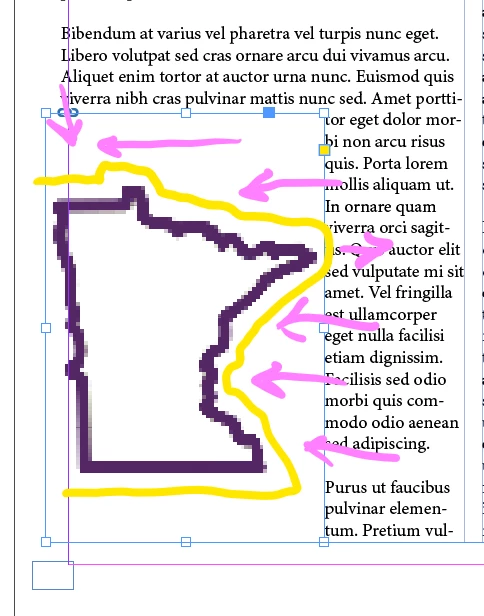
I have this image that I created in photoshop (it's transparent) and I'm trying to import it into my InDesign document without this obnoxious box frame. I have the text set to wrap around it, but the frame itself with the handles will not allow it to wrap around the actual image. Does anyone know how to either add more handles (or whatever they're called) or get them to match the actual image? I want the text to follow the image of the Minnesota outline, not the box frame that was created when I imported it, if that makes sense. Arrow to help visualize.
 

This topic has been closed for replies.

2 replies

Barb Binder
Community Expert
Community Expert
February 14, 2023

Hi @Nathalie5DE7:


Send it to the back and set up Text Wrap in InDesign as follows:


~Barb


~Barb at Rocky Mountain Training
Participant
February 14, 2023

This didn't change anything.

Willi Adelberger
Community Expert
Community Expert
February 14, 2023

Select the image frame and turn wrap off, only the image path should work for wrap.

You can also use the Photoshop path as cutting path and turn it into the image frame (right mouse click), then you can wrap the frame.

Robert at ID-Tasker
Legend
February 14, 2023


You need to create a Path in the Photoshop - then select it in the InDesign - Object / Clipping Path / Options: