Inspiring
August 2, 2024
Answered

How do I make a PDF and keep the effect?

  • August 2, 2024
  • 6 replies
  • 1765 views

I'm working on a print project. The image is CMYK and all the colors in InDesign are CMYK. So to is the Transparancy Blend Space.


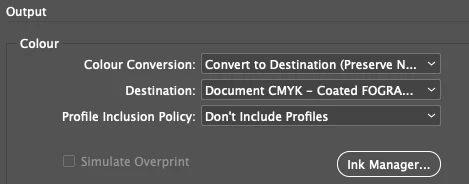
I have an object (text made into outlines), with the 'difference' effect applied to it. It looks great in InDesign, but when I make a PDF using the Press Quality preset, the effect disappears leaving what looks like a transparancy. I've done a screengrab of the PDF output options.


How do I make a PDF and keep the effect?



<Title renamed by moderator>
This topic has been closed for replies.
Correct answer Laubender

Hi @markeeeee ,

don't know how you did it, but try the following:

[1] Use a normal text frame with editable text colored in [Black]

[2] Stack the image ABOVE the text frame.

[3] Use the effect Difference on the graphic frame that holds the image


Turn ON Overprint Preview.


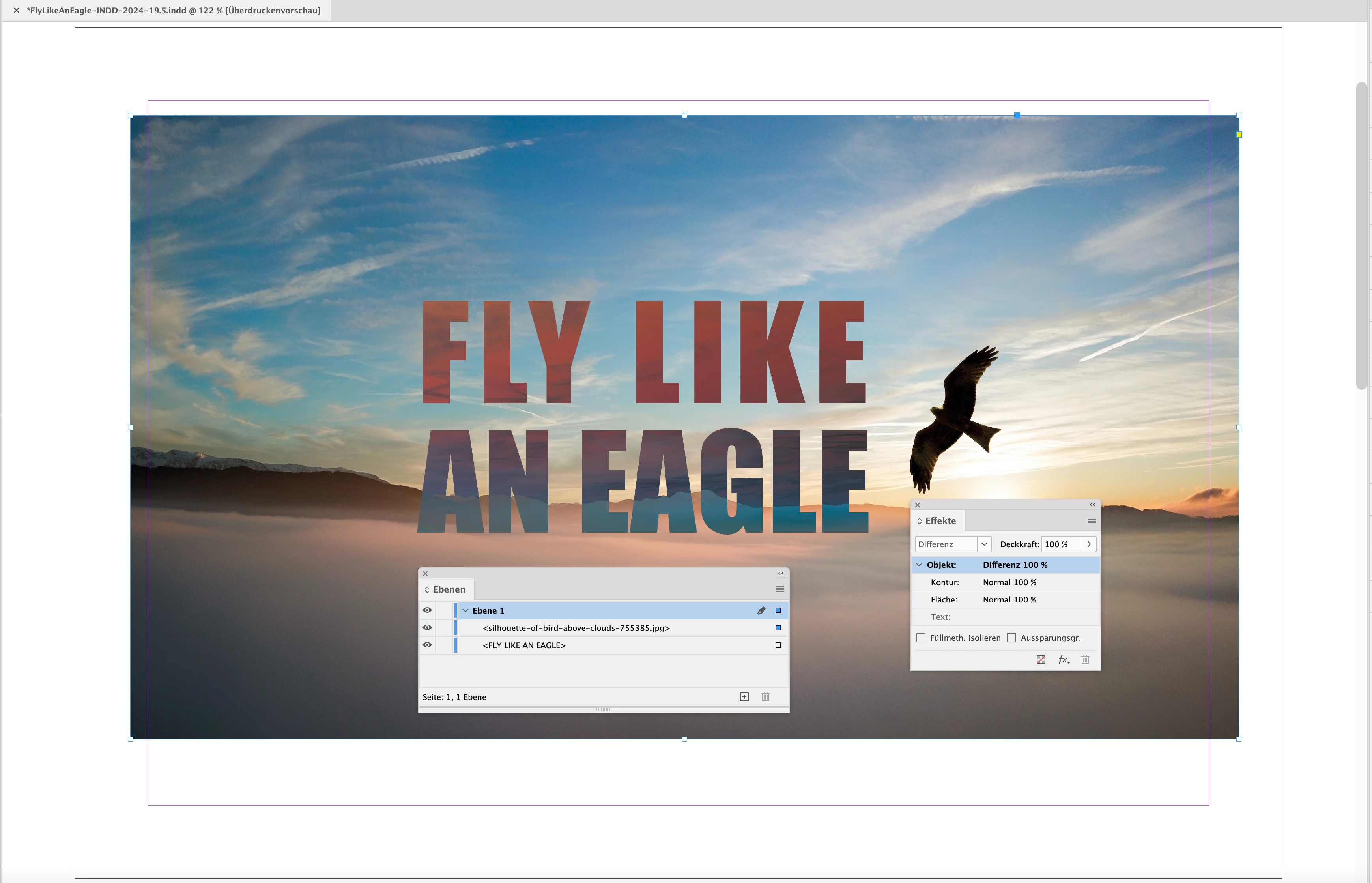
Exactly that did I do with my sample below. From my German InDesign where you see the stacking order of objects and the effect applied to the frame of the image:


The exported PDF is attached.


Regards,
Uwe Laubender
( Adobe Community Expert )

6 replies

Scott Falkner
Community Expert
Community Expert
August 2, 2024

How are you viewing the PDF? Not all programs display transparency effects accurately. Does it look right in Acrobat or does it render properly if you rasterize it in Photoshop?

markeeeeeAuthor
Inspiring
August 3, 2024

Yeah, it now displays fine in Acrobat and Photoshop, but Apple Preview doesn't display the effect.

Willi Adelberger
Community Expert
Community Expert
August 3, 2024

Apple Preview is not a valid PDF viewer. Onlx Acrobat can show correctly all kind of PDFs.

rob day
Community Expert
Community Expert
August 2, 2024

Hi @markeeeee , Are you viewing the PDF in Acrobat or some other PDF reader or browser?

LaubenderCommunity ExpertCorrect answer
Community Expert
August 2, 2024

Hi @markeeeee ,

don't know how you did it, but try the following:

[1] Use a normal text frame with editable text colored in [Black]

[2] Stack the image ABOVE the text frame.

[3] Use the effect Difference on the graphic frame that holds the image


Turn ON Overprint Preview.


Exactly that did I do with my sample below. From my German InDesign where you see the stacking order of objects and the effect applied to the frame of the image:


The exported PDF is attached.


Regards,
Uwe Laubender
( Adobe Community Expert )

markeeeeeAuthor
Inspiring
August 3, 2024

Hi Uwe


Many thanks. 

I kept the outlined text 

Made it black

Put it behind the image

Applied the effect to the image

Made the PDF

And viola it displays as it should in Acrobat (but not in Apple Preview) and when opened in Photoshop.


As you said changing the order of stacking and apply the effect to the image and not the object works.

Community Expert
August 2, 2024

Hi @markeeeee ,

turn on Overprint Preview and you might see the same as in your exported PDF.


Regards,
Uwe Laubender
( Adobe Community Expert )

Willi Adelberger
Community Expert
Community Expert
August 2, 2024

Why did you outline the text? That should be avoided in InDesign?

What color did your text have before you outlined it? If it was black it was overprinting and this property might be inherited from the outlined and later colored text object. This would have an influence of the final appearance.


markeeeeeAuthor
Inspiring
August 2, 2024

I created outlines, making the text into an object (so it could be made an exact width). The object is black and then I applied the Effect.

Robert at ID-Tasker
Legend
August 2, 2024
quote

I created outlines, making the text into an object (so it could be made an exact width). The object is black and then I applied the Effect.


By @markeeeee


You can still make editable text to the required width - either playing with PointSize directly - or by scaling TextFrame.


BobLevine
Community Expert
Community Expert
August 2, 2024

Use RGB and export using PDF/X-4. I'd also be way more inclined to do that in Photoshop, save as Photoshop PDF and place that in InDesign.

markeeeeeAuthor
Inspiring
August 2, 2024

Is  this something to do with flattening?