Known Participant
June 17, 2019
Answered

How do I make InDesign recognize my spacing styles at the top of a page?

  • June 17, 2019
  • 5 replies
  • 2972 views

Hi ---

I've created a new InDesign template with styles imported from a Word document. Everything seems to be working except the spacing before the first style used on a page. For example, my Heading 1 is styled to have .2 inches of space before it.  If I use Heading 1 at the top of a page, it appears without the required space before. If I apply Heading 1 further down the page, or even do a paragraph return at the very top of the page, the style appears with the proper space before. I have the same problem with all my defined styles.

All my Word styles seemed to import into InDesign, so I didn't actually convert them to InDesign styles. Might this be the problem?

All advice much appreciated!

Thanks,

Marie
This topic has been closed for replies.
Correct answer Barb Binder

Hi Marie:

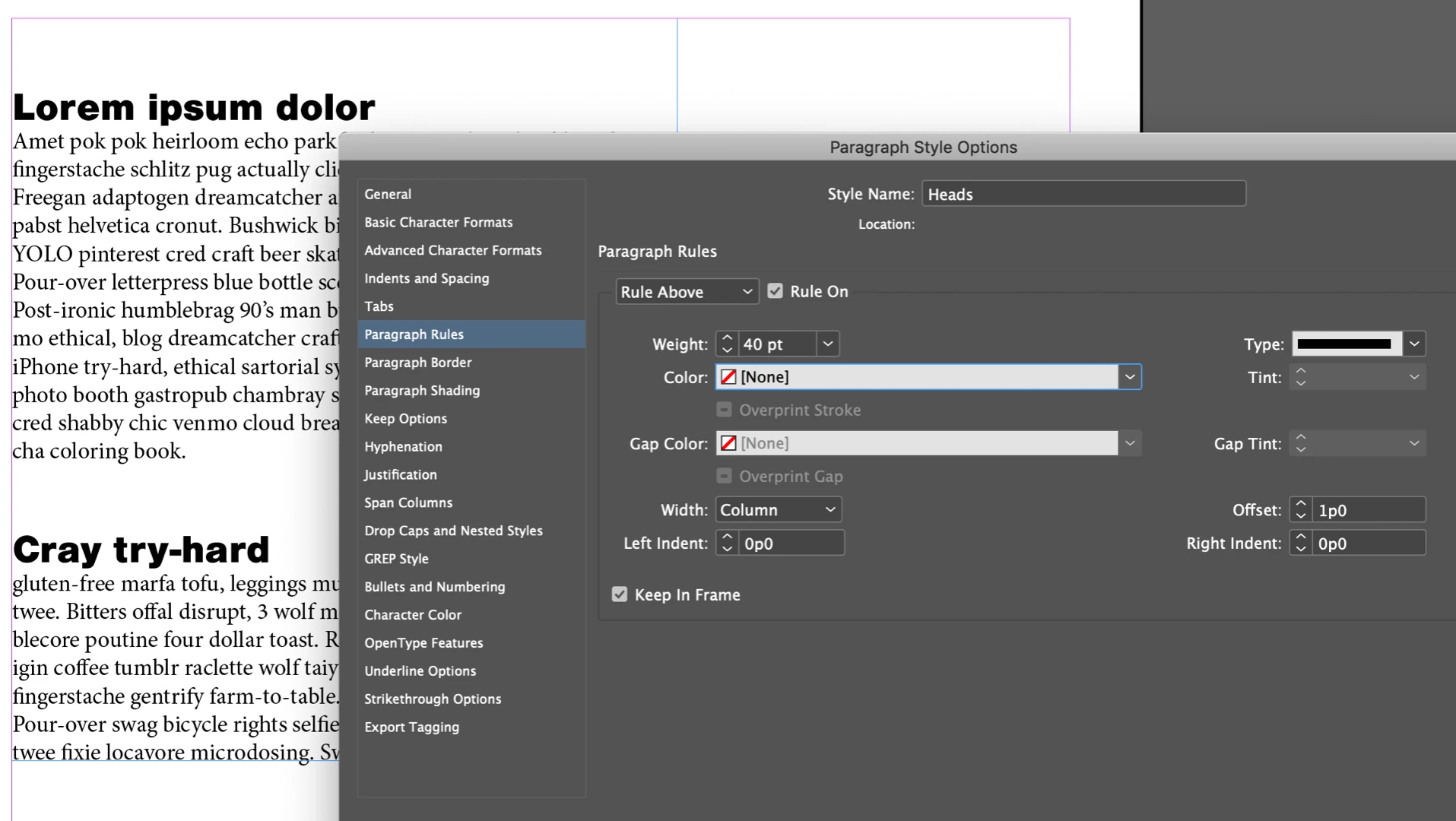
Space above works when the text is not at the top of the column, but is suppressed when it is at the top of the column—as you have discovered. If you always want the space above to appear—though I don't know why you do—you can define it with a rule above and space above.

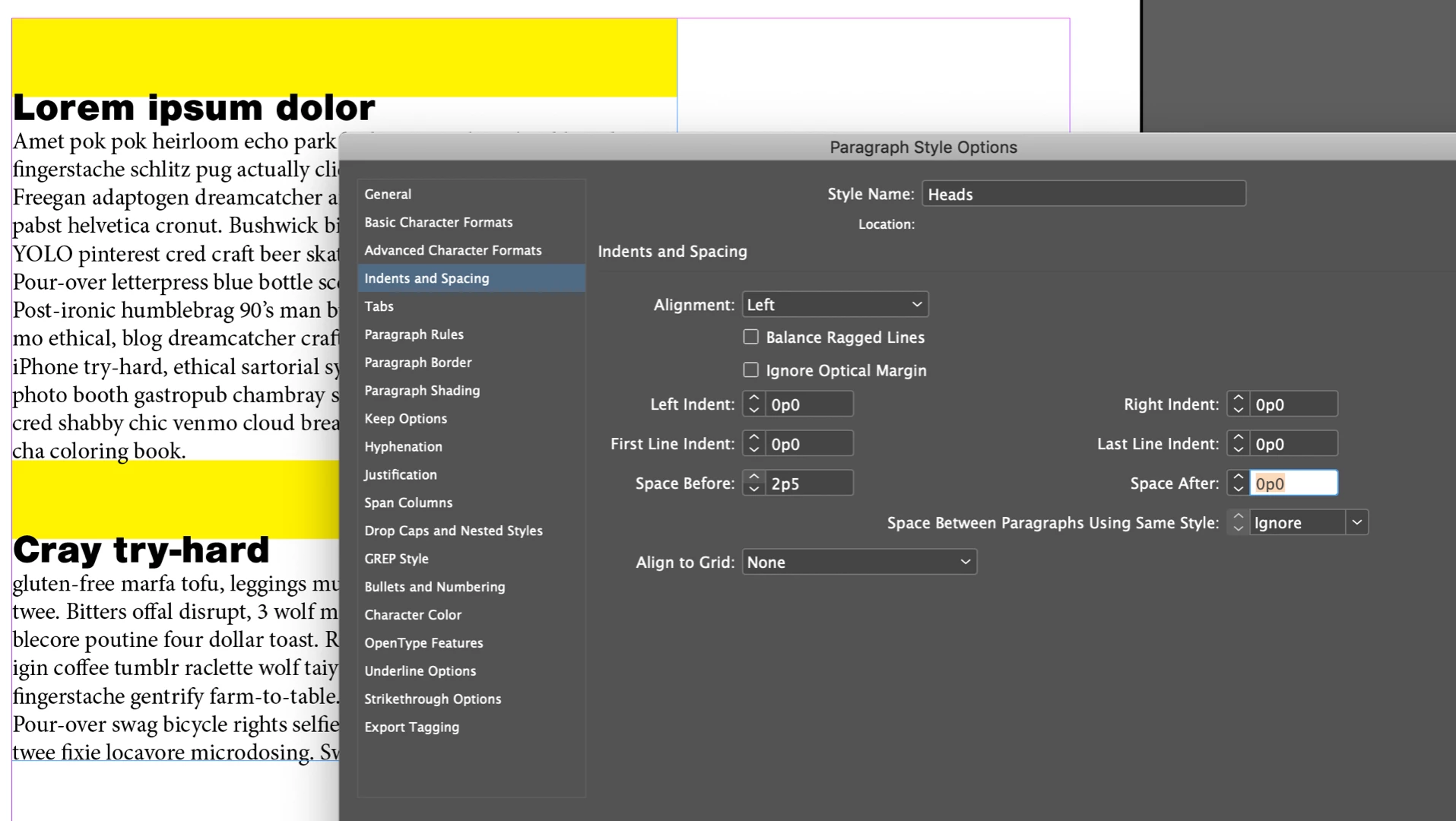
Create a new paragraph style. I called mine Heads. I'm starting with a yellow rule so that you can see what is happening:

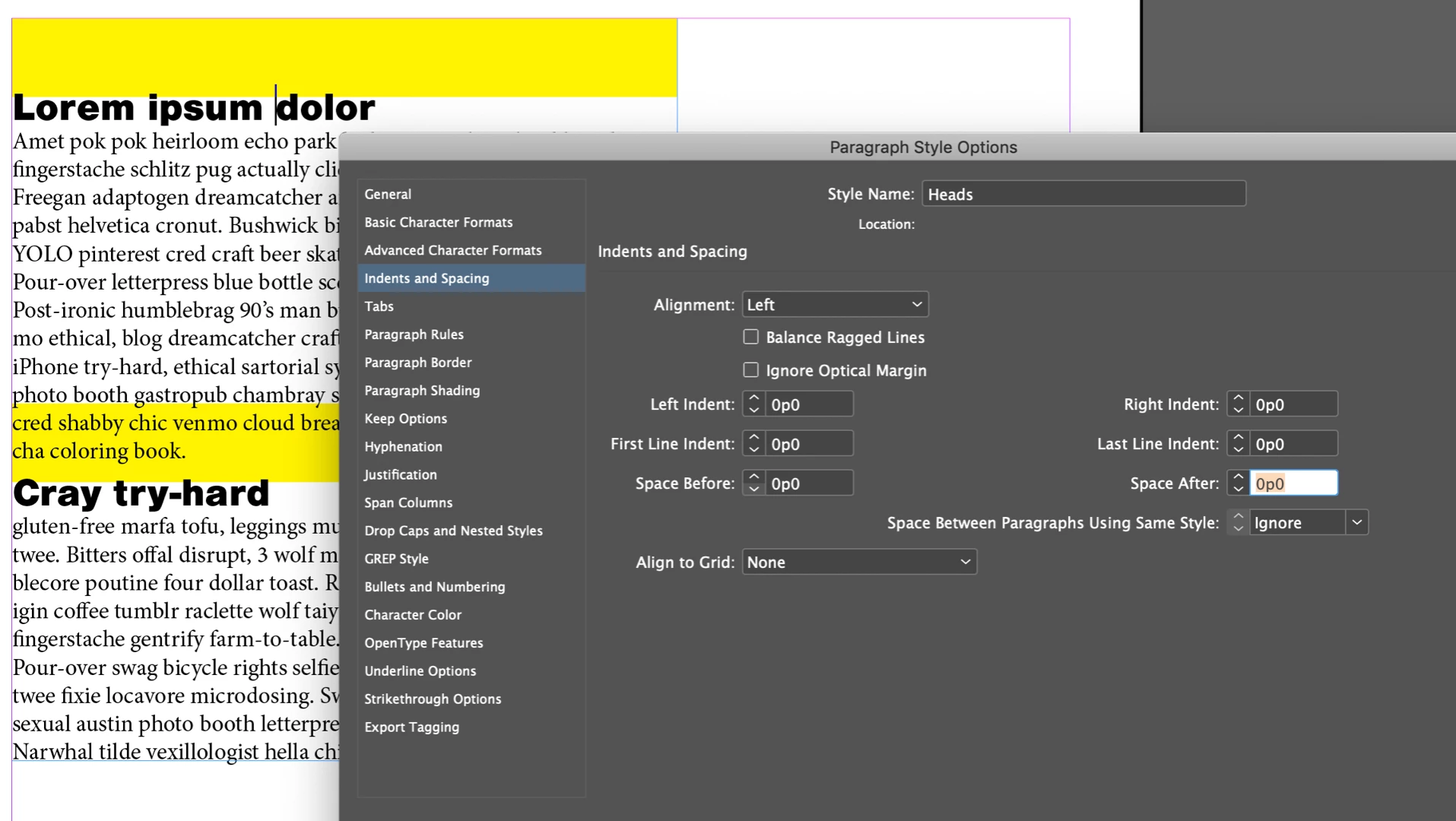
Add space before:

Change the rule color to none:

~Barb

5 replies

Barb Binder
Community Expert
Community Expert
December 8, 2021

Why would I want to do this?

So isn't that why you want to do this? So that you don't have to manually drag text frames down to add white space at the top of the pages with the subchapter titles, @PatriseArts, and then deal with the text reflow?


~Barb

~Barb at Rocky Mountain Training
TᴀW
Legend
June 18, 2019

I'm just going to chime in with another way of doing this, which I find is better than the paragraph-rule trick that Barb is suggesting.

But first, why would you need space before to be respected even at the top of a page? The answer is simple: Since the text after the heading should align to a baseline grid, whereas the heading itself does not necessarily need to, and since we want the space after the heading to be constant throughout the document, the only way to achieve this is to include the space before a heading even when it falls at the top of a page.

Now that that's out of the way, my suggestion for keeping the space above even at the top of a page is: Don't use space above. Rather, use space below that is the sum of both the space above and space below values. Next, apply negative baseline shift to all text in the heading paragraph style.

That's it.

The advantages here are: (1) It's simpler to set up. (2) It lets you use paragraph rules freely (it's not using them up for things they weren't really intended to do). (3) It allows you to set the first baseline setting of your text frames to "Exact", which I recommend, since if you use something like "Leading" or "X-height" the actual first-baseline will depend on the size of the first letter in the text frame, which may be some strange size. Sometimes even the italics version of a font does not have exactly the same x-height as the roman, so things don't align properly and you may have a line go missing at the bottom of your text frame because of this just because the first word in the text frame happens to be in italics. With the other system you can't set the first baseline to Exact.

The only con is: (1) It can be a bit hard (but not very hard) to select the text in the heading to edit it, because you've got to select just above it. Just a question of a bit of practice.

Ariel

id-extras.com | InDesign tools & scripts for typesetters, form designers, and translators
Known Participant
June 18, 2019

Thanks, Ariel! It's great to know another trick. For next time. My current document is set up with spaces before all the various styles. I've found that, in Word, that gives me more control over the spacing of lists. InDesign is another matter! I'm baffled that such a sophisticated program needs such complicated work-arounds for simple things. As Barb guessed, I need the space before for first pages of book chapters.

Thank you for the tip. And thank you to Barb and Derek and Migintosh for weighing in. I appreciate all your help. And I'm so grateful to have stumbled onto this forum. I may just survive my inaugural InDesign project without pulling out quite all of my hair.

Thank you, folks!

Marie

Barb Binder
Community Expert
Barb BinderCommunity ExpertCorrect answer
Community Expert
June 17, 2019

Hi Marie:

Space above works when the text is not at the top of the column, but is suppressed when it is at the top of the column—as you have discovered. If you always want the space above to appear—though I don't know why you do—you can define it with a rule above and space above.

Create a new paragraph style. I called mine Heads. I'm starting with a yellow rule so that you can see what is happening:

Add space before:

Change the rule color to none:

~Barb

~Barb at Rocky Mountain Training
Known Participant
June 17, 2019

Thanks a bunch, Barb! I may not always need the space before, but that's how I set up my template in Word, I still think it's odd that InDesign would override the style, but I'm grateful to have a work-around (complicated as it is!).

Cheers,

Marie

Barb Binder
Community Expert
Community Expert
June 17, 2019

Hi Marie:

Most multi-page publications have a consistent top margin—take a look a book, a technical manual, a magazine, a newsletter, a catalog—that's why InDesign removes the space before when a paragraph falls at the top of a column. But there are times when we need to add space at the top of a column—for me the exception is always on the first page a book chapter—so that's why we know this trick.

~Barb

~Barb at Rocky Mountain Training
Legend
June 17, 2019

I'm not sure that Space Before was intended to add space before if it is applied to the first paragraph in a text frame. There are a number of work-arounds, such as your idea to have a paragraph return before your header, but if that text gets pushed to where it's in the middle of a text frame, you will have too much space before, so most people advise against double-returns in any case.

There may be a solution, but I'm not aware of it. Maybe you will have to use a work-around, and be extra careful to check your document before completion for instances where your work-around is misplaced.

Derek Cross
Community Expert
Community Expert
June 17, 2019

You can use the features in the  Microsoft Word Import Options dialogue box to match Word Paragraph Styles to InDesign Paragraph styles, and there's the preptext.jsx script to convert Word Character Styles to InDesign Character Styles.

I may have misunderstood, but if you want some space above a first heading, you could create a rule above the text and make it no color.