
Known Participant
August 27, 2023
Answered

How do I remove the spaces created by empty text frames in indesign
  • August 27, 2023
  • 2 replies
  • 1783 views

 Goodday. 

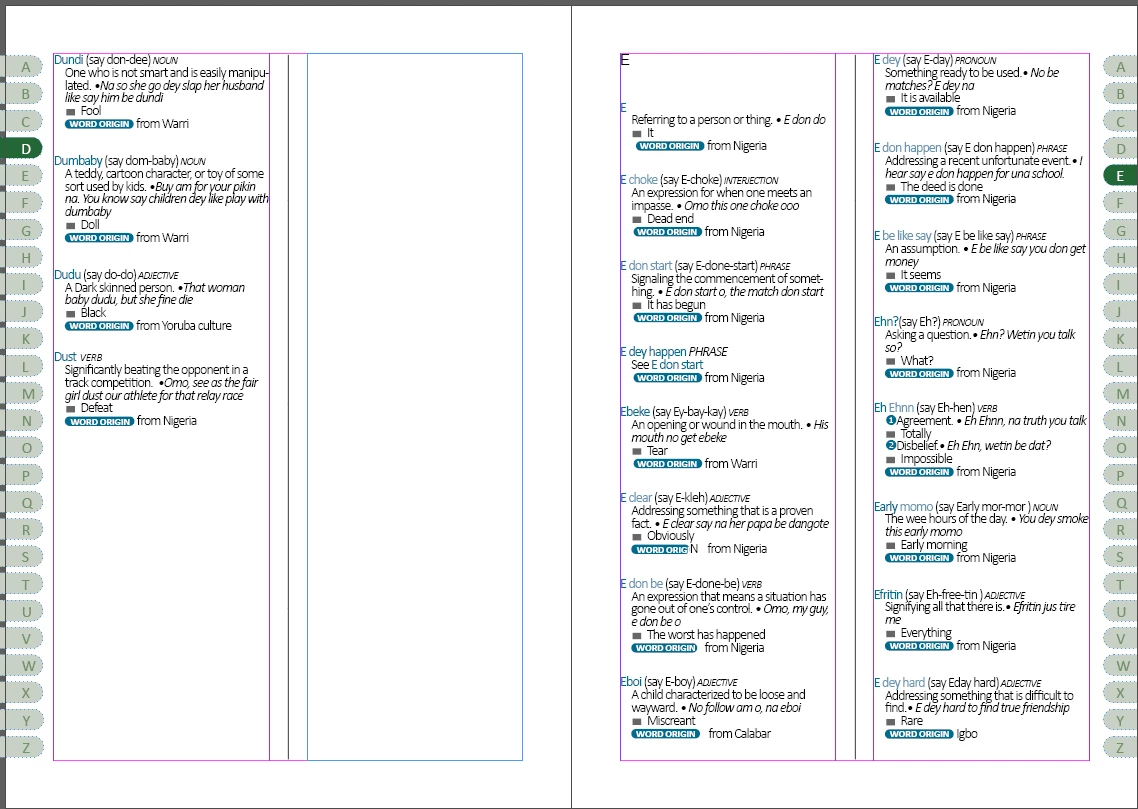
I have been trying to remove the spacing between these text frames but I have not  been able to. 

I tried backspacing, deleting and the text is not moving into the blank text frame.


I tried the Grep style that allows to change Multiple spacing into single spacing but it doesn't highlight this space when I click on Find.


I even tried Multiple Return to Single return using Grep but it still doesn't find it. 


I believe this extra spacing format came in from the Microsoft word document I imported the text from.


I have more of this unneccessary spacing that refuses to budge.


Note: Smart text reflow is turned on. 

Allow Pages to shuffle is also turned on. 
This topic has been closed for replies.
Correct answer Peter Spier

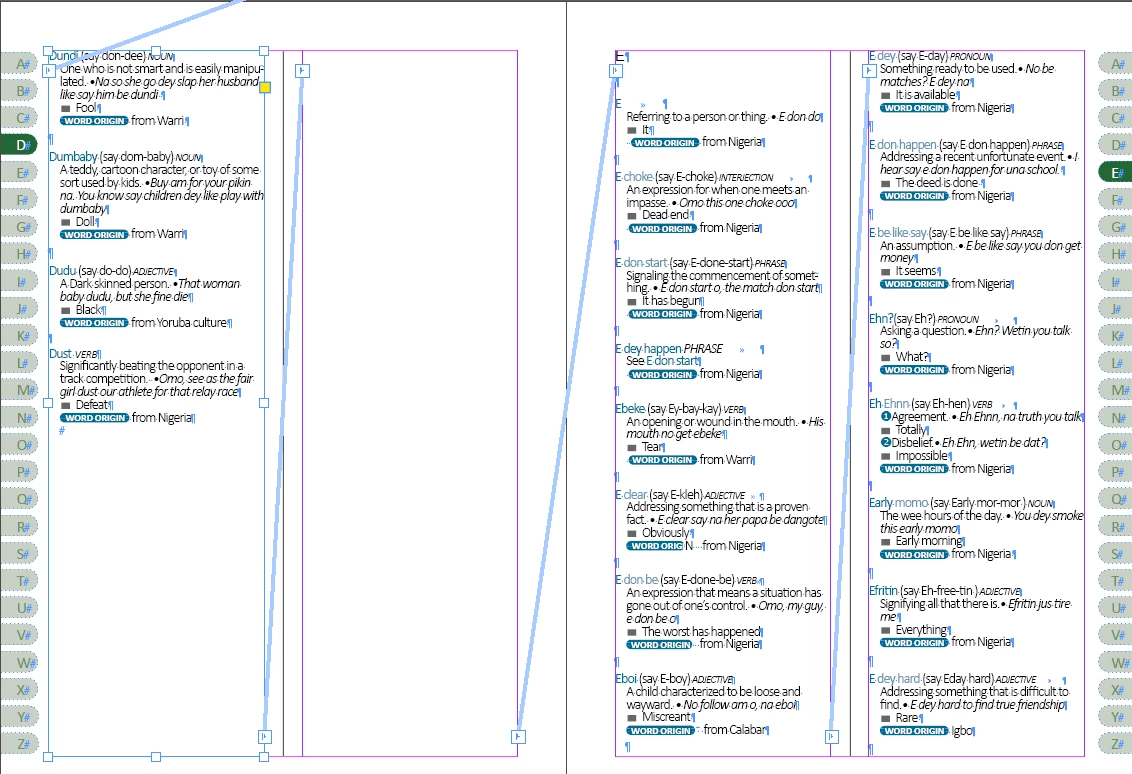
They are all threaded actually. 


Quite odd...

It certainly looks like the frames are threaded, but perhaps you have two sets of frames since the end-of-story marker is there.

The other possibility is the paragraph style assigned to the E is set to start on next page.

2 replies

Willi Adelberger
Community Expert
Community Expert
August 28, 2023

Break options in the paragraph styles will help you.

Consider to make the letter to spann all colummns without a page or column break.

Community Expert
August 28, 2023

It could be a column break character that is causing the issue. Switch on the "Show Hidden Characters" option and then share the screenshot here or if you could share a sample INDD document that would be great as well.

-Manan

-Manan
Community Expert
August 28, 2023
Known Participant
August 28, 2023

I tweaked the Keep options and they are not working for it.