Participant
July 5, 2026
Question

How do i set up an A5 novel?

  • July 5, 2026
  • 2 replies
  • 64 views

How do I set up an A5 novel? So I have my Word doc but can't seem to get the InDesign to set up properly; I can't seem to get any templates of what I need either. It's just an A5 fiction novel, about 300 pages in a Word doc. Can someone help or even make a simple template or anything...? 

Thanks

    2 replies

    Derek Cross
    Community Expert
    Community Expert
    July 5, 2026

    (Briefly) Set up your A5 document (margins etc) ensure you have Facing Pages and Primary Text Frame ticked (don't add the number of pages, leave them as 1. Then Place your World document (assuming it’s a simple document with Styles for the text and the Chapter headings) with Shift selected. It will create the number of pages needed and fill them with the text. Then create a Paragraph Style for the basic text (Font, Size and Leading, alignment – usually Justified for a novel.) and Styles for larger fonts for the Chapter headings and Prelims. Look up online things like Baseline Shift (to align the text) and how to create Running headings from the Chapter names and so on. If the novel is to be printed, then produce a separate document of the cover as it will be printed presumably in colour and on card.

    Discuss with your printer what kind of PDF they want, normally PDF/X-1 or PDF/X-4

    Make sure you save your document with incrementally names, so you can go back to a previous version if you mess the current document  up! 


    Derek Cross
    Community Expert
    Community Expert
    July 5, 2026

    Here’s a double page spread for a book I produced recently using the above measurements etc. Note the Baseline Grid. You set up the folios on the Parent page – note (in this example) I’ve added a decorative item to the numbers.


    Derek Cross
    Community Expert
    Community Expert
    July 5, 2026

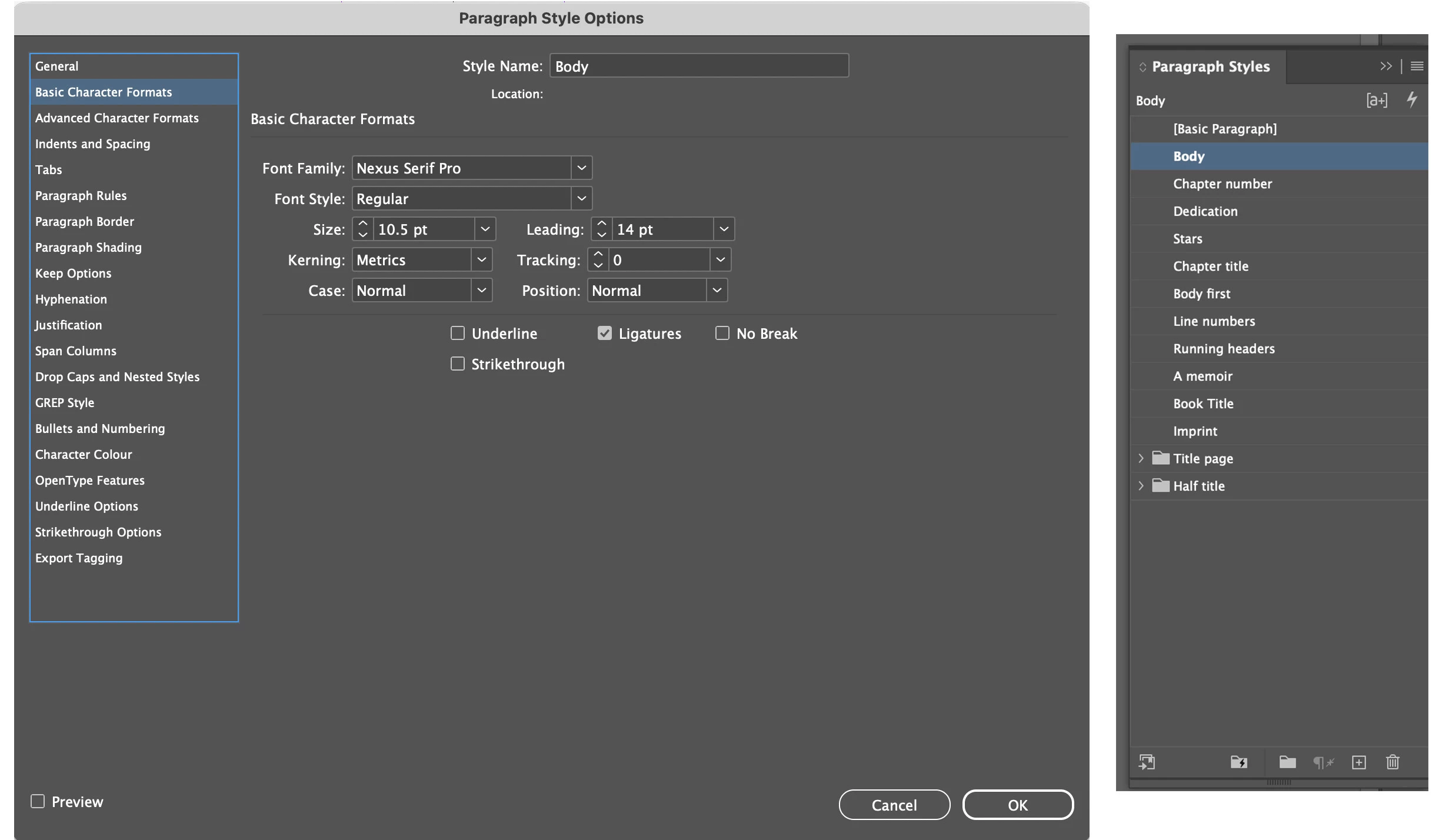
    Here’s an image of the Paragraph Styles used in the above book  (there is

     also a Character Style for Italic for those words to be Italic within the Paragraph text).


    leo.r
    Community Expert
    Community Expert
    July 5, 2026

    Just to make sure: In general, do you have any experience working with InDesign, or is it the first time you attempt to use it?

    Participant
    July 5, 2026

    I've played around with it, so I'm still working out some things. I'm no pro at all but not quite a noob.