Question
How do I switch from 2-page spread to ebook layout?
I set up my book using a print format (half A5). When I export to epub it appears to be adding blank pages, which I assume is because my original format is a two-page print layout (please correct me if I'm wrong). So Chapter 5 document, for example, is only two pages, where the first is a single page and the second is one of a two-page spread. I've deleted all blank pages after that second page but this doesn't make any difference to the epub version.
Is this because my A Master is a double page? Because I've just deleted one side from the A-Master and it has not made any difference. In fact I've just noticed that my cover page also has a blank page before it. If not, how do I avoid these additional pages being printed in my epub?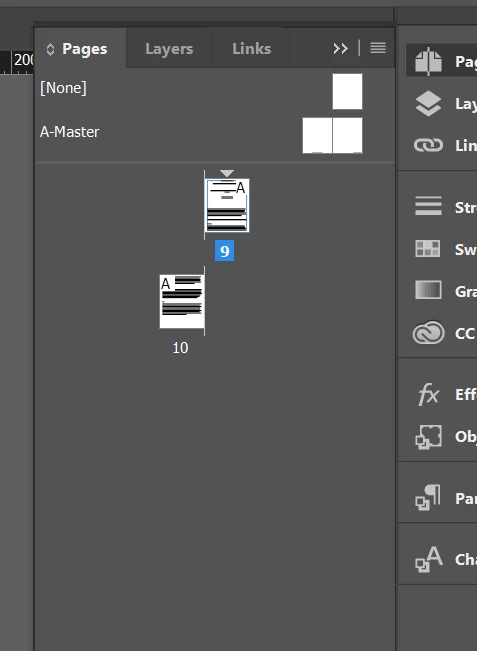
 AdChoices