Participant
June 23, 2022
Answered

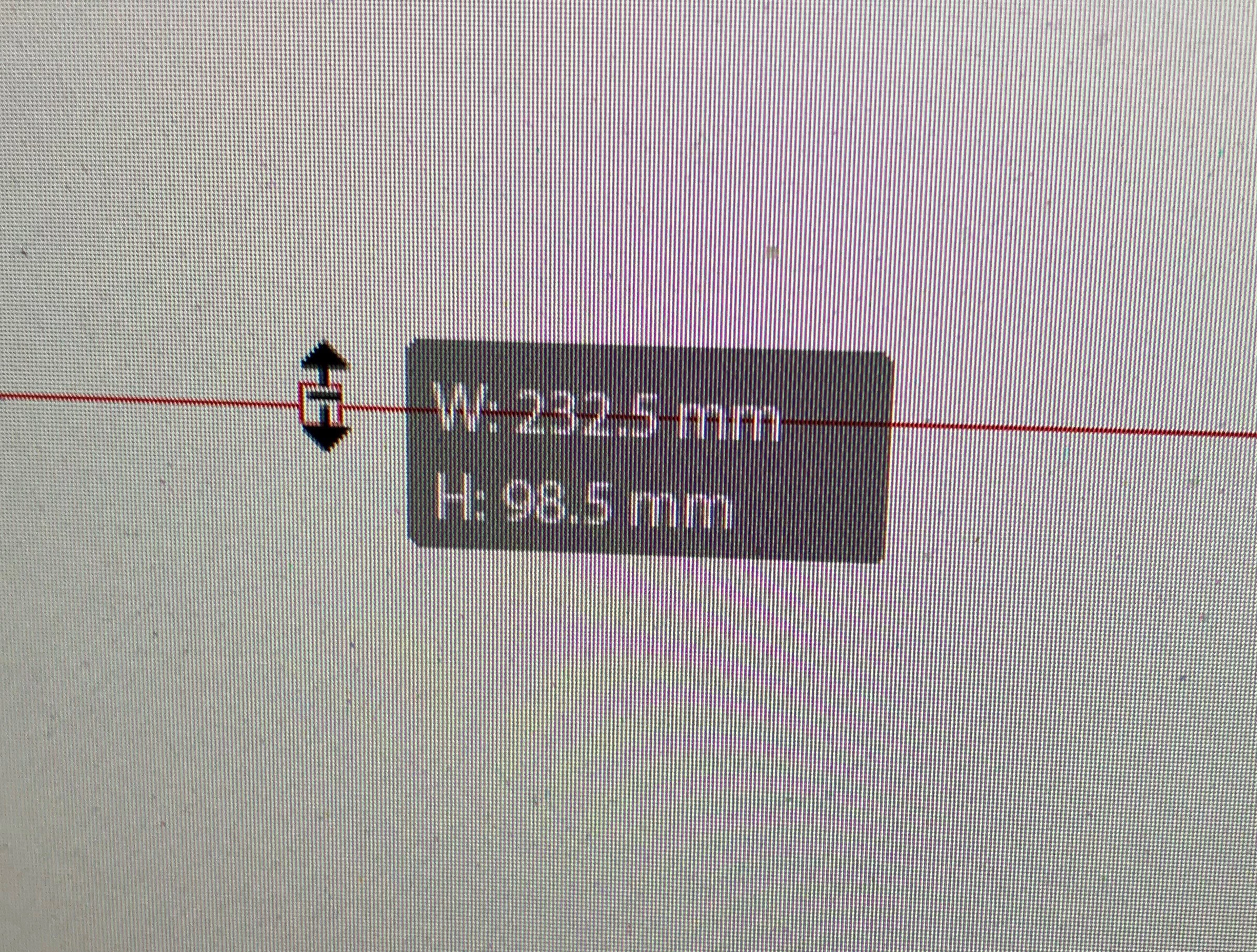
How do we turn off Width and Height pop-up in Indesign?
  • June 23, 2022
  • 4 replies
  • 459 views

I can't find anything directly on this in my search - although it is the classic of not knowing what this function has been designated as by Adobe, and thus not knowing how to directly search for it.


Many thank if any-one can tell me how to switch off.


Best,

Nick
This topic has been closed for replies.
Correct answer Barb Binder

Hi Nick:


And honestly, we are the best people to ask. The Adobe Community Professionals are vetted by Adobe and we are using these software applications every single day. We tend to know the ins and outs more than the support people that you can get when you call Adobe.


~Barb

4 replies

Barb Binder
Community Expert
Community Expert
June 23, 2022

Ah. Here is the page that lists the support options. Notice that forum (us) is on there for questions about the software. There is a chat button in the bottom right corner.

https://helpx.adobe.com/contact/what-contact-options.html


~Barb

~Barb at Rocky Mountain Training
Participant
June 23, 2022

Many thanks indeed!

Barb Binder
Community Expert
Community Expert
June 23, 2022

A direct route to the feature?

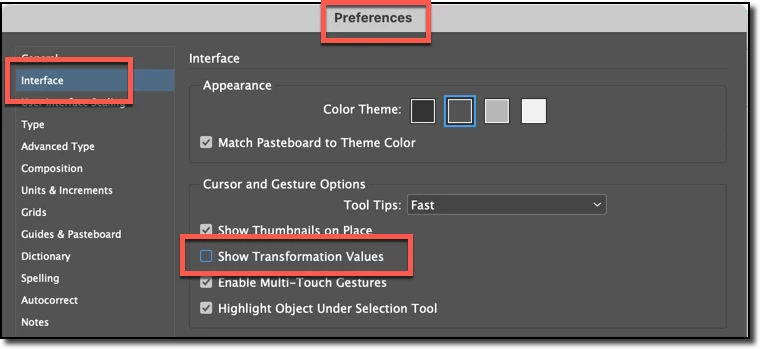
Mac: InDesign > Preferences > Interface

Win: Edit > Preferences > Interface


Or a direct route to finding this answer on your own? 

Ask us. 😉  I'm sure it's in the Help somewhere, but I couldn't find it quickly either.


~Barb


~Barb

~Barb at Rocky Mountain Training
Participant
June 23, 2022

Apologies for any non-clarity. I was refering to the thread of what ou had written:


'...the support people that you can get when you call Adobe'


So I assumed there was a number you knew perhaps. 


No problem I will continue the search.


Many thanks again!

Barb Binder
Community Expert
Barb BinderCommunity ExpertCorrect answer
Community Expert
June 23, 2022

Hi Nick:


And honestly, we are the best people to ask. The Adobe Community Professionals are vetted by Adobe and we are using these software applications every single day. We tend to know the ins and outs more than the support people that you can get when you call Adobe.


~Barb

~Barb at Rocky Mountain Training
Participant
June 23, 2022

Many thanks indeed for the how to, that is wonderful.


Just for clarity of my reference then; so there does exist a direct route that I missed? Could you possibly share it with me please, if that is at all possible, I would be very grateful indeed!


Many thanks,

Nick

John Mensinger
Community Expert
Community Expert
June 23, 2022

I like the feature, and never looked for an off switch. I know how to turn it off in Illustrator, but now that you've sent me looking for it in InDesign, I don't see a way to turn it off either.

Participant
June 23, 2022

Based on the above and to save time - do you John, or anyone know if there is a route contact Adobe software support directly (i.e. contact a person who knows all the functionality of the product; in this case Indesign) to ask?


I have looked but I keep just going on a run around to community and FAQ pages etc.


Again; my apologies if it is obvious and I have missed it.


Many thanks,

Nick