
ze.ds
Participant
July 7, 2025
Answered

How do you copy a cell to all other cells?

  • July 7, 2025
  • 1 reply
  • 210 views

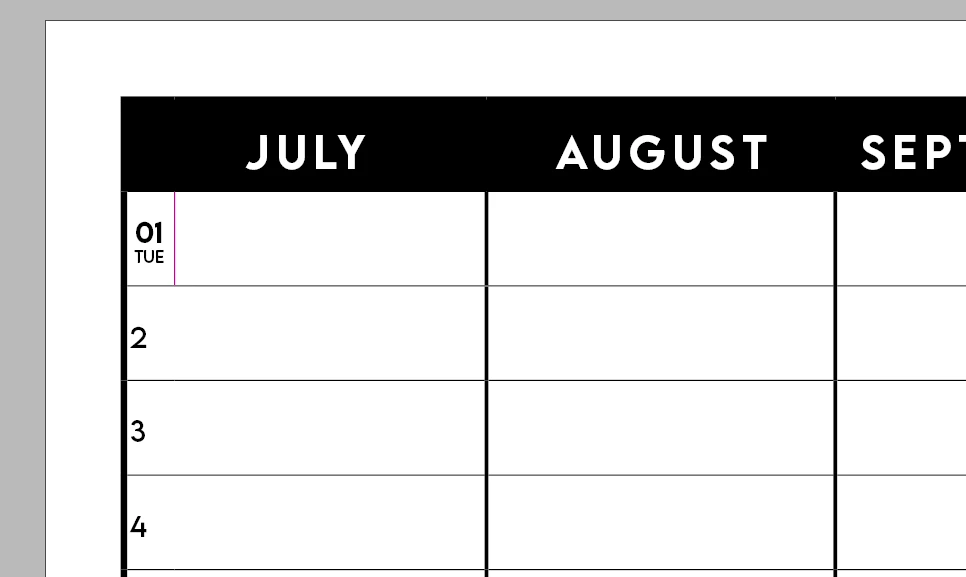
Not sure how best to describe my issue here...But im trying to make a planning for my class and I have formatted the first cell in the style i would like (the pink line will be changed to white prior to printing). Now the "01" and "TUE" are different font sizes and have been center aligned to the smaller pink cell - is there a way i can apply to all other cells so i can simply go in and edit the days for each month with fixing the font style of match?
 

Correct answer Scott Falkner

If you don’t intend to fill the empty space to the left of the date you can forgo splitting the cell and format the text with a large right margin which will force the date to be centred to the left of the cell as you have it now.


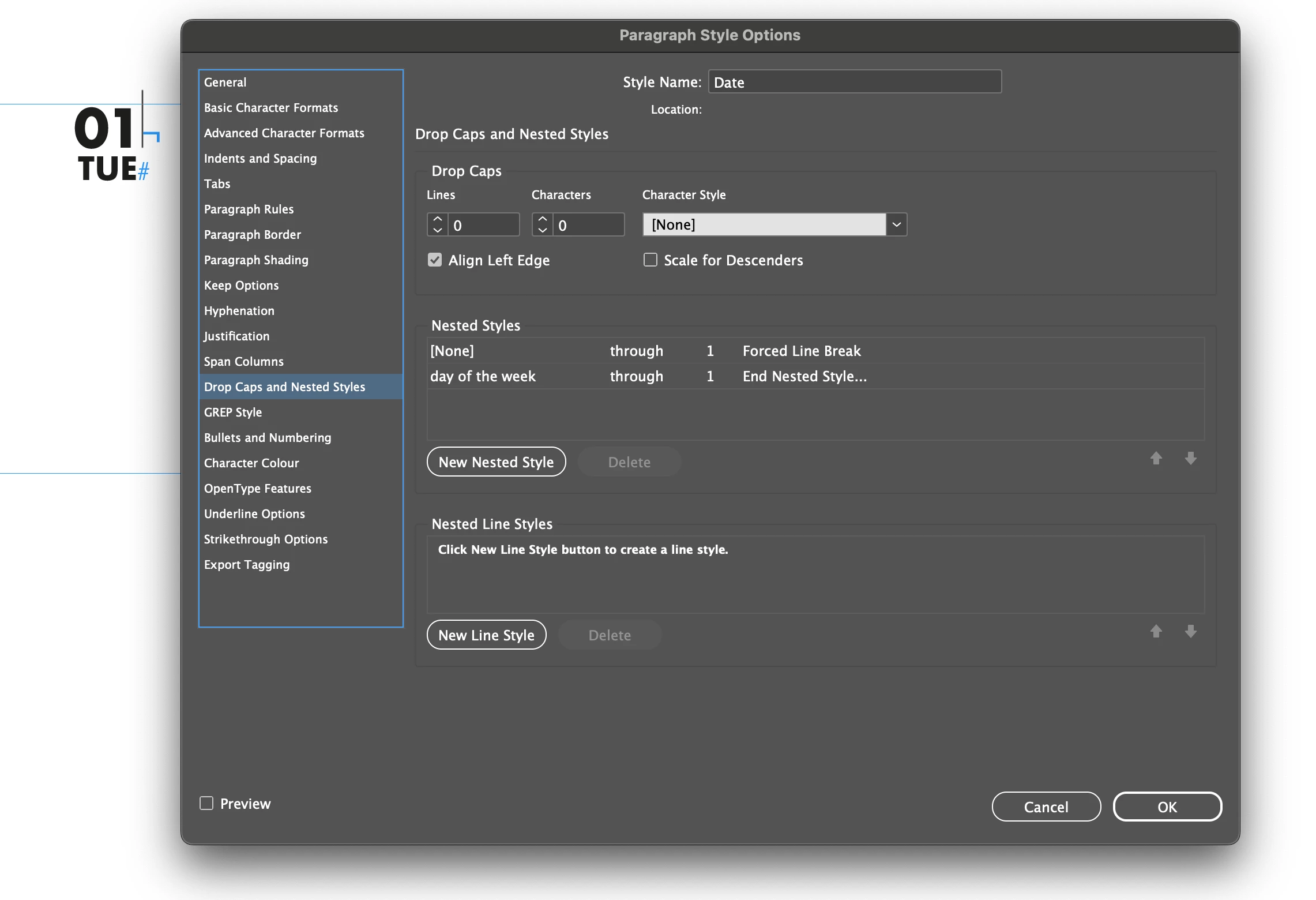
To format the date I would use Nested Styles and a forced line break so the date (day number and day of the week) are on separate lines within one paragraph. Format the paragraph with the character attributes how you want the day formatted tehn use Nested Styles to apply the day of the week style to the second line.


1 reply

Legend
July 7, 2025

Copying cells is by selection, just like any other objects or text. A cell is selected by Esc key. However, the pink line seems to be from a vertically split cell and since allother cells don't yet seem to be split as well, copying wouldn't work. Cell styles can help, but you still would first have to split all other cells (mark them all, then split, then adjust the vertical border),then apply the style created from the 01 Tue to the others. At least I don't know a better way. 

Scott Falkner
Community Expert
Scott FalknerCommunity ExpertCorrect answer
Community Expert
July 7, 2025

If you don’t intend to fill the empty space to the left of the date you can forgo splitting the cell and format the text with a large right margin which will force the date to be centred to the left of the cell as you have it now.


To format the date I would use Nested Styles and a forced line break so the date (day number and day of the week) are on separate lines within one paragraph. Format the paragraph with the character attributes how you want the day formatted tehn use Nested Styles to apply the day of the week style to the second line.