
monicat85957889
Participating Frequently
July 3, 2024
Answered

How do you create a Chapter Page before your Running Header

  • July 3, 2024
  • 2 replies
  • 686 views

Hi All,


Please, c ould anyone help me with my chapter page?


Basically, I'd like to have a Blank Chapter page with a Text Variable of the Header of the following page.
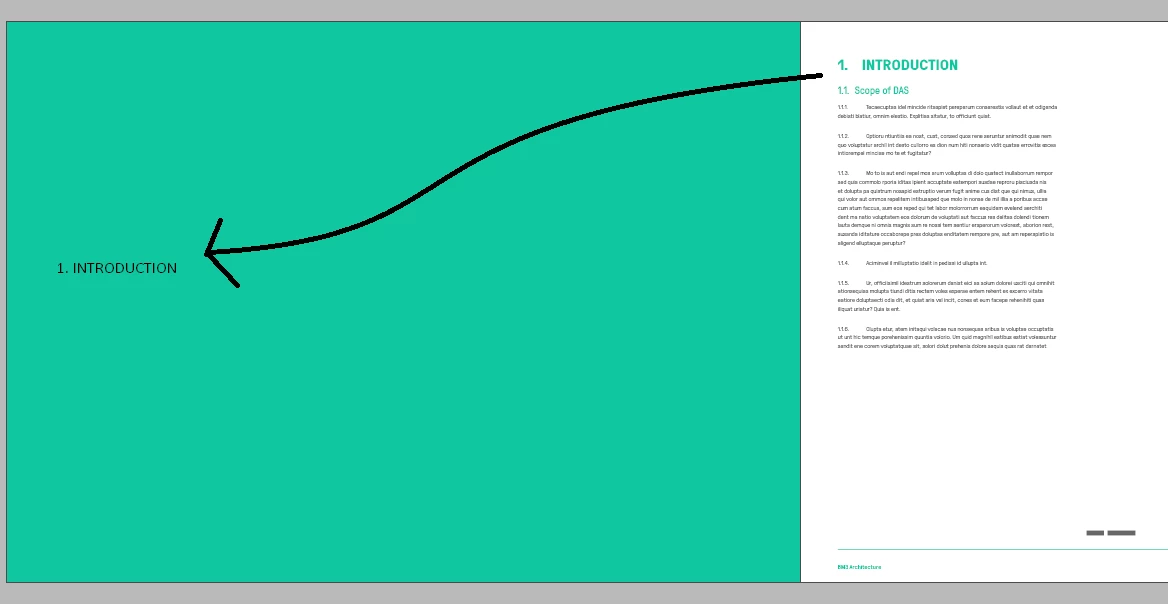
 

Basically like the image above. 


I've created a master page that shows the text variable for Running Header (see screenshot below), but for some reason it only shows after the page that has the header.
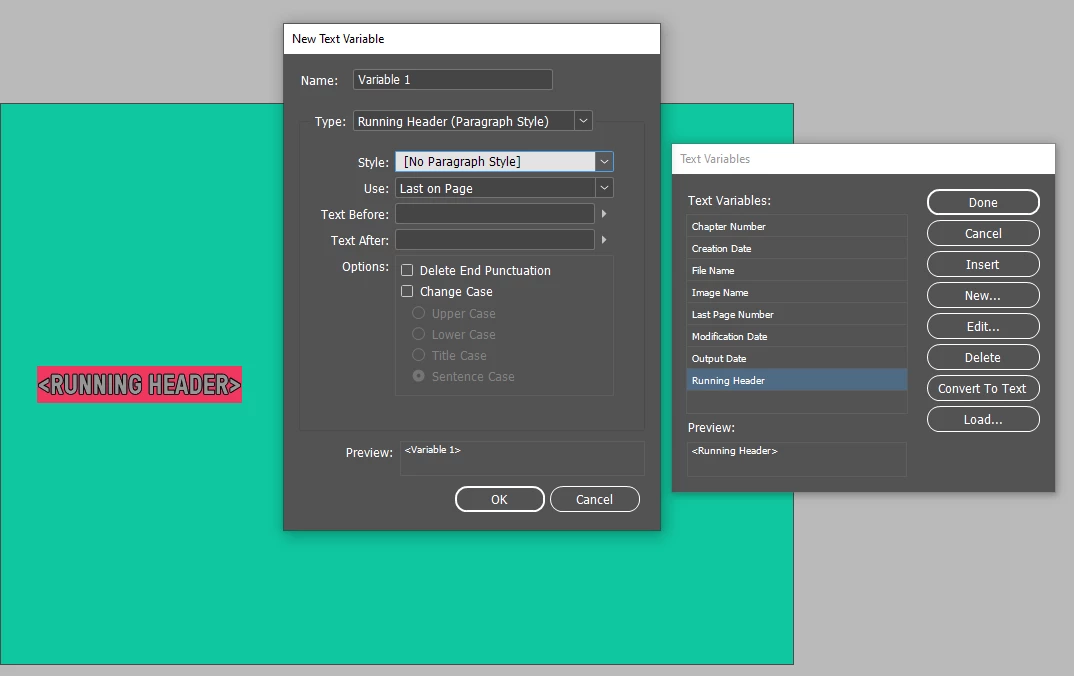


Is there a way to make the section page before the section heading appear as an automated text variable?


Thank you in advance for your help.


Kind regards,

Monica


This topic has been closed for replies.
Correct answer Willi Adelberger

You don't need to write it twice, use the text variables not on on the cover but in the headline. That is the only way to get the taxtvariabe in use here

Another method could be to use a cross reference which will draw the content of the following headline on the cover. But this method seems to me more complicated. 

2 replies

Peter Spier
Community Expert
Community Expert
July 4, 2024

I was able to get this to work by using a running header variable in a frame on a two-page Parent Spread, but it was not straight-forward at all. I happened to be working in Version 16, but see no reason it won't work in later versions.

The frame must span BOTH pages of the spread and be wider on the right page than the left so that it really belongs to the right hand page, not the left.  I used a two-cell table to position the variable in the center of the left page, aligning the cell edges with the margin guides on the left page. You could probably move the cell boundaries or change insets to get the postioning as you want it -- I just center aligned it on the page.

In your document you can use any Parent page, or [None], for the right-hand page on which the title is entered so long as the left page of the spread uses the Parent that has the variable.

Peter Spier
Community Expert
Community Expert
July 4, 2024

the reason for doing it this way, rather than, as Willi suggested, is that the TOC will reflect the page on which the chapter text starts, rather than the blank header page.

Willi Adelberger
Community Expert
Community Expert
July 3, 2024

Write the text of the running jeader on this cover page. Use a paragraph style. On the master/parent use a running header text frame based on the paragraph style you have written on the cover page.

On the first use in headline use the same text variable.

monicat85957889
Participating Frequently
July 4, 2024

Hi Willi, 


Thank you very much for the answer, but it kind of defeats the purpose of having to write it twice.


The problem I have now is that the Header Introduction I have on the next page is connected to my contents table. Once I copy that to the page where the the text variable master page is going to be it duplicates on my contents table. S 😥


I've screenshot what happens when I do that. what I wanted to avoid is to have to update a "cover page" of the section with another title on the page. It defeats the automated purposed of using the Text Vairable.


Thank you very much.

Willi Adelberger
Community Expert
Willi AdelbergerCommunity ExpertCorrect answer
Community Expert
July 4, 2024

You don't need to write it twice, use the text variables not on on the cover but in the headline. That is the only way to get the taxtvariabe in use here

Another method could be to use a cross reference which will draw the content of the following headline on the cover. But this method seems to me more complicated.