dublove
Legend
Nov 15, 2026 4:10 PM UTC
Answered

How do you determine if there is text overflow in the last text box of an article when you have selected all the text?

I selected all the text and tried to check if there was any overflow in the article, but was unsuccessful.
So, I wanted to traverse all the text boxes, but I found a strange problem. In the following code:


alert(st.length)


Why is it displayed as 0?
This obviously has  3 textFrams.
Is there a ghost?

var d = app.activeDocument;
var item = d.selection[0];
var st = item.parentStory.textFrames;
alert(st.constructor.name);
alert(st.length)



 

    rob day
    rob dayCorrect answer
    Community Expert
    Nov 15, 2026 8:13 PM UTC

    A story has an overflows property, so:


    var st = app.activeDocument.selection[0].parent;
    alert("Selected story oveflows: " + st.overflows)


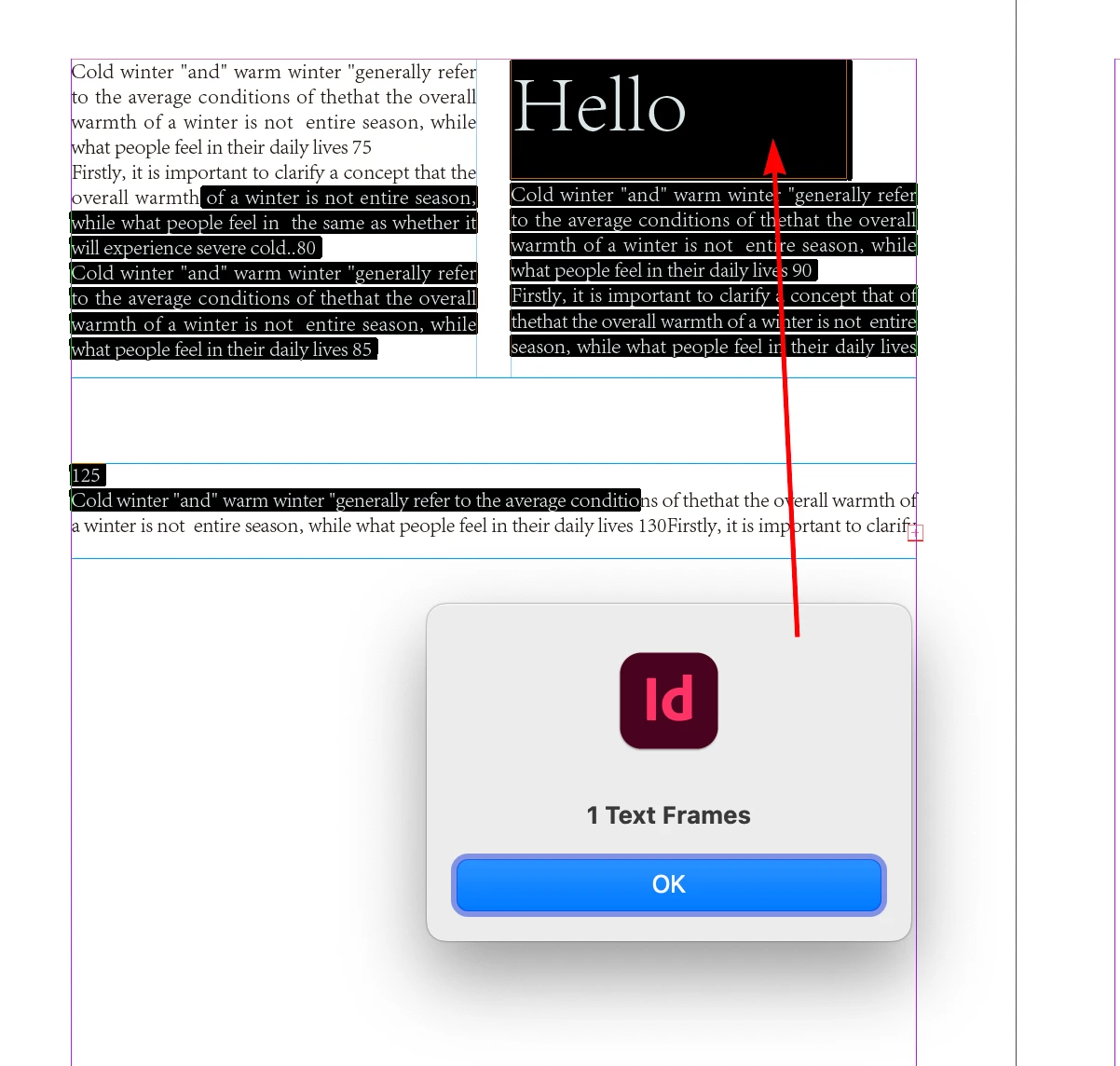
    Your sample has an anchored image. If there was an anchored text frame in the story then there would be more than 0 text frames:


    var st = app.activeDocument.selection[0].parentStory.textFrames;
    alert(st.length + " Text Frames")


    6 replies

    rob day
    Community Expert
    rob dayCommunity ExpertCorrect answer
    Community Expert
    Nov 15, 2026 8:13 PM UTC

    A story has an overflows property, so:


    var st = app.activeDocument.selection[0].parent;
    alert("Selected story oveflows: " + st.overflows)


    Your sample has an anchored image. If there was an anchored text frame in the story then there would be more than 0 text frames:


    var st = app.activeDocument.selection[0].parentStory.textFrames;
    alert(st.length + " Text Frames")


    Translate
    dublove
    dubloveAuthor
    Legend
    Nov 16, 2026 3:50 AM UTC

    Hi ​@rob day 

    I always thought that var st=app.active Document. parentStory. textFrames; It refers to all the text frames in an article.

    Now it seems to refer to the text frames containing in the text frame?

    And all the text boxes included in an article are this: app. selection [0]. parentStory. textContainers;
    This is so frustrating.

    I searched online and many of them are like this:

    var d = app.activeDocument;
    var frame = app.selection[0];
    if (frame && frame.isValid && frame instanceof TextFrame) {
    var story = frame.parentStory;
    var st = story.textFrames;
    alert(st.length)
    //result:0
    }

    I have some doubts about whether there is a problem with my software.


    Translate