randyh93567602
Participant
May 22, 2019
Answered

How do you import a Word document with auto flow text, but maintain master text frames?

  • May 22, 2019
  • 2 replies
  • 3443 views

I can import a Word document just fine, and have the auto flow where it automatically adds enough pages. But, the problem is that it adds a new text frame on each page that's the whole width of the margins. I created a master page where I want the text boxes laid out. So, how can I import the Word document to match those master frame text boxes?

I tried simply adjusting the margins, but oddly importing it resets the margins.

I did halfway figure out a way to do it, but it only pastes it into the even numbers pages and leaves the odd pages blank.


This topic has been closed for replies.
Correct answer Barb Binder

Hi Randy:

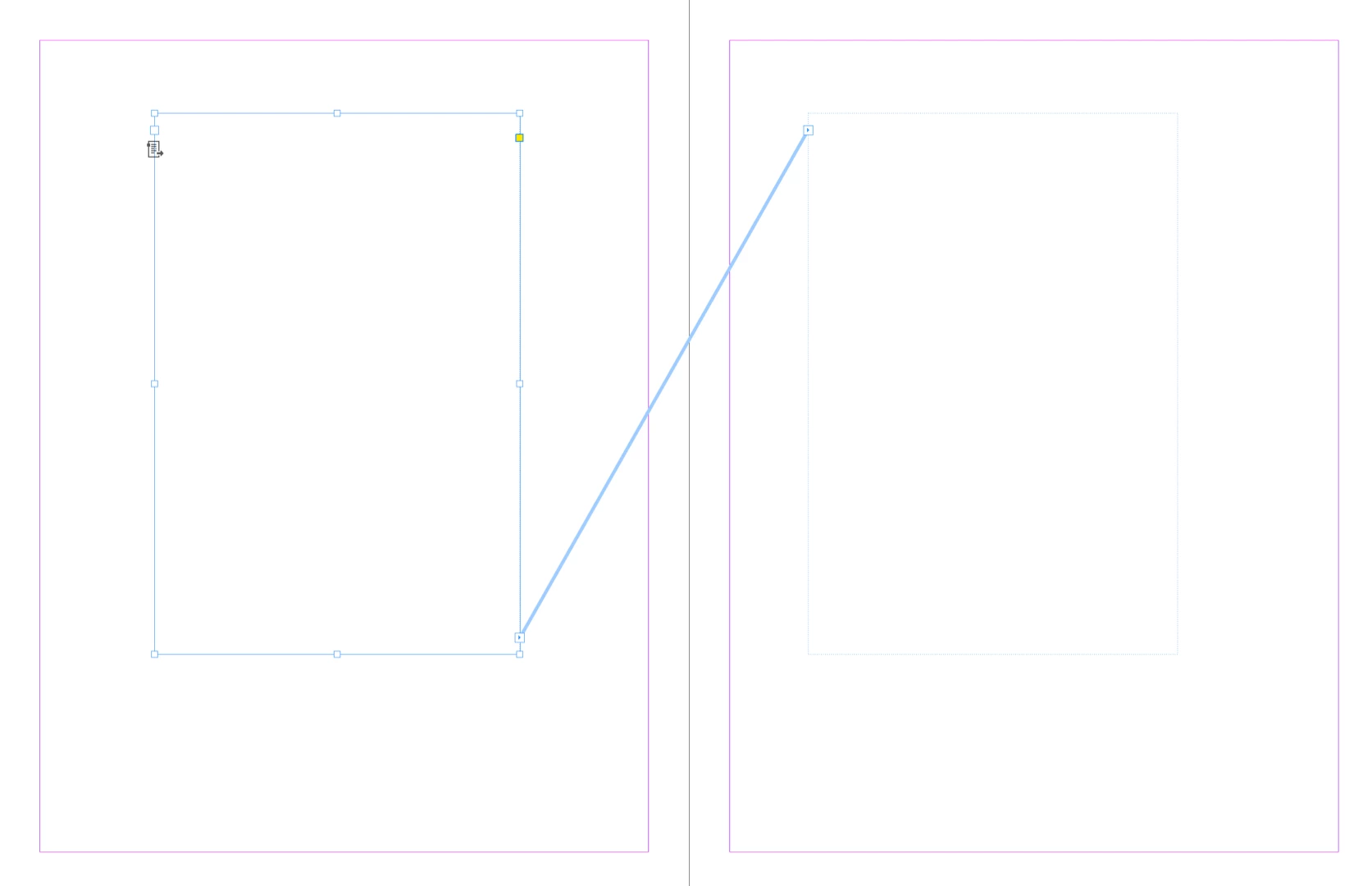
Your best bet is to designate the text frames on the master pages as primary frames. Then the text will flow into the frames as InDesign creates new pages. To do so, click the icon in the top right corner of the frame.

Regular text frame:

After clicking the icon to designate as a primary frame:

Make sure the frames are threaded:

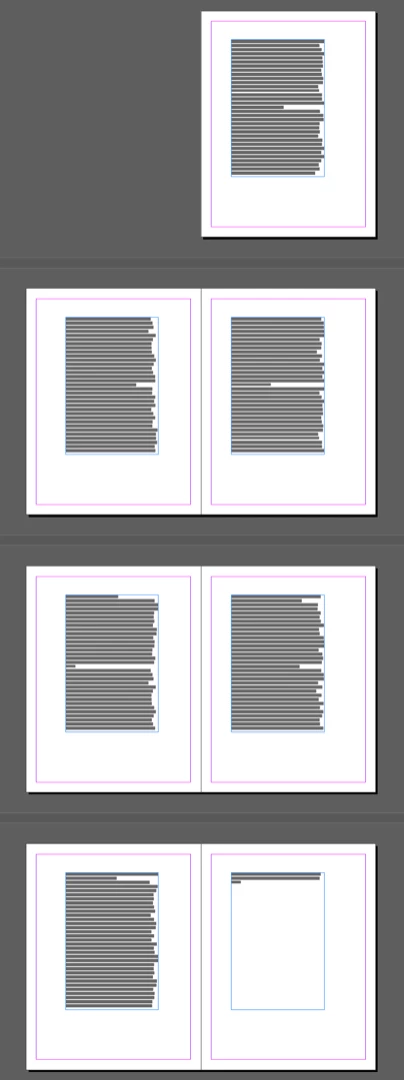
Then navigate back to the body pages and place the text into the first frame:

If you modify the size/position of the primary frames on the master, the text on the body pages will reflow.

~Barb

2 replies

Barb Binder
Community Expert
Barb BinderCommunity ExpertCorrect answer
Community Expert
May 22, 2019

Hi Randy:

Your best bet is to designate the text frames on the master pages as primary frames. Then the text will flow into the frames as InDesign creates new pages. To do so, click the icon in the top right corner of the frame.

Regular text frame:

After clicking the icon to designate as a primary frame:

Make sure the frames are threaded:

Then navigate back to the body pages and place the text into the first frame:

If you modify the size/position of the primary frames on the master, the text on the body pages will reflow.

~Barb

~Barb at Rocky Mountain Training
winterm
Legend
May 22, 2019

hm, for me *normal* text frames on a master work, too…

Willi Adelberger
Community Expert
Community Expert
May 23, 2019
  1. You should always align the text frames with the border guides as it makes it possible to realign frames if you change the layout.
  2. If you use primary text frames you can apply another master with different layout with primary text frames and the text flows into these primary text frames.
  3. If you use normal text frames you can also apply or reapply a text frames, but the used text frames loose their connection to the master and the new applied or reapplied master will cause to have another set of frames, which are not used with the text  on your page.
randyh93567602
Participant
May 22, 2019

I sort of figured out a workaround, but am still wondering if there is a better way to do this.

I discovered, if I add enough pages to hold the entire document, I can Shift+Alt click into the first page's frame and it does fill out to the proper margins. So far, that's the only way this works for me.