


Known Participant
August 21, 2026
Pergunta

How do you insert pages into a flow?

  • August 21, 2026
  • 2 respostas
  • 14 Visualizações

I need to insert pages into the middle of a document that has continuous text flow between pages.

Each of the new pages has one text frame. I have connected those two pages together. But I can find no way to connect preceding pages to the input of the first new page’s frame, and the output of the last new page’s frame to the input of the subsequent page.

Any attempt to link the frames with the input or output handles creates a new text frame on the clicked-on page. I found that to connect the two new pages I had to Shift-click each one’s text frame so they were both selected; but this is impossible with the preceding or subsequent pages.

Any insights appreciated!
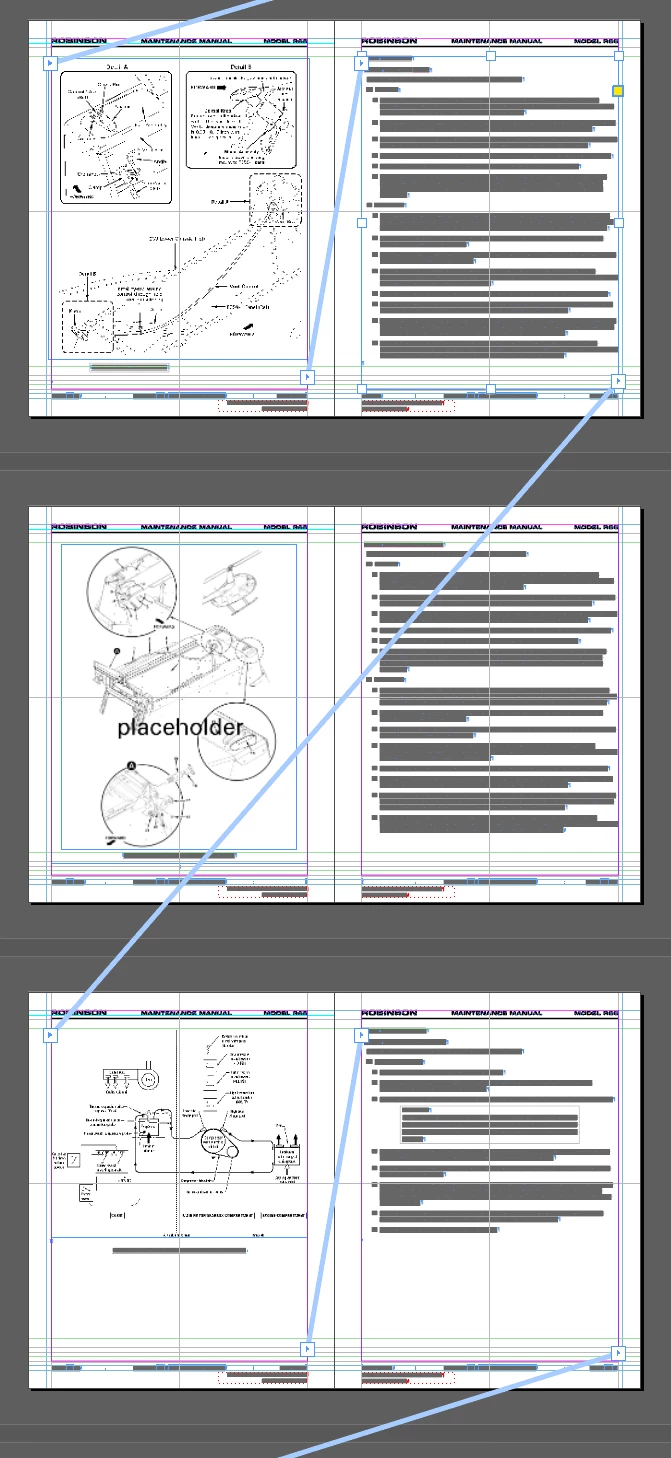
The two pages in the middle need to be inserted into the flow.


    2 Respostas

    Peter Kahrel
    Community Expert
    Community Expert
    August 21, 2026

    You can break the thread like this: click the outport of the right-hand frame on the first spread, then move the cursor over that same frame (notice that the mouse cursor’s shape changes to a broken chain) and click. This breaks the story. Now you can thread the right-hand frame on the first spread to the left-hand page of the second spread. And the right-hand frame on the second spread to the left-hand page of the third spread.

    Inspiring
    August 21, 2026

    Your text is flowing prior to insertion.

    I don't think you're going to alter that.

    Load all the new content into the cursor and paste; or

    Place the new content (via Place). With the cursor in position, File. > Place, point to an appropriate file.