Participant
November 7, 2017
Answered

How do you make a circle with no fill in InDesign?

  • November 7, 2017
  • 1 reply
  • 2543 views

Hello!

I am new to InDesign and need to create a circle (which I done using the ellipsis tool) that has no fill (which I seem unable to do). I have figured out how to colour the line but can't work out how to remove the fill. When change the fill to white, my image becomes a white fill and grey line - I just want the grey line.

Does anyone know how to do this?

Thanks in advance

    This topic has been closed for replies.
    Correct answer Barb Binder

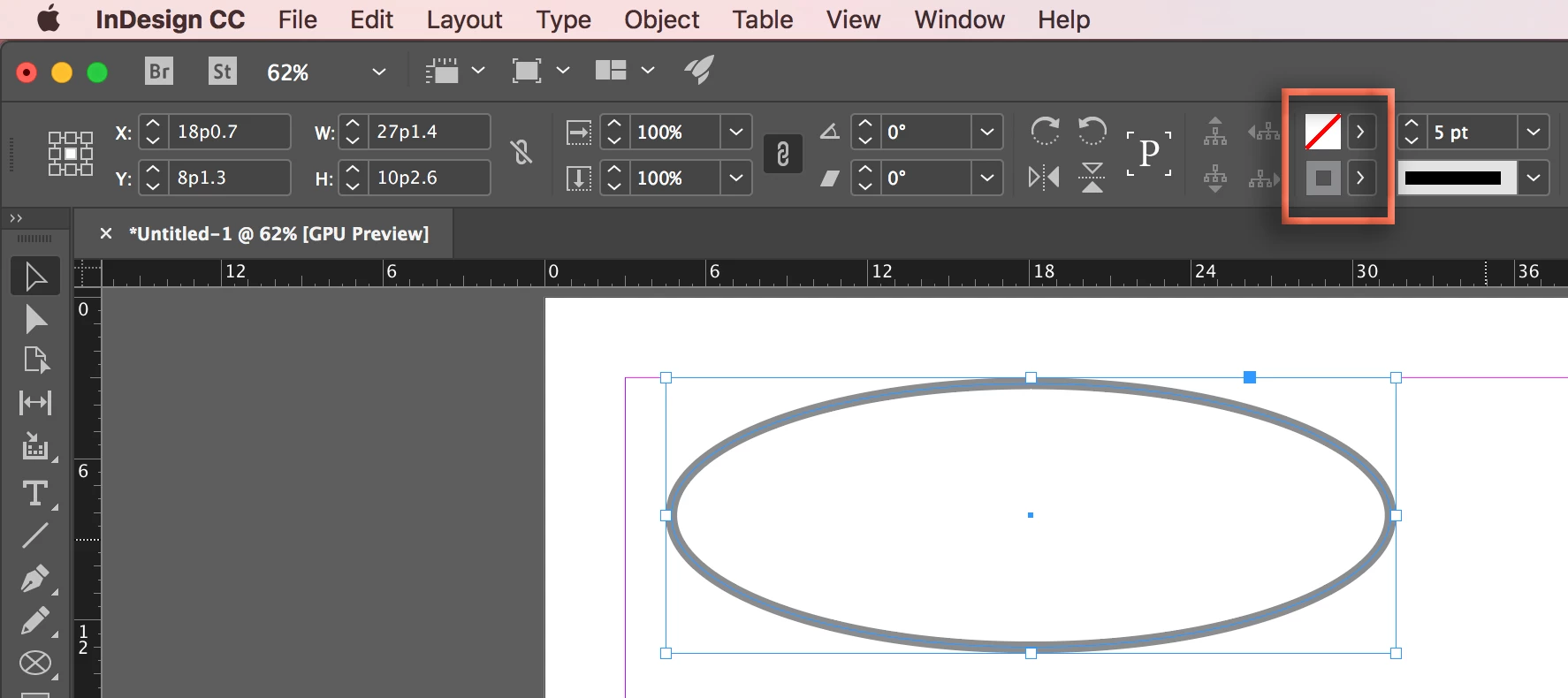
    Select the ellipse on the page (handles visible) and set the Fill to None (white box with a red line through it), located right above the Stroke color.

    1 reply

    Barb Binder
    Community Expert
    Barb BinderCommunity ExpertCorrect answer
    Community Expert
    November 7, 2017

    Select the ellipse on the page (handles visible) and set the Fill to None (white box with a red line through it), located right above the Stroke color.

    ~Barb at Rocky Mountain Training
    Participant
    November 8, 2017

    Thank you

    Barb Binder
    Community Expert
    Community Expert
    November 8, 2017

    You are welcome, Sarah.

    ~Barb at Rocky Mountain Training