Inspiring
February 23, 2026
Answered

How do you view a note?

  • February 23, 2026
  • 6 replies
  • 127 views

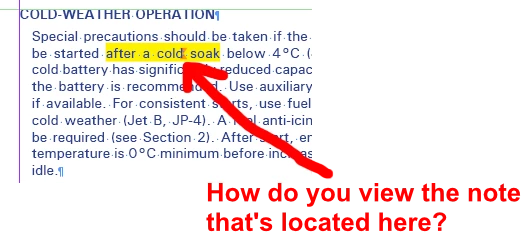
I can’t find any way to show the content of a note. Anyone?
 

    Correct answer rob day

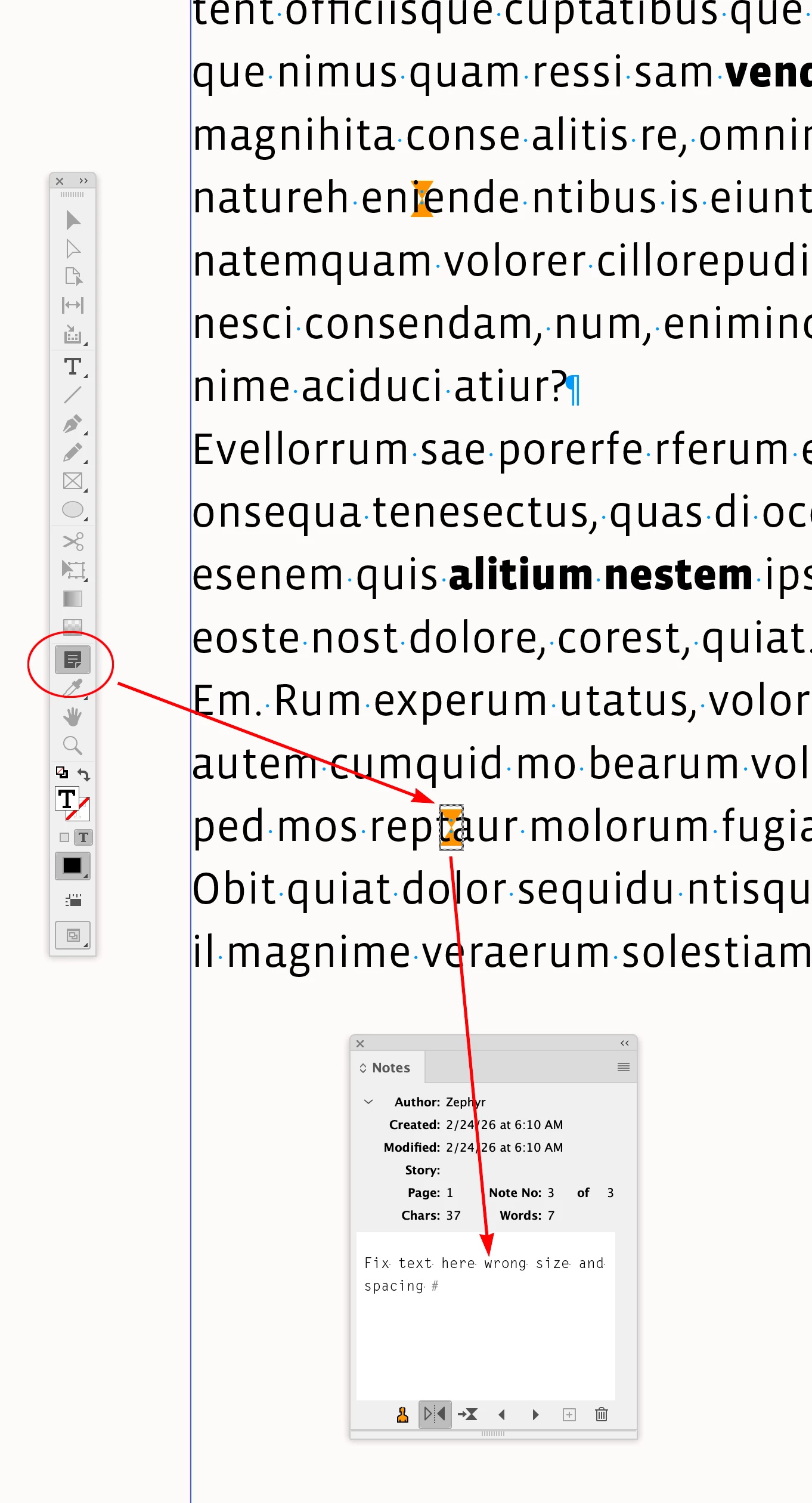
    The question is how I directly show the note text from the anchor that appears on-screen.


    Use the Note tool and click on the note when it is highlighted with a bounding box:


    6 replies

    Legend
    February 24, 2026
    Barb Binder
    Community Expert
    Community Expert
    February 24, 2026

    Three options to navigate the notes, all already mentioned on this thread. I think perhaps you are hoping for a different answer, but we can’t help with that. All we can do is explain the features.


     https://www.youtube.com/watch?v=0n4EzXxsXiU


    ~Barb at Rocky Mountain Training
    Inspiring
    February 24, 2026

    I understand, Barb, but there was a lot of answering something I didn’t ask.

    I’ve also shown that the method depicted in the video and helpfully suggested by ​@jmlevy doesn’t currently work.

    In the end, it looks like notes in InDesign are another near-useless, aborted “feature” that is expected, routine, and functional in other software.

    Barb Binder
    Community Expert
    Community Expert
    February 24, 2026

    Hi ​@Thomas_Calvin:

    Actually, ​@jmlevy is correct but only on Windows. He doesn’t know you are on macOS. It’s always helpful to remind folks what version on InDesign you are using and what OS as you ask each question.

    Most users are on Windows, so many Experts will make that assumption if the OP doesn’t let us know. We are all volunteers taking time out of our day to help others. We do our best.


    ~Barb at Rocky Mountain Training
    Mike Witherell
    Community Expert
    Community Expert
    February 23, 2026

    Once you have the panel open you also have to click on the Go to Next / Previous Note buttons which will advance the insertion point to the Note text.

    Mike Witherell
    Inspiring
    February 23, 2026

    Thanks Mike. So you have to sit there and iterate through every note in the document until you hit the one that’s on the page you’re looking at? How do you even know when you reach the correct one?

    Inspiring
    February 24, 2026

    @Mike Witherell Seems like the best workaround. I have a character style that highlights text of interest and alerts the reviewer to the existence of notes. When all is good, I’ll do a search-&-replace of that style.

    One thing that I do appreciate in InDesign is the fairly decent search functionality.

    rob day
    Community Expert
    Community Expert
    February 23, 2026

    Hi ​@Thomas_Calvin You may have missed my reply in your other post 


    Window>Editorial>Notes


    For New Note to be available the selection has to be an Insertion Point. There is also the option to convert a range of text into a note—select some text and Convert to Note from the panel flyout


    Inspiring
    February 23, 2026

    Thanks… but I don’t know what that has to do with my question. I did see (and appreciate) your remark about notes before. But this is about how to view a note, not create one.

    rob day
    Community Expert
    Community Expert
    February 23, 2026

    Not sure how to make it clearer, in my captures I’m viewing the 2 example notes I created in the Notes panel—Wrong Font, and Fix this text. You use the Notes panel to both create and view Notes.

    Legend
    February 23, 2026

    Bob did it :-)

    BobLevine
    Community Expert
    Community Expert
    February 23, 2026

    I get lucky now and again. 😁

    BobLevine
    Community Expert
    Community Expert
    February 23, 2026

    Open the notes panel. Window > Editorial > Notes

    Inspiring
    February 23, 2026

    Thanks Bob, but I don’t see how that goes to the note associated with the anchor on the page.

    jmlevy
    Community Expert
    Community Expert
    February 23, 2026

    Hover the note marker with the text cursor. The cursor will turn into a finger icon, click on the note marker.
