

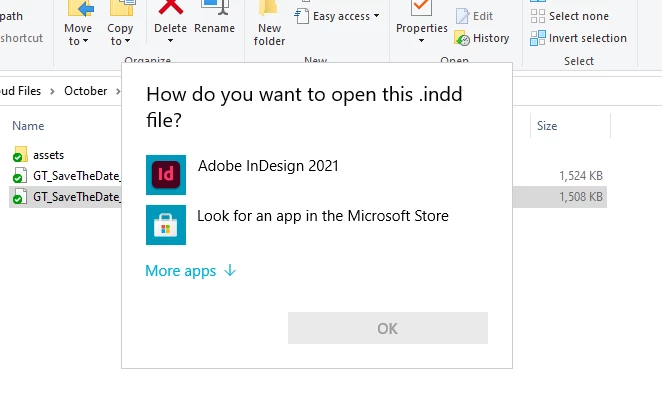
"How do you want to open this .indd file?"
Since the 2021 update, all InDesign files, when double-clicked to open, now bring up a window saying "How do you want to open this .indd file?" From there I click on InDesign and the file opens, but it does this everytime I need to open an InDesign file, unlike the other programs you only have to do that once and you're good to go. Along with that, all InDesign files even after being opened in the new 2021 version do not show the InDesign icon on the file. It's just a blank icon (attached screenshot). I had no issues with this prior to the 2021 update. Is there a preference in the new 2021 InDesign update that needs to be changed or is this something on Adobe's end that neeeds to be fixed?
To add to that, when I click 'save as' instead of going to where I originally opened the file I'm working on, it goes to the location of the last file I was working on. Is there anyway to correct that as well (again, this is just since the 2021 update to InDesign)?
Thank you for your time,
Nikki
 AdChoices