


Participant
August 5, 2024
Question

How do you write a URL in a csv file so it will generate a QR code in data merge?

  • August 5, 2024
  • 1 reply
  • 946 views

I am having an issue creating QR codes from URLs in a csv file.


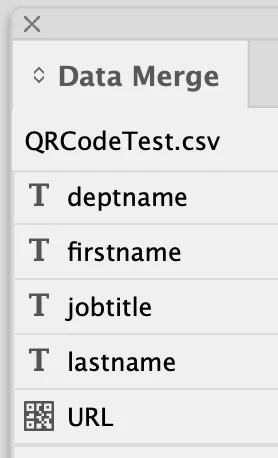
In the original csv file, I added URL: to each URL, and the column name is #URL; but although I am getting the little QR code symbol in the data merge window, it will not generate a QR code when I run the merge. Each URL does work when I manually copy and paste each one into InDesign, so it's not the URLs themselves . . .

I would appreciate any advice on trouble shooting this issue. Thanks!
 

This topic has been closed for replies.

1 reply

Robert at ID-Tasker
Legend
August 5, 2024
Participant
August 5, 2024

Thanks, but that did not help me . . .
InDesign is recognizing that I have QR codes in my cvs file (see the screen shot in my original post)— however, InDesign is not generating the QR codes when I run the data merge.
Just wondered if anyone else had this same issue.

Robert at ID-Tasker
Legend
August 5, 2024

Can you post a screenshot of your template - INDD file with all the fields and objects? And please show all edges and hidden characters.