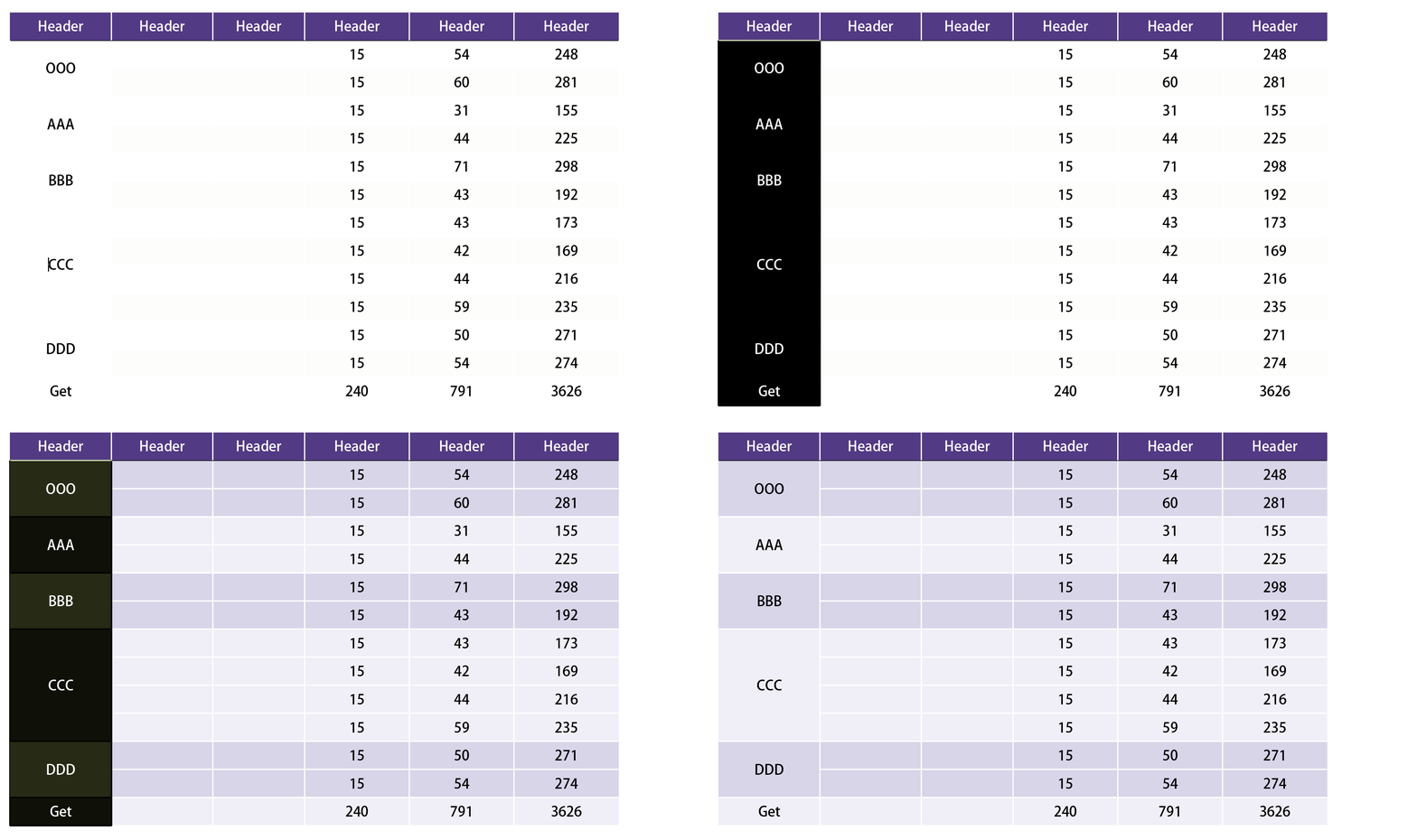
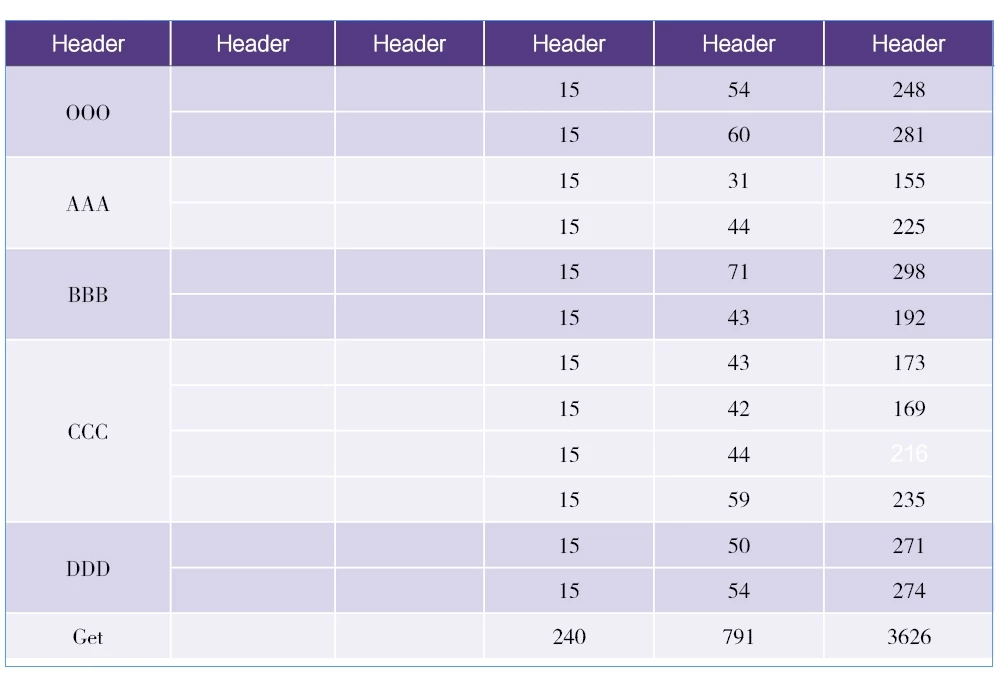
Hi @dublove I wrote a script that does this. To use it, select the cells in the row that you want to use for the style alternation—in your example it is the first column. I added the sample cell styles to your demo document (see attached).
- Mark
/**
 * @file Alternate Cell Styles For Selected Rows.js
 *
 * Configure:
 *   - Set the `cellStyleNames` array to match the cell styles in your document.
 *
 * Use:
 *   1. Select table cells in the column that will dictate the row alternation.
 *      (This is important when come cells span multiple rows.)
 *   2. Run script.
 *
 * @author m1b
 * @version 2025-04-22
 * @discussion https://community.adobe.com/t5/indesign-discussions/how-to-modify-this-script-to-select-multiple-images-and-a-text-box/m-p/15278845
 */
function main() {

    // the two alternating cell style names
    var cellStyleNames = [
        'Cell Color A',
        'Cell Color B',
    ];

    var doc = app.activeDocument,
        selectedCells = getCells(doc.selection[0]);

    if (0 === selectedCells.length)
        return alert('Please select some cells and run script again.');

    var table = selectedCells[0].texts[0].parent.parent;

    if (!table.isValid)
        return alert('The table is invalid.');

    // confirm the cell styles are valid
    var cellStyles = [];

    for (var i = 0, style; i < cellStyleNames.length; i++) {

        style = getThing(doc.allCellStyles, 'name', cellStyleNames[i]);

        if (!style)
            return alert('Document does not have the "' + cellStyleNames[i] + '"cell style.');

        cellStyles.push(style);

    }

    // a simple alternator
    var nextStyle = alternateThings(cellStyles);

    // we only want cells from one selected column
    var columnIndex = selectedCells[0].parentColumn.index,
        cells = [];

    for (var i = 0; i < selectedCells.length; i++)
        if (columnIndex === selectedCells[i].parentColumn.index)
            cells.push(selectedCells[i]);

    // loop over the cells, apply the styles
    for (var i = 0, cell, style; i < selectedCells.length; i++) {

        if (RowTypes.BODY_ROW !== selectedCells[i].parentRow.rowType)
            continue;

        cell = selectedCells[i];
        style = nextStyle();

        // apply the cell style to each row spanned by this cell
        for (var j = 0; j < cell.rowSpan; j++)
            table.rows.item(cell.parentRow.index + j)
                .cells.everyItem().appliedCellStyle = style;

    }

};
app.doScript(main, ScriptLanguage.JAVASCRIPT, undefined, UndoModes.ENTIRE_SCRIPT, 'Alternate Cell Styles');

/**
 * Attempts to return array of cell, given an object.
 * @author m1b
 * @version 2023-02-06
 * @param {InsertionPoint|Text|Cells|Cells|Table} obj - an object related to a Cell.
 * @returns {Array<Cell>}
 */
function getCells(obj) {

    if (obj == undefined)
        return [];

    if (
        obj.hasOwnProperty('cells')
        && obj.cells.length > 0
    )
        return obj.cells.everyItem().getElements();

    if ('Cell' === obj.constructor.name)
        return [obj];

    if ('Cell' === obj.parent.constructor.name)
        return [obj.parent];

    if ('Table' === obj.constructor.name)
        return obj.cells.everyItem().getElements();

};

/**
 * Returns a thing with matching property.
 * If `key` is undefined, evaluate the object itself.
 * @author m1b
 * @version 2024-04-21
 * @param {Array|Collection} things - the things to look through.
 * @param {String} [key] - the property name (default: undefined).
 * @param {*} value - the value to match.
 * @returns {*?} - the thing, if found.
 */
function getThing(things, key, value) {

    for (var i = 0, obj; i < things.length; i++)
        if ((undefined == key ? things[i] : things[i][key]) == value)
            return things[i];

};

/**
 * Returns a function that returns the next element
 * of `things` each time it is executed.
 * @author m1b
 * @version 2025-04-22
 * @param {Array<*>} things - the things to alternate.
 * @returns {*} - the next thing.
 */
function alternateThings(things) {

    return (function alternate(_things) {

        var index = _things.length - 1;

        return function () {
            index = (index + 1) % _things.length;
            return _things[index];
        };

    })(things);

};



 AdChoices