
How does dpi work in Indesign ?
Hello,
I want to make a photobook and the supplier offers an Indesign template which customers can use for creating the cover and the innerwork.
https://www.fotofabriek.nl/pdf-upload/view-specification/243f5ab3-f5c1-48cf-aee5-7ef1d2f1365e/
I have downloaded the template for the innerwork and it's going to be an A4 book (landscape), so the size is 210x297 for a page, making it 216x303 for a single page, and 216x600 for a spread of 2 pages (not 606 because you only have 2 bleeds in stead of 4, if I'm correct).
So in Photoshop I have created my first test-spread (2 pages) and I have set the image-size to 216x600 (300 dpi) and filled it for test purposes with pink.
But when I place that image into the template it shows the image way too large for the template (see image). Why is that? 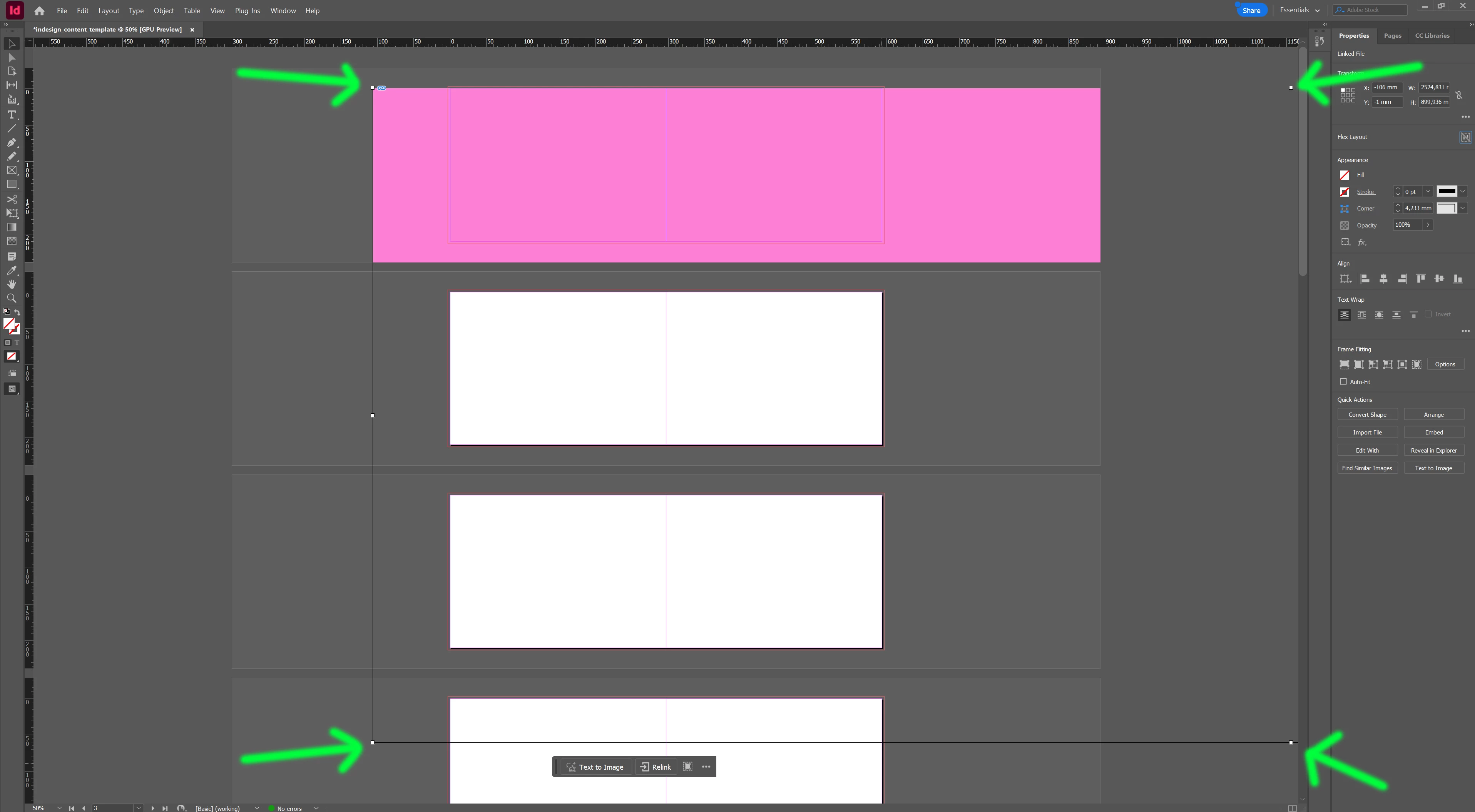


 AdChoices