
Participant
Aug 11, 2024 3:04 AM UTC
Answered

How NOT to split NAMES on a single line in InDesign?

Hi everyone,

Does anyone know how to prevent InDesign from splitting names that are separated by commas at the end of a line? I’ve tried a few GREP expressions, but they haven’t been entirely effective. Any suggestions?

This topic is closed to new replies. Start a new post to keep the conversation going.
FRIdNGE
FRIdNGECorrect answer
Aug 11, 2024 11:56 AM UTC

I don't say this Grep code that groups complete names will work in all situations! …


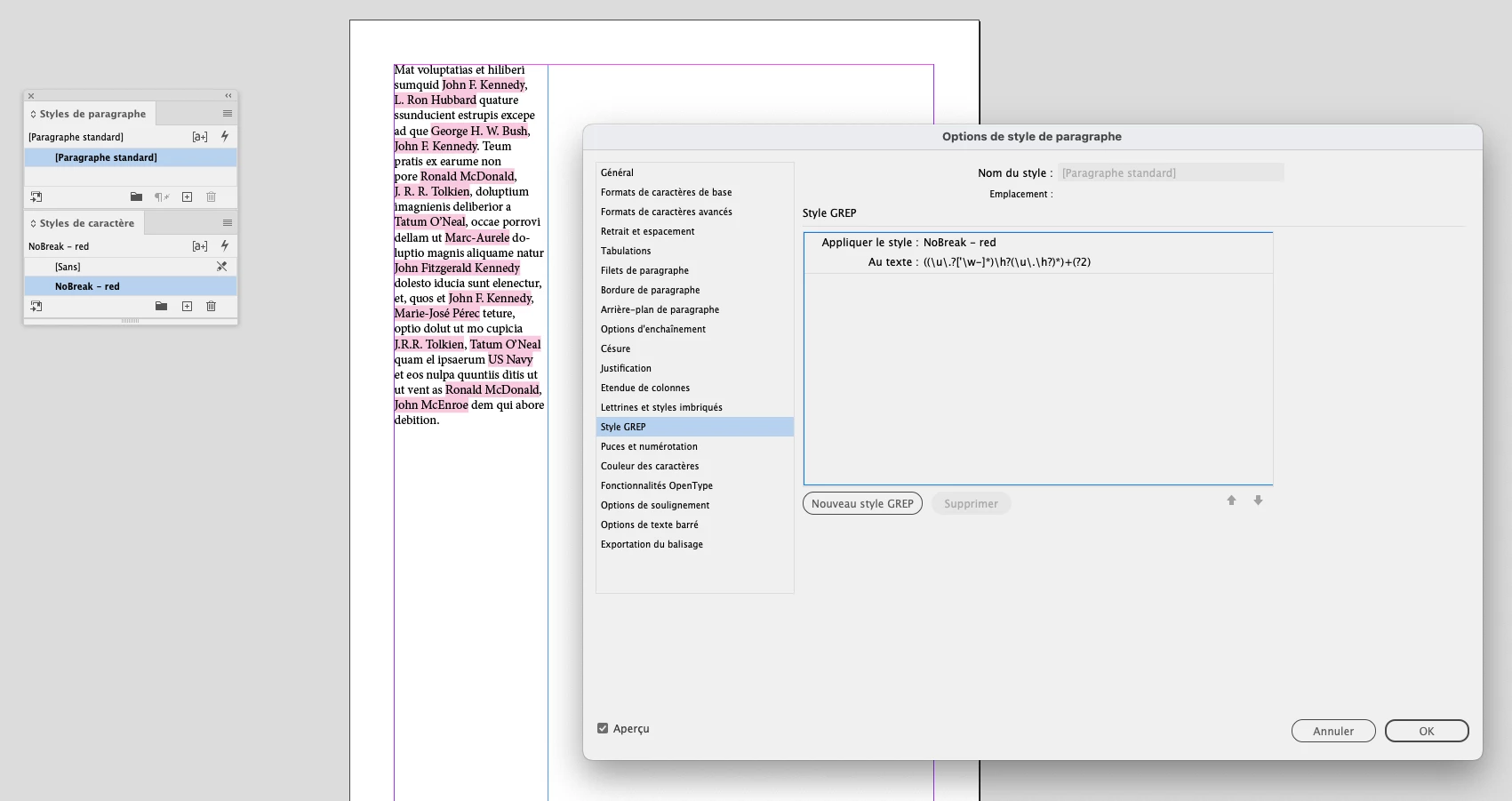
((\u\.?['\w-]*)\h?(\u\.\h?)*)+(?2)


Best,

(^/)  The Jedi

11 replies

Willi Adelberger
Community Expert
Community Expert
Aug 11, 2024 4:16 AM UTC

Create a character style with no language and apply it to names. 
i doubt that it is possible to apply names such a style automatically as names do not follow any regular rules. 
Applying this character style will also exclude them from any spell checks. 

Translate
FRIdNGE
FRIdNGECorrect answer
Aug 11, 2024 11:56 AM UTC

I don't say this Grep code that groups complete names will work in all situations! …


((\u\.?['\w-]*)\h?(\u\.\h?)*)+(?2)


Best,

(^/)  The Jedi

Translate
STAVAuthor
Participant
Aug 11, 2024 8:55 PM UTC

This GREP command seems to be working well for me so far.

Thank you!

Translate
James Gifford—NitroPress
Legend
Aug 11, 2024 3:14 AM UTC

Replace the spaces within names with nonbreaking spaces.


Or apply a no-break character style across each name.

Translate
STAVAuthor
Participant
Aug 11, 2024 3:33 AM UTC

Hi James,

Thanks for your prompt response. I tried both options and once again it's not working. When I replaced the spaces with nonbreading spaces, suddenly the text disappeared. Any further support? 

Translate
Peter Spier
Community Expert
Community Expert
Aug 11, 2024 8:17 AM UTC

Use the non-breaking spaces only between the parts of a single name, NOT between the names or anywhere else you want the text to break.

you can use the following GREP to get you most of the way there:

Find: (\u\l+)( )(\u\l+)(?!,)

Change: $1~S$3

This will work for most names, but will fail for those with lowercase prefix portions or that have a suffix such as Jr.

Translate