
dublove
Legend
May 29, 2024
Answered

How to achieve: update the Excel table every week, and the corresponding Indesign table is automatic

  • May 29, 2024
  • 2 replies
  • 999 views

How to achieve: update the Excel table every week, and the corresponding Indesign table is automatically renewed?
Assuming that I have printed a copy of the user data about several large websites about some large websites around the world every week. I already have a template. I only need to update the Excel table every week, and the table in my ID will be updated.

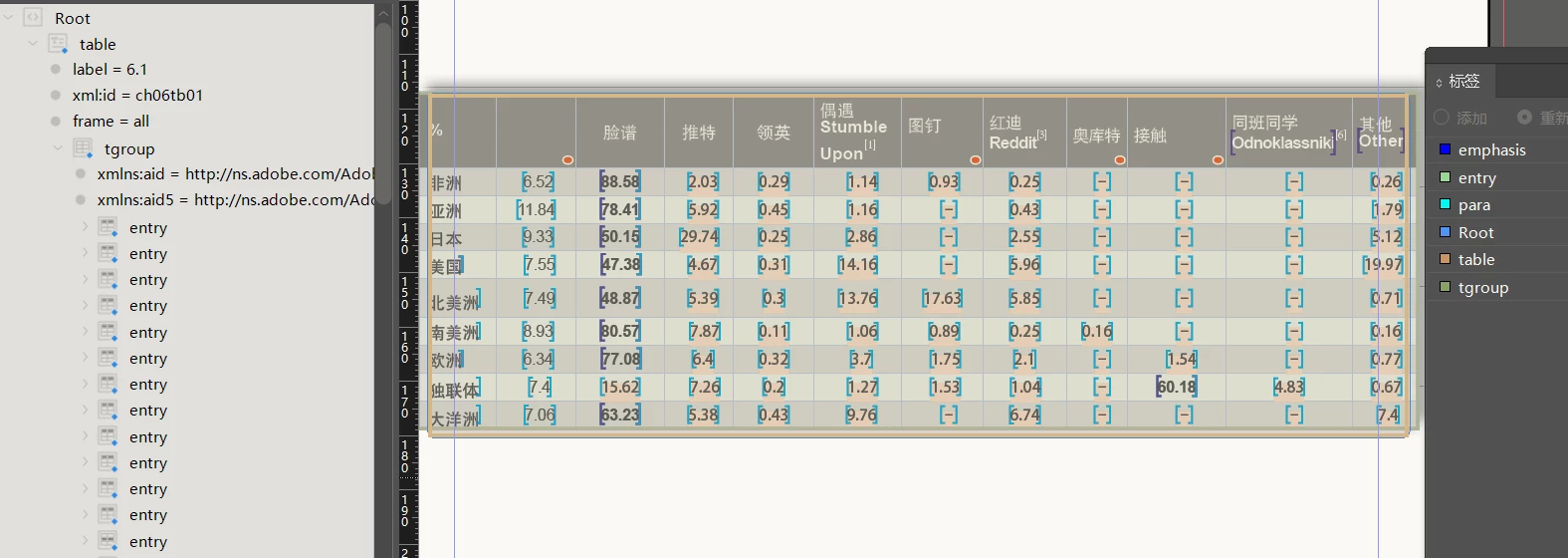
I used an example. I have forgotten how I got this file, I just remember that the friend seemed to be very busy at the time. Or the matter is very complicated. He only gave me a document and asked me to study, but I have never found ideas.

Someone can analyze me, how does this file change from Excel to XML, and then import the ID, do it be mapped later?


Can anyone tell me what the structure of this table is like in Excel?
What does the standard XML look like?
Because after I exported XML with Indesign reverse, I couldn't see the structure of the XML.
If you can provide files, that's the best.

Thank you very much.
 

This topic has been closed for replies.
Correct answer m1b

Does this article help?

- Mark

2 replies

Participating Frequently
June 3, 2024


  • Link Excel to InDesign:

    • Use in InDesign to import the Excel table.
    • Check  format as needed.
  • Update Excel Weekly:

    • Update the data in your Excel file weekly and save it.
  • Refresh Link in InDesign:

    • Open InDesign and go to
    • Right-click your Excel file in the Links panel and select


dublove
dubloveAuthor
Legend
June 11, 2024

I saw. Thanks.
After testing, it was found that the style used in the ID was lost once it was updated.
The most important point is that the width of the table is also restored, which is really a failure.
Especially when the width changes, there is no intention to reuse it.
It just saves this step.


Adobe engineer, what are they thinking, what is the meaning of this?

dublove
dubloveAuthor
Legend
May 29, 2024

The table above, may be too complicated and not conducive to learning.
Perhaps, you can use this Excel file as an instance to help me convert it into the XML structure file similar to the above table.
Similarly, I hope to provide .xlsx files and .xml files


I can guide this excel file to XML, but it is no longer a table to import ID. I am also confused.
I hope it is still like it, it is a form
Thank you ~

Robert at ID-Tasker
Legend
May 30, 2024

Do you need to retain the column's width / row's height and only update contents - or only keep styling? 


Depends on what you want to achieve - there are at least 5x ways:

1) XML, 

2) just importing / copy&pasting XLS file, 

3) linking XLS file, 

4) exporting InDesign Tagged Text, 

5) DataMerge. 


If you need to automatically import images - then your options are limited. 


dublove
dubloveAuthor
Legend
June 11, 2024

Excuse me, how to "linking xls file"?

Ctrl+D?

After the introduction, it has nothing to do with the original XLS file.
I need ID to establish a link relationship with the original Excel