Question
How to add a dialog?
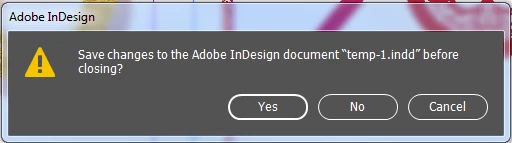
I want to add a easy dialog like this:
function menuItemHandler4ClearCache(event) {
var myDialog = app.dialogs.add({name:"Clear Cache Confirm", canCancel:true});
with(myDialog){
staticTexts.add({staticLabel: "Are you confrim to clear cache?"});
}
var myResult = myDialog.show();
if(myResult == true){
myDialog.destroy();
//remove cache folder.
}else{
myDialog.destroy();
}
}
But this code is not work, is any problem here?
and how to add a icon to dialog like in image?
please help me, thanks a lot!!
 AdChoices