Answered
how to add a tilde mover an "a"
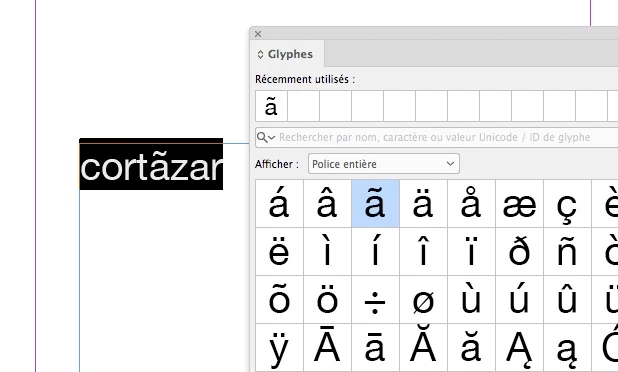
How do I add accents or tildes over letters? For example in the name Cortazar. The first"a" needs a tilde.
How do I add accents or tildes over letters? For example in the name Cortazar. The first"a" needs a tilde.
You should find this character in the glyphs panel. If you cannot see any a with a tilde, it means that it does not exist in the font you use.
Already have an account? Login
Enter your E-mail address. We'll send you an e-mail with instructions to reset your password.
 AdChoices