karthikS
Inspiring
April 29, 2016
Answered

How to add folio for every page starting line

  • April 29, 2016
  • 1 reply
  • 1071 views

Dear Friend,

I was try to script.

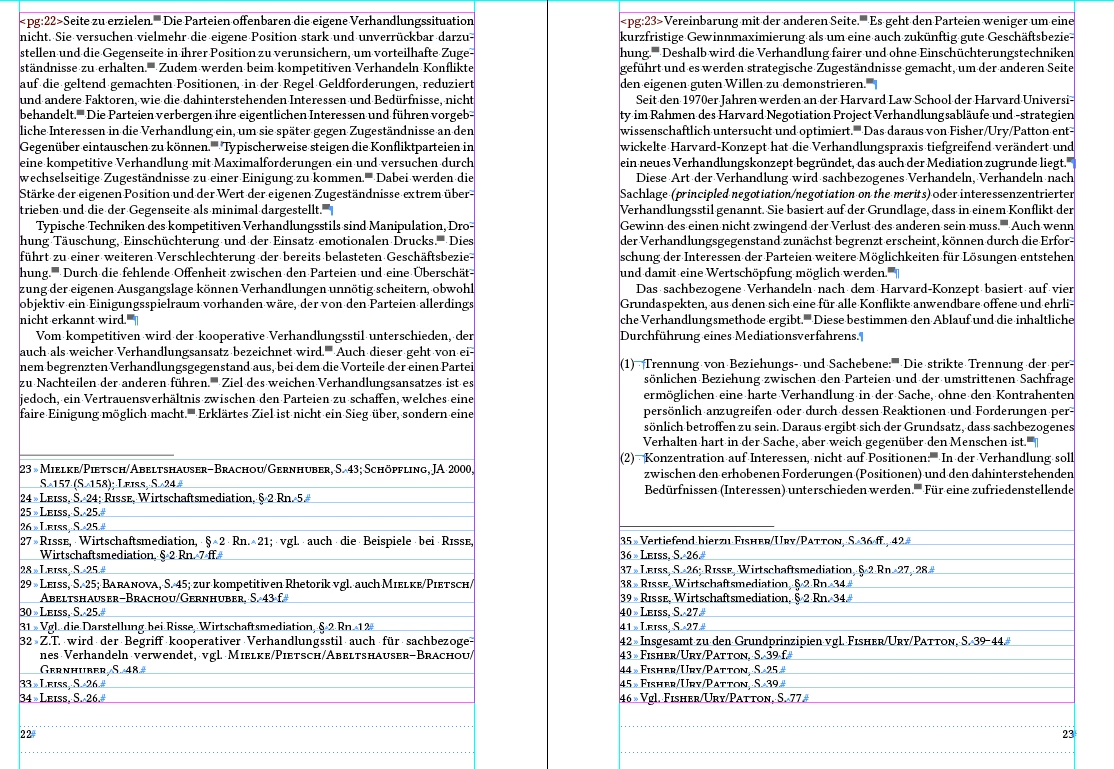
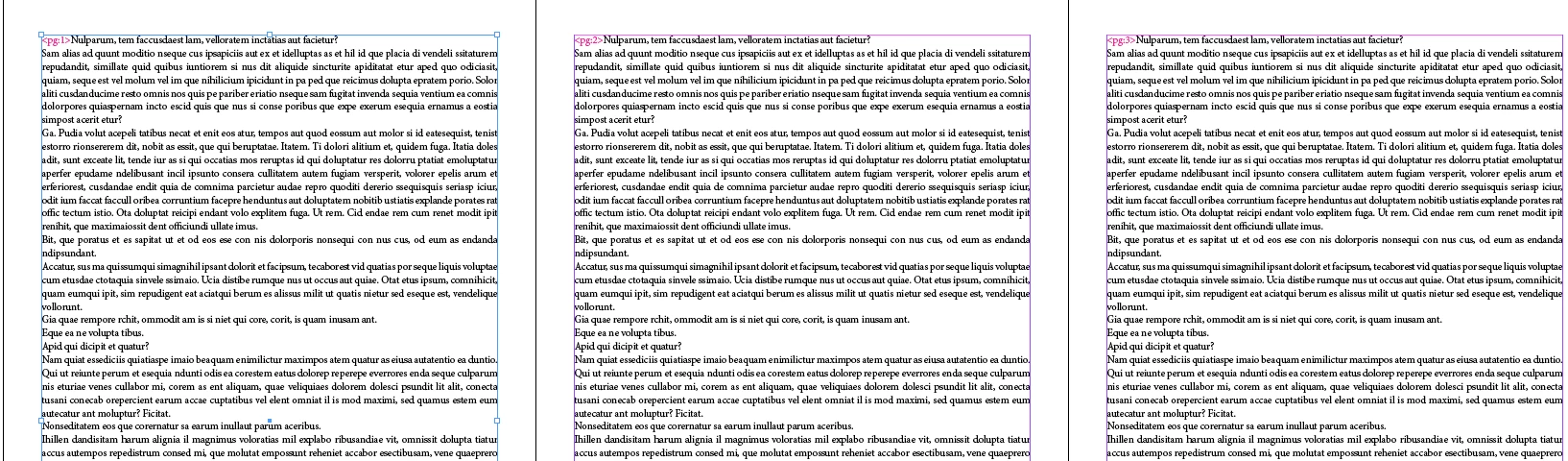
In Document every pages first line and first word before i want to add folio(page number).  Please suggest friend. How to completed that script coding.

Please see my requirement in the below screenshot.
Please help friends.

Advance Thanks
This topic has been closed for replies.
Correct answer tpk1982

HI TPK,

Thanks so mach for your golden replay TPK.

Your script working gook, But one small problem.

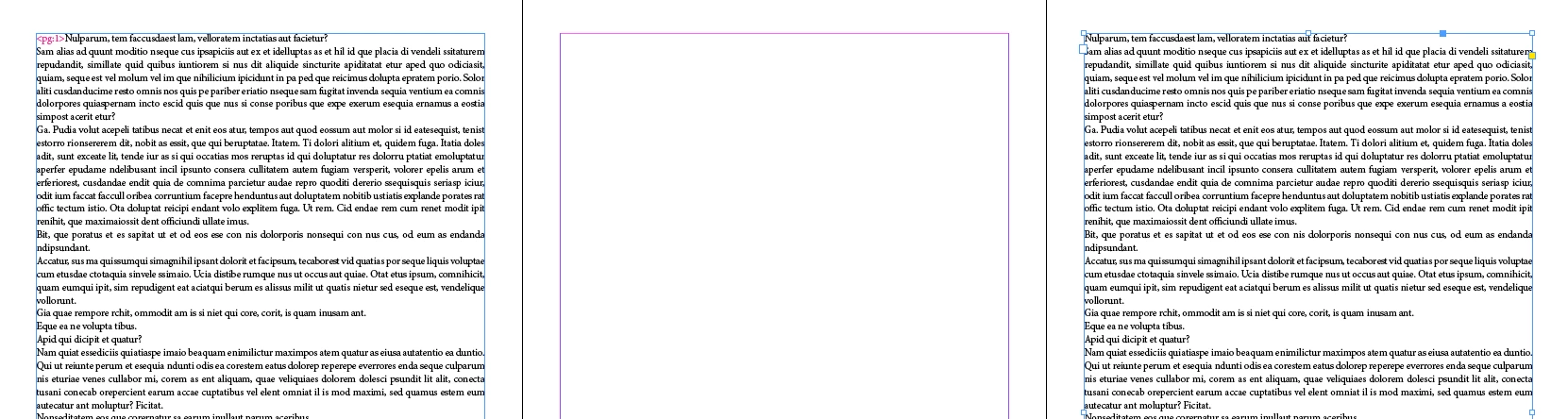
@Problem: In Document inside any one blank page and any one image staring in the text frame? Unfortunately script for stopped as                         previous page (page number not create). 

                  Script Error massage "Object is invalid" (attached screenshot for your reference).

1. Without blank page.

2. with blank page.

Please suggest TPK.

Advance thanks.


try this

for (p=0; p<app.activeDocument.pages.length; p++) 

    try{

    app.activeDocument.pages

.textFrames[0].lines[0].insertionPoints[0].contents = "<pg:"+app.activeDocument.pages

.textFrames[0].parentPage.name+">"; 

catch(e){}

}

1 reply

karthikS
karthikSAuthor
Inspiring
April 29, 2016

Dear Friends, 

Please replay my above question? very urgent process.

Help friend

Advance Thanks

tpk1982
Legend
April 29, 2016

Karthik..

here it is

for (p=0; p<app.activeDocument.pages.length; p++)

{

    app.activeDocument.pages

.textFrames[0].lines[0].insertionPoints[0].contents = "<pg:"+app.activeDocument.pages

.textFrames[0].parentPage.name+">";

}

karthikS
karthikSAuthor
Inspiring
April 30, 2016

HI TPK,

Thanks so mach for your golden replay TPK.

Your script working gook, But one small problem.

@Problem: In Document inside any one blank page and any one image staring in the text frame? Unfortunately script for stopped as                         previous page (page number not create). 

                  Script Error massage "Object is invalid" (attached screenshot for your reference).

1. Without blank page.

2. with blank page.

Please suggest TPK.

Advance thanks.