Known Participant
Mar 18, 2021 10:02 PM UTC
Answered

How to Add Padding, Background, and Rounded Borders to Text

Hi there,


Is it possible to add padding, background and rounded borders to text automatically?


Something like this:


The above image was done with a shape behind text, but wondered if it can be done with just a text box?


Thanks

<Title renamed by MOD>

pixxxelschubser
pixxxelschubserCorrect answer
Community Expert
Mar 19, 2021 12:14 PM UTC

I know what you finally want. And there are a few possibilities to do that.

Some of them are already mentioned:

  • text frame options (with object style)
  • character style (with underline)


You can also use:

  • paragraph rule (in paragraph style)
  • paragraph shading (in paragraph style)


But we do not know what are your requirements. And that's why we cannot say which method is the best for you.

  • Should the text frame always have the same size?
  • Should the text always changing it's contents?
  • Should the "colored area" always follows the changed text?
  • Are there always "one liner texts"?
  • and so on …


Here is an example of paragraph shading (color "follows" the text) :
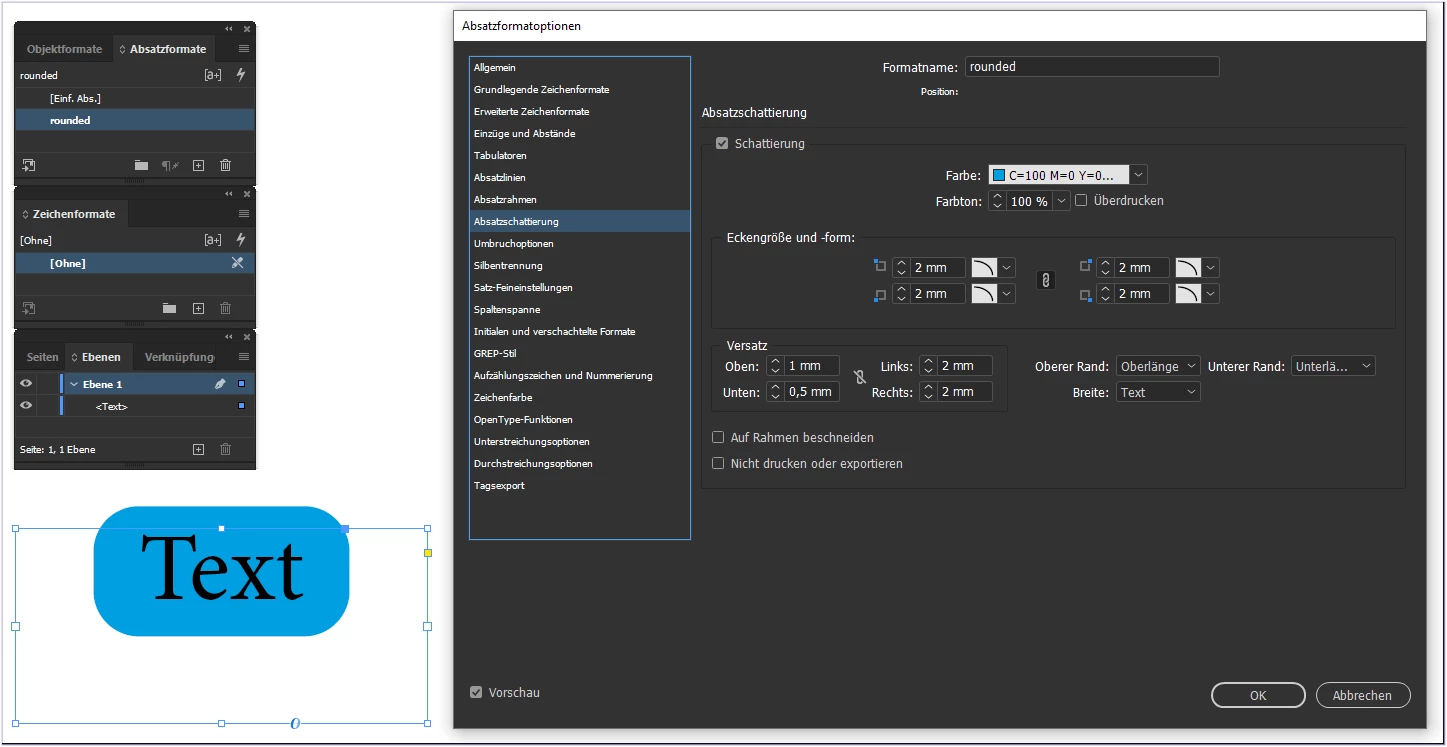
 

live changing after text was edited:
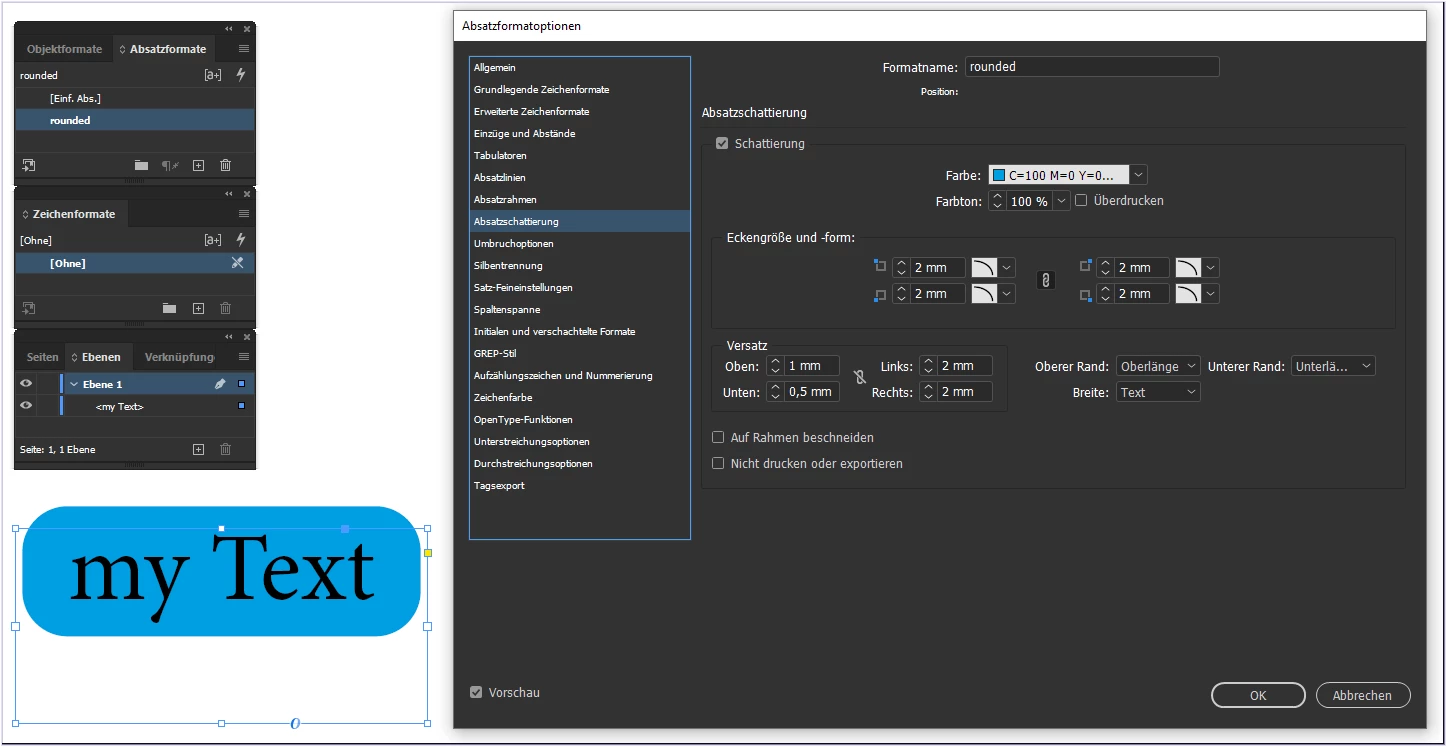
 

Please answer my previous questions - so that we can really help you.



13 replies

James Gifford—NitroPress
Legend
Aug 17, 2024 4:43 PM UTC

I realize this is an old thread, but nearly all of the solutions center on using a text frame. For single/whole paragraphs, though, Paragraph Shading would seem to be the efficient, flexible option. (Pixx-etc. mentions it but no one amplfied the notion.)


Paragraph Shading, plus offsets to expand and center (or offset) the surround, plus corner mods... presto. Completely adaptable to content and simply a Paragraph Style requiring no extra level of management. The down side is that it can't be used within a paragraph without putting it in an inline text frame, but it might be a more easily-managed solution even there.

Translate
pixxxelschubser
Community Expert
Community Expert
Mar 19, 2021 1:39 PM UTC

It seems he wants to build something like this (his other thread) :

Best practice for the following text boxes/labels/tags?


Translate
pixxxelschubser
Community Expert
pixxxelschubserCommunity ExpertCorrect answer
Community Expert
Mar 19, 2021 12:14 PM UTC

I know what you finally want. And there are a few possibilities to do that.

Some of them are already mentioned:

  • text frame options (with object style)
  • character style (with underline)


You can also use:

  • paragraph rule (in paragraph style)
  • paragraph shading (in paragraph style)


But we do not know what are your requirements. And that's why we cannot say which method is the best for you.

  • Should the text frame always have the same size?
  • Should the text always changing it's contents?
  • Should the "colored area" always follows the changed text?
  • Are there always "one liner texts"?
  • and so on …


Here is an example of paragraph shading (color "follows" the text) :


live changing after text was edited:


Please answer my previous questions - so that we can really help you.



Translate
Geоrge
Legend
Mar 19, 2021 11:23 AM UTC

What about any text (not a frame)? 

Character style with underline. Stroke style with rounded corner for underline settings, and few spaces before and after text.


Translate
Remember, never say you can't do something in InDesign, it's always just a question of finding the right workaround to get the job done. © David Blatner
Known Participant
Mar 19, 2021 12:04 PM UTC

Thanks. 


I have found that I need to use the Advanced > baseline shift with a -3.5px value 🙂

Translate
Derek Cross
Community Expert
Community Expert
Mar 18, 2021 10:06 PM UTC

Have a look at Object Styles.

Translate
Barb Binder
Community Expert
Community Expert
Mar 18, 2021 10:06 PM UTC

Sure. Select the text frame and add the background color as for any other frame.


Use Type > Text Frame Options to adjust the vertical justification—I chose Center—and adjust the corners with Object > Corner Options. (Or play with the little yellow square under the outport—it does the same thing.)


~Barb


Translate
~Barb at Rocky Mountain Training
Known Participant
Mar 19, 2021 9:59 AM UTC

Thank you 🙂


I now have this:


Is there an easy way to vertically center the text inside it's box with the background?


Thanks

Translate
Community Expert
Mar 19, 2021 11:47 AM UTC

Yes that will happen - you need to go to the Text Frame Options

As pointed out already - use Object Styles

https://helpx.adobe.com/ie/indesign/user-guide.html/ie/indesign/using/object-styles.ug.html#object_styles


Translate