dublove
Legend
August 12, 2025
Answered

How to add some setting for the AA objectStyle?

  • August 12, 2025
  • 2 replies
  • 1135 views

I can't find the size settings.

https://www.indesignjs.de/extendscriptAPI/indesign-latest/#ObjectStyle.html


//Creat AA ObjectStyle
var wn = [AA];
for (var i = 0; i < wn.length; i++) {
    w = newObjStyle(app.activeDocument, wn[i], emptyStyle);
};


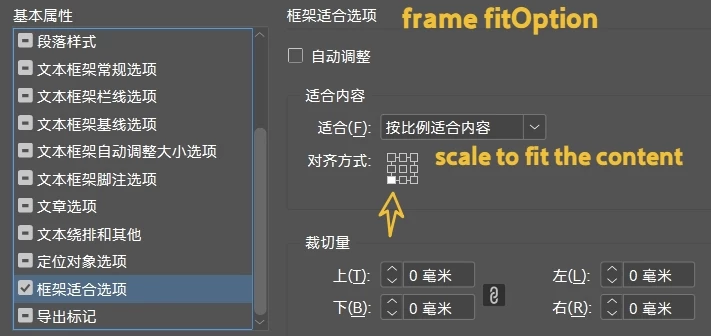
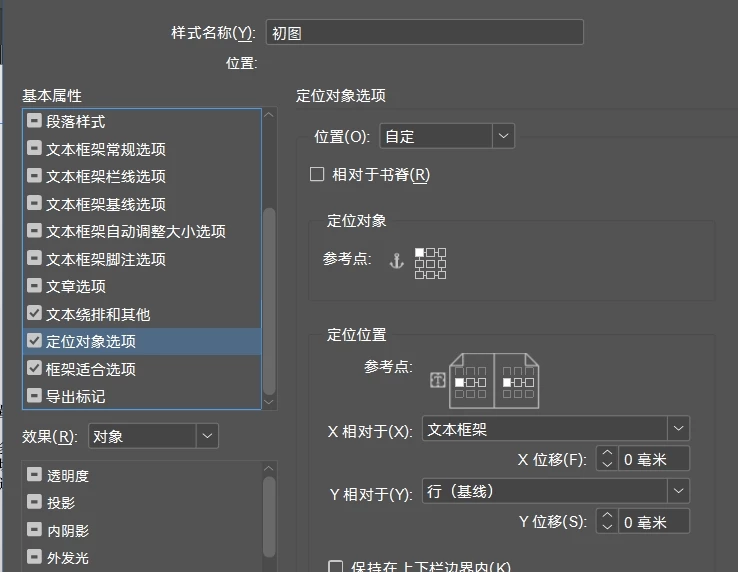
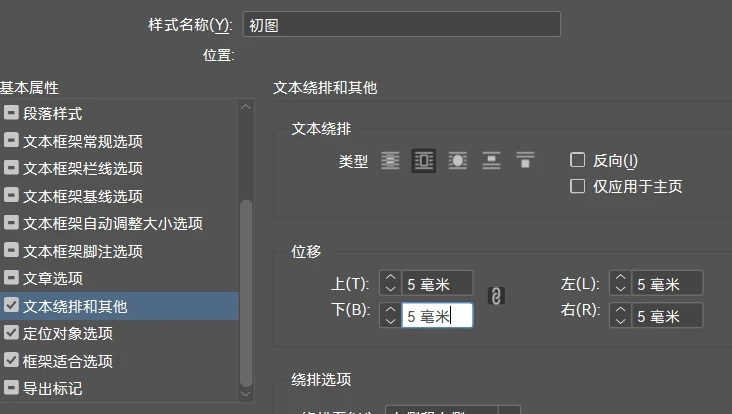
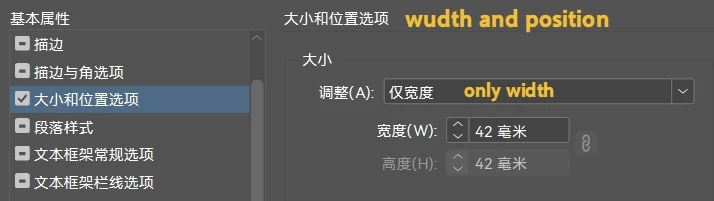
I want to set image size, frame,
fit content proportionally, position objects,  wrap text in the script.
Like this:


Correct answer dublove

Hi @Manan Joshi 

Hi @rob day 

I searched for a long time and found that:
There is very little information on setting the width in object styles.
For example, I want to set the width of the “AA” object style to 42 mm.


2 replies

rob day
Community Expert
Community Expert
August 12, 2025

What is [AA]? var wn = [AA]; throws an error:


If it’s supposed to be an object style then it needs to be this:


var wn = app.activeDocument.objectStyles.itemByName("AA")
 
And if it is an object style there is nothing to loop thru object styles have no length property:
 
dublove
dubloveAuthor
Legend
August 12, 2025

Hi rob day.

Sorry, it should be “AA.”

The original AA was read from my.json.
emptyStyle, refer to the information provided by m1b.
https://community.adobe.com/t5/indesign-discussions/how-to-create-new-object-styles-based-on-really-quot-none-quot-object-using-scripts/m-p/15412503

rob day
Community Expert
Community Expert
August 12, 2025

Sorry, it should be “AA.”


That also throws an error—wn[i] returns the character A


Community Expert
August 12, 2025

If possible please do post screenshots in english as many of us can't read the language you post. Secondly you explain it in very few words so really difficult. However, I checked and maybe look into methods like setPositionAttributeState and setDimensionAttributeState

-Manan

-Manan
brian_p_dts
Community Expert
Community Expert
August 12, 2025

And your fit content proportionally options are under the frameFittingOptions property. Actually study and test against thr API.