Participant
July 7, 2018
Answered

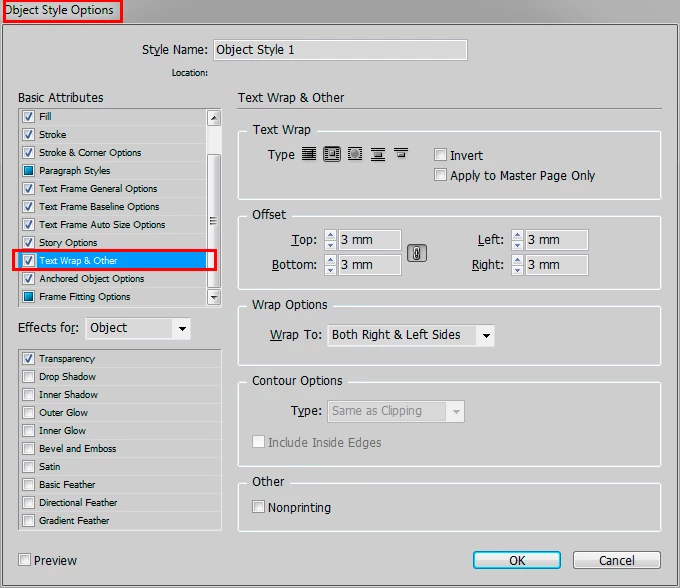
How to add text wrap to an object style?

  • July 7, 2018
  • 2 replies
  • 939 views

Running InDesign CC 13.1.

Just  want to add text wrap to an Object Style I'm defining, but can't find the option anywhere.

Thank you!

This topic has been closed for replies.
Correct answer winterm

2 replies

winterm
wintermCorrect answer
Legend
July 7, 2018

Participant
July 7, 2018

OK, I found only one way:

     -apply an object style to an object

     -apply text wrap to the object

     -highlight the object style you want to have include text wrap (in the Object Styles panel)

     -Click on the fly out menu in the upper right of the object styles panel.  A pull down menu appears.

     -Click on "Redefine Style"

Kind of a hassle, but it works.

jane-e
Community Expert
Community Expert
July 8, 2018

When you first create an Object style, it will pick up all of the attributes for your selected frame. So you could add the text wrap, then create the style.

To edit the style, I prefer to do it the way you do—make a local change and redefine the style. You can also right-click the style name and edit the style. You will see the dialog box as shown in winterm's screen shot.