T Huey
Participant
March 13, 2026
Answered

How to Align Numbers Using Tabular Lining in Nobel Font

  • March 13, 2026
  • 1 reply
  • 38 views

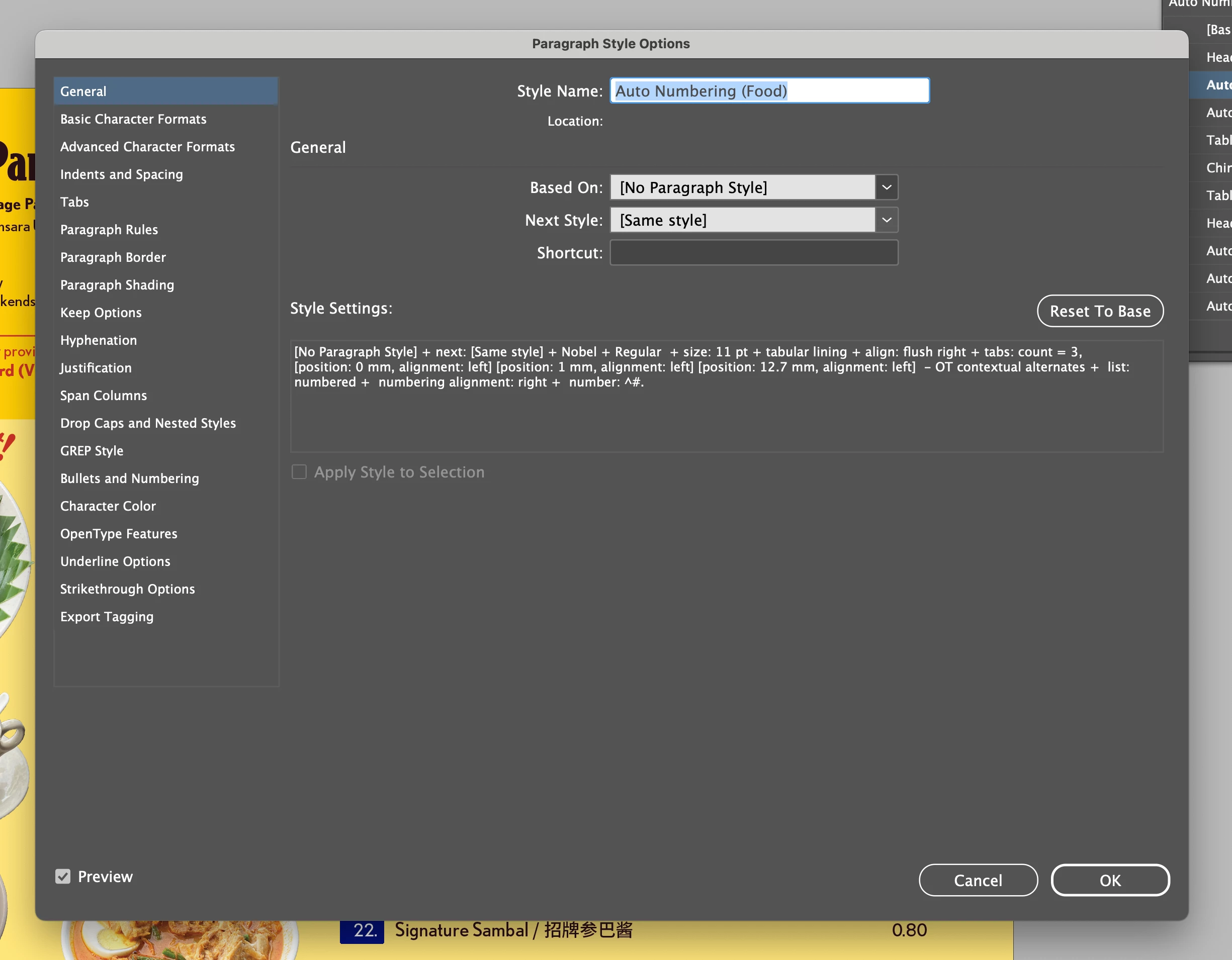
I’m using the font Nobel and trying to apply tabular lining to a numbered list, but the 1’s and 7’s are just not aligning. I saw one other question on here asking the same thing, but I’ve gone through the steps (mainly making sure kerning is Metric, not Optical), but it’s still not working. Would appreciate any help! :) 


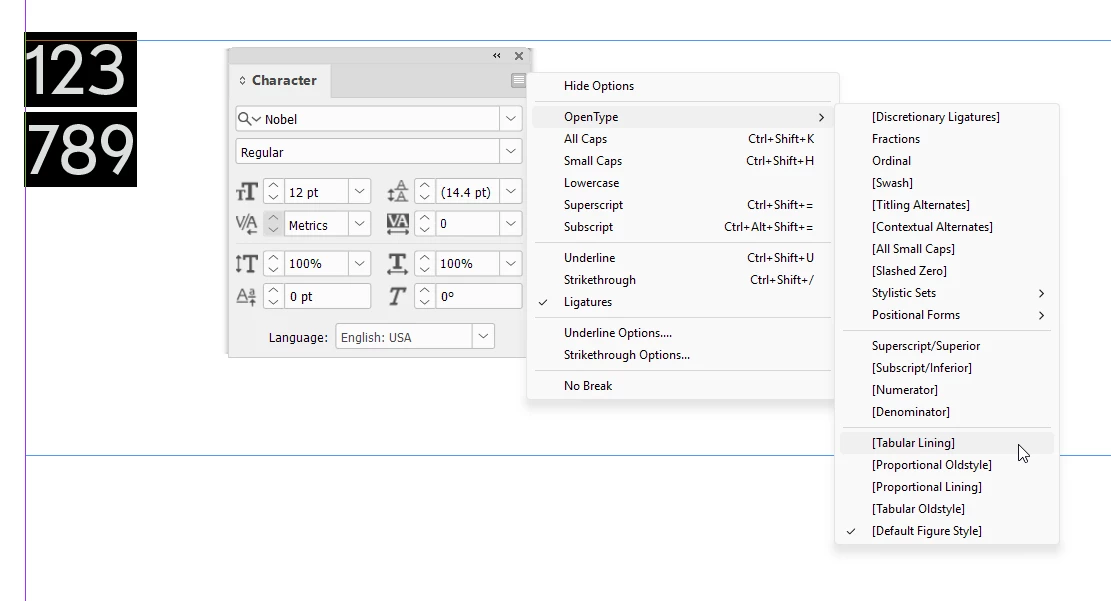
Screenshots of how the numbers look right now, and my paragraph style settings:



    Correct answer BobLevine

    As far as I can tell, those features are not available in that font. If you highlight the text and open the character panel you'll see those choices in brackets.


    1 reply

    BobLevine
    Community Expert
    BobLevineCommunity ExpertCorrect answer
    Community Expert
    March 13, 2026

    As far as I can tell, those features are not available in that font. If you highlight the text and open the character panel you'll see those choices in brackets.


    T Huey
    T HueyAuthor
    Participant
    March 13, 2026

    Oh I see! TIL the brackets mean it’s unavailable aha. Guess I’ll just have to use a different font. Thanks for your help Bob :)

    BobLevine
    Community Expert
    Community Expert
    March 13, 2026

    As a general rule, look for a pro font when you need advanced opentype feature.