Todd_Morgan
Legend
February 14, 2025
Answered

How to align placed graphics within frame

  • February 14, 2025
  • 3 replies
  • 544 views

I have a frame, I drag an image into it... how do I set that placed image to align to the top of the frame when it is larger than that frame? Is there a keyboard sc that does this? Even when I drag the image down there is no snapping to edge.

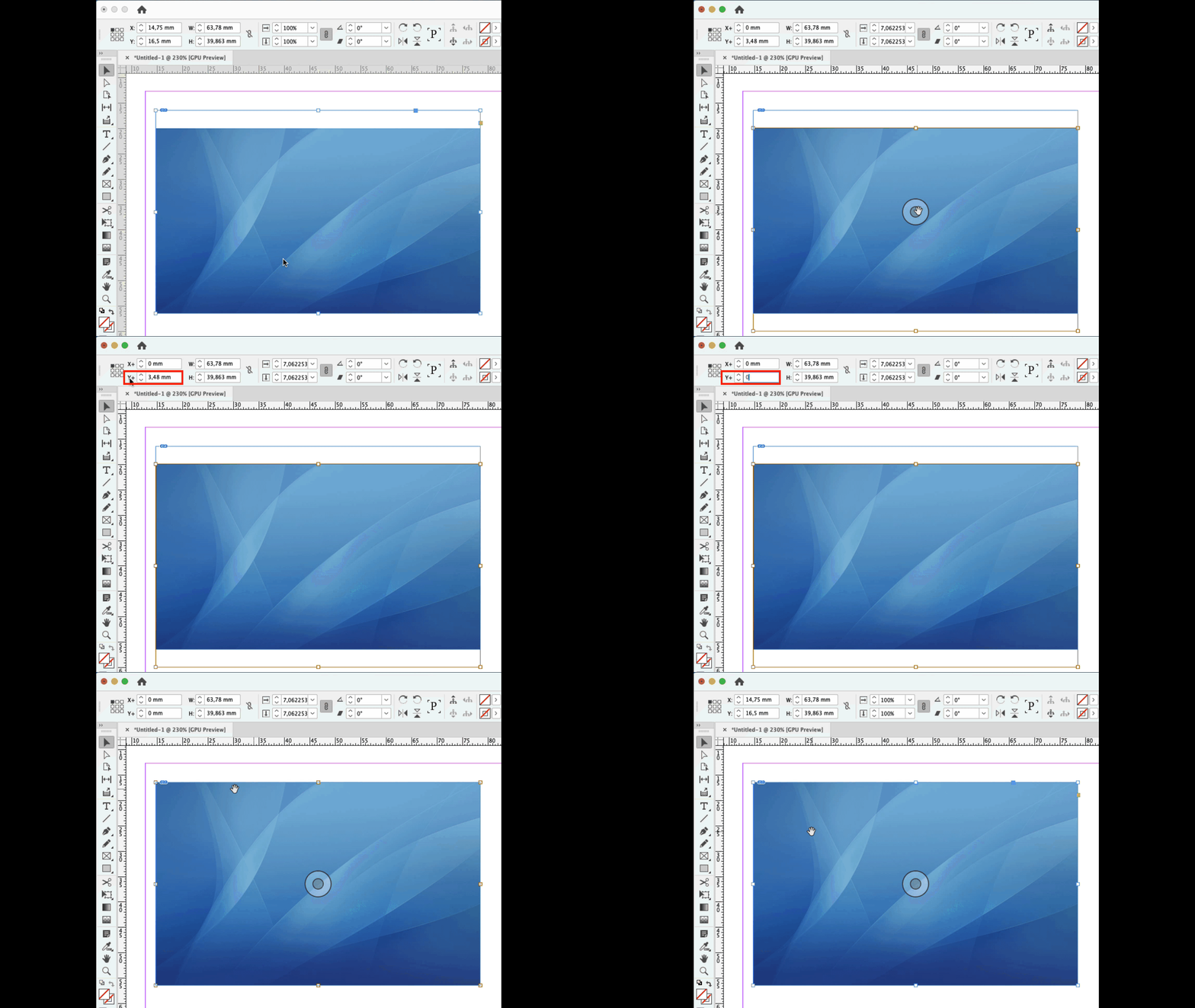
Correct answer Rene Andritsch

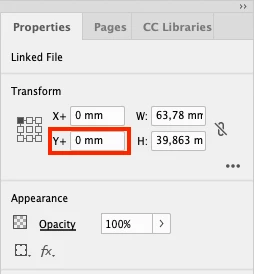
@Todd_Morgan alternatively you can also use either the Control Panel or the Properties Panel to set the top origin manually after you selected the content of the graphic frame like this …


3 replies

Rene Andritsch
Community Expert
Rene AndritschCommunity ExpertCorrect answer
Community Expert
February 15, 2025

@Todd_Morgan alternatively you can also use either the Control Panel or the Properties Panel to set the top origin manually after you selected the content of the graphic frame like this …


Todd_Morgan
Legend
February 17, 2025

TY. This works!

Robert at ID-Tasker
Legend
February 15, 2025

@Todd_Morgan 


As I've replied to you in the other post - you should use Object Styles and Frame Fitting Options:


Steve Werner
Community Expert
Community Expert
February 14, 2025

One way to do it is to select the empty graphic frame and choose Object > Fitting > Frame-Fitting Options:


The dialog lets you set between different methods of fitting and filling; where the picture is aligned to the frame; and any cropping choices.


Then place the picture and all the operations will be performed.