Inspiring
January 19, 2018
Answered

How to apply an effect on a text anchor bookmark?

  • January 19, 2018
  • 1 reply
  • 679 views

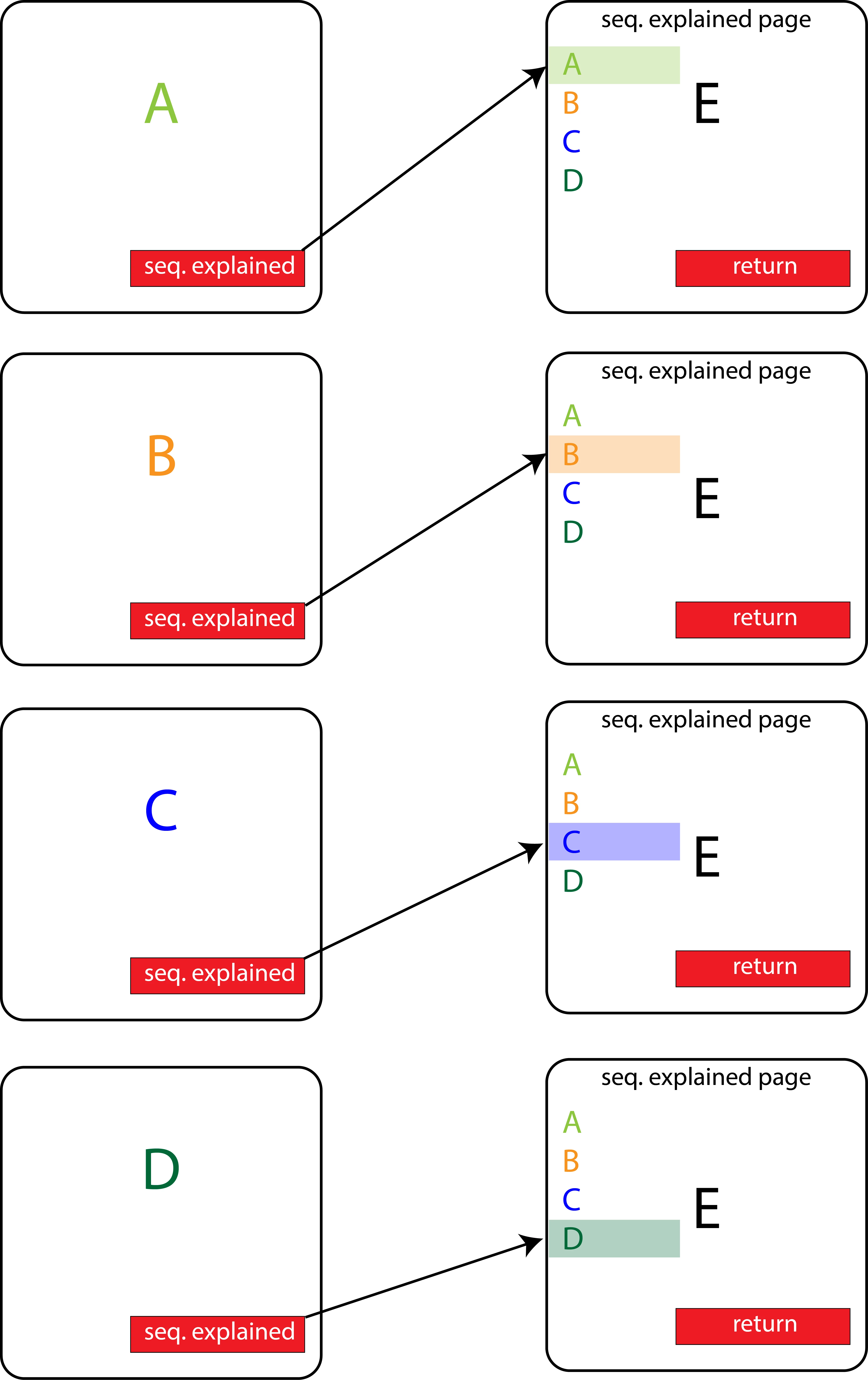
Need some help with creating interactive pdf's in indesign please.... Basically I want to have it where if I click on seq. explained on page B and it takes me to page E that B text would be highlighted. Is there a way to add an effect on a text anchor created in the bookmarks tool in Indesign? Or is there another way to go about achieving this? It would be something along the lines of having a button affect something on another page. As far as I'm aware buttons cannot do that in indesign and can only mess with stuff that you have on a single page. I wanted to reach out to the community for suggestions though. Thanks in advance for your response. The file that I'm working on includes proprietary information so I cannot share it. I hope that what I've mocked up is enough.
This topic has been closed for replies.
Correct answer Jeffrey_Smith

This can be accomplished, however it would be done in Acrobat. It would require creating duplicates of the [small buttons on E], one for normal, the second set for the highlighted version. Then, each of the [seq. explained] buttons would have two actions: the first a javascript to turn the display of the [small buttons on E] either visible or hidden for each condition, and the second action to take the user to destination E.

I have a PDF that demonstrates this that I can share.

1 reply

Jeffrey_SmithCommunity ExpertCorrect answer
Community Expert
January 19, 2018

This can be accomplished, however it would be done in Acrobat. It would require creating duplicates of the [small buttons on E], one for normal, the second set for the highlighted version. Then, each of the [seq. explained] buttons would have two actions: the first a javascript to turn the display of the [small buttons on E] either visible or hidden for each condition, and the second action to take the user to destination E.

I have a PDF that demonstrates this that I can share.

Om Nath Jha
Legend
January 19, 2018

Hi Jeffrey,

It would really be helpful if you can share the workflow PDF. Thanks for the prompt help.

Regards,

Om