
Known Participant
July 1, 2022
Answered

How to Apply paragraph style without missing word replacements

  • July 1, 2022
  • 3 replies
  • 552 views


Guys, how are you? I'm trying to import a word document into indesign, but even though I select my paragraph with the inter font, there are some parts that it doesn't change the font
follow the image below:
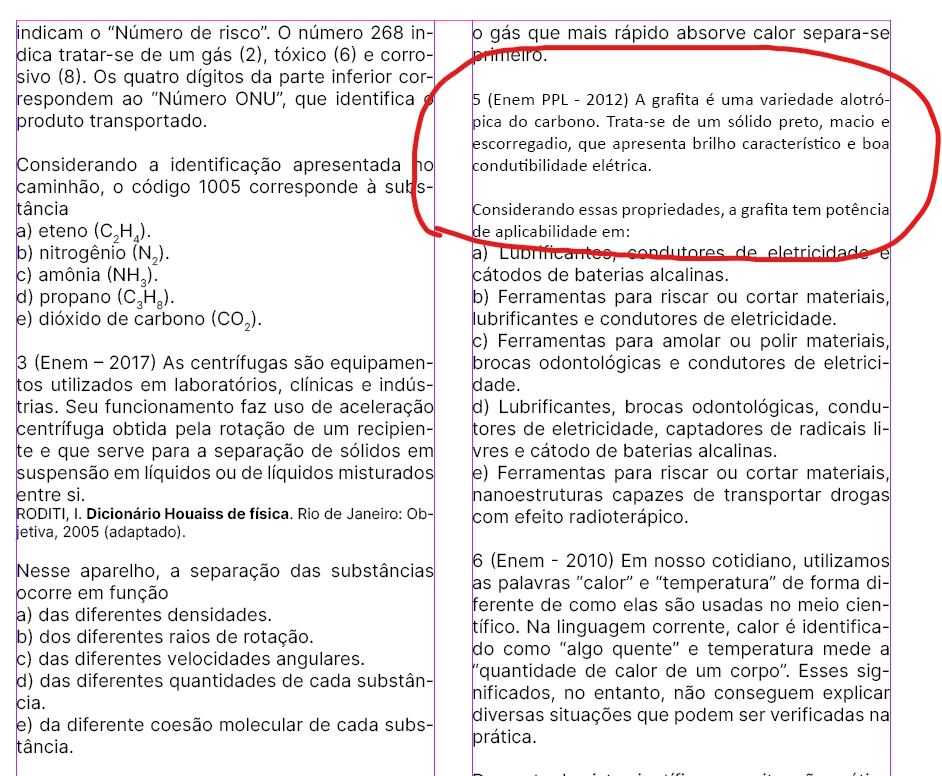
I believe this happens because of the overrides

Is there any way to keep the overrides but the entire document source stays with Inter? respecting clear Bold, Italic and T1
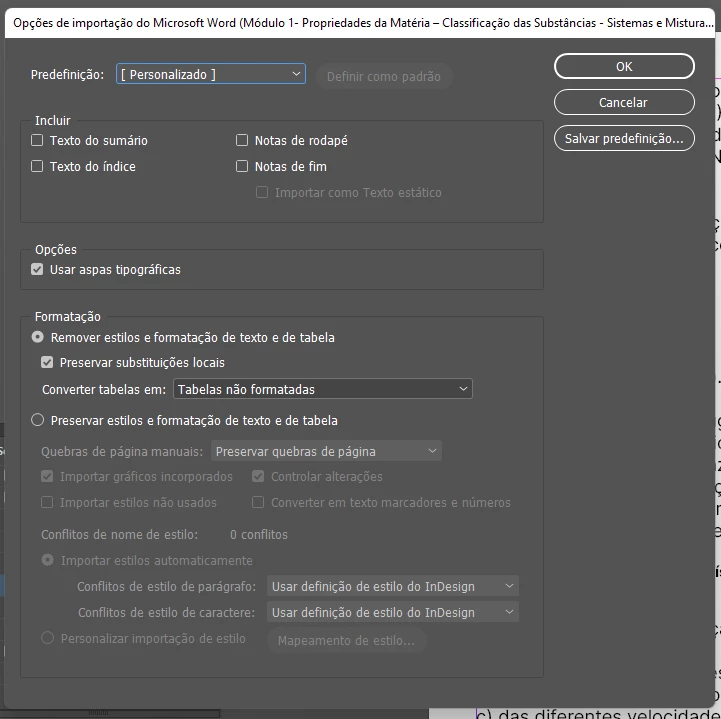
Here's the way I'm importing together the Indesign and word document


This topic has been closed for replies.
Correct answer James Gifford—NitroPress

This has become a recurring problem with Word import, and there are several recent threads. Word docs import, the styles apply as directed (default or via mapping), but the Word styles remain as spot overrides.


I think the most general solution is one pointed out by Barb Binder: select all text in the flow and click the "clear overrides" button at the bottom of the Paragraph Styles pane. That worked for me on a big, messy import and has worked for others.


3 replies

Community Expert
July 4, 2022

Hi Rafael,

the main issue here is that the text in the Word document is not formatted through different paragraph styles. So no chance to map anything with the styles you have in your InDesign document.


Regards,
Uwe Laubender
( Adobe Community Professional )


Willi Adelberger
Community Expert
Community Expert
July 1, 2022

When I open your document I see following

  1. You have preselected a character Style Texto Base. Why?
  2. The vector Logo is twice above doubled.
  3. You do not work with layered
  4. The second master should be the base for the first one. As everything on this master is also on the other one.


  • Define the Overrides in Word as Character Styles in Word.
  • When nothing is selected in the INDD select Character Style None.
Known Participant
July 1, 2022

Awesome Willi thanks a lot for the tip in the document I'm starting now, it will help me a lot!

Unfortunately, the teachers are the ones who send the content in word, I only receive it and I have to put it in Indesign

This is actually an exercise booklet that we are going to create

James Gifford—NitroPress
Legend
July 1, 2022

This has become a recurring problem with Word import, and there are several recent threads. Word docs import, the styles apply as directed (default or via mapping), but the Word styles remain as spot overrides.


I think the most general solution is one pointed out by Barb Binder: select all text in the flow and click the "clear overrides" button at the bottom of the Paragraph Styles pane. That worked for me on a big, messy import and has worked for others.


Known Participant
July 1, 2022

Perfect James, I did that but the only problem is that I lose some size I need it to be at 8 all fonts are between 12

a way I managed to go in type - find and replace font

James Gifford—NitroPress
Legend
July 1, 2022

With any leftover Word style overrides cleared, adjusting the styles should adjust all paragraphs they are applied to. The same for all character styles.


Everything in InDesign is intensively controlled by styles. The hurdle is, as in this case, when override (spot, local) styles change the paragraph style in unwanted ways. Clear those, and you should be back at a good starting point to adjust all your styles for the layout you are seeking.