


Participating Frequently
October 16, 2024
Answered

How to Automate Perfect Right Alignment in a Text Block in InDesign

  • October 16, 2024
  • 1 reply
  • 274 views

Hello everyone,
I've been trying for a long time to automate an ultra regular rhythm on the right of the text block, when my text is composed on the left (example attachment).
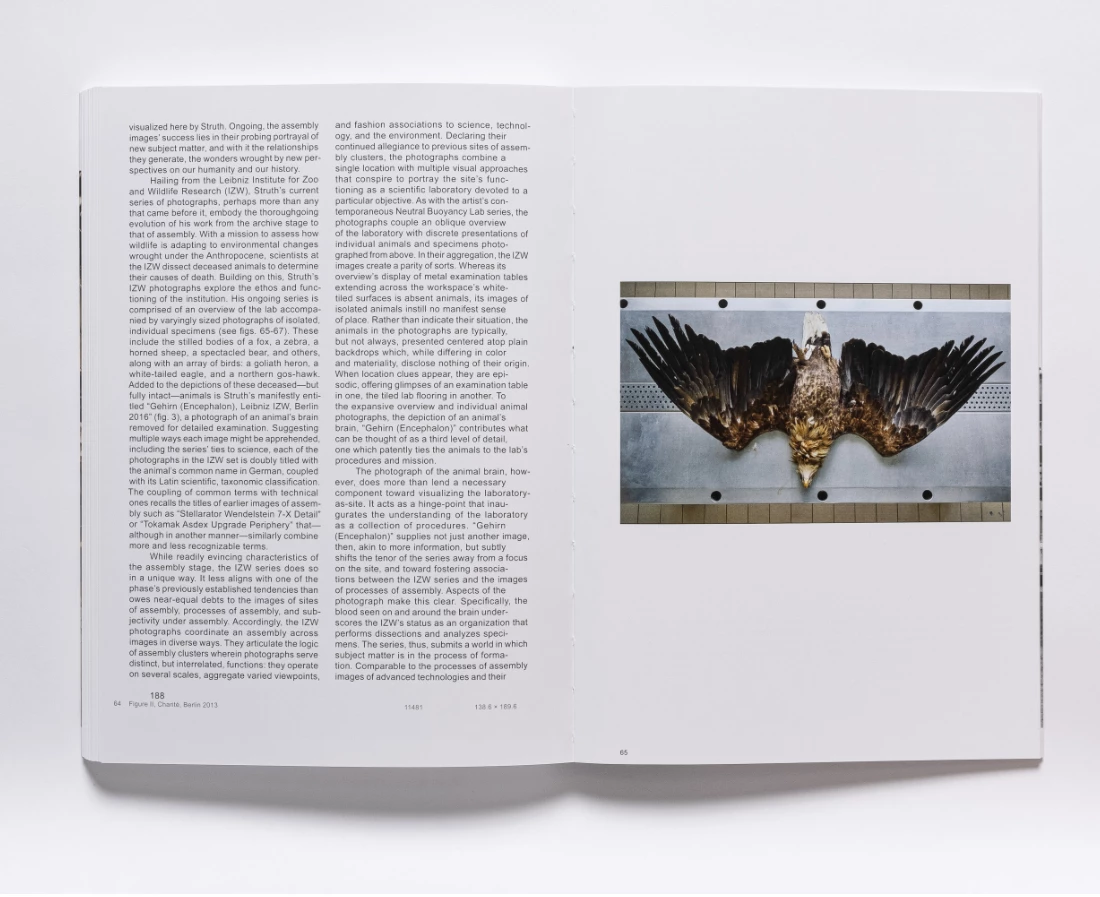
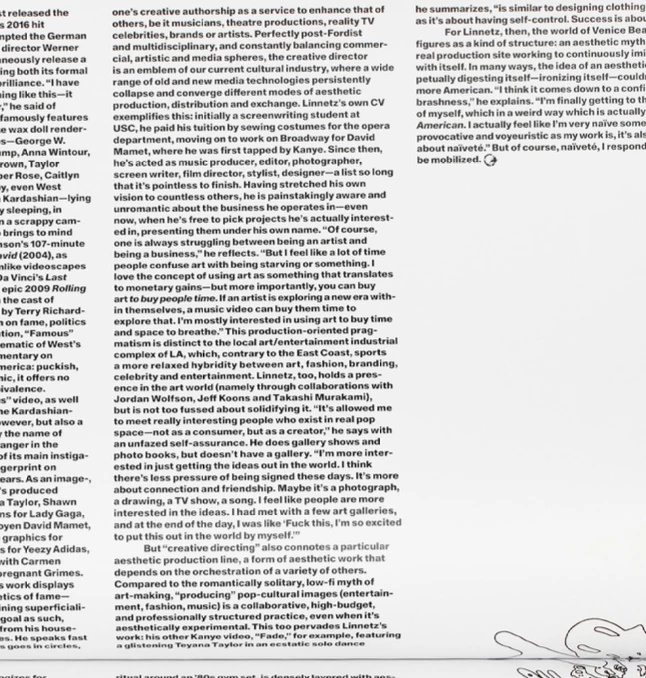
I always do it by hand on short texts, but I'd like to know if it's possible to automate it for a long text in a book.

Thank you very much!


<Title renamed by MOD>

This topic has been closed for replies.
Correct answer TᴀW

Perhaps you could prepare a text frame that is not rectangular, but that has a tooth shape on the right edge. You'll need to get the dimensions just right so it matches the leading, but once you've prepared one, you can copy it or put it on a master page.

1 reply

TᴀW
TᴀWCorrect answer
Legend
October 16, 2024

Perhaps you could prepare a text frame that is not rectangular, but that has a tooth shape on the right edge. You'll need to get the dimensions just right so it matches the leading, but once you've prepared one, you can copy it or put it on a master page.

Participating Frequently
October 16, 2024

okay, thanks, that idea works !
It's a bit complicated to set up and I hope to be able to automate it with GREP or Script. Even if it's not perfect like the picture.