dublove
Legend
October 13, 2026
Answered

How to avoid causing InDesign to freeze when running scripts?

Hello everyone.

When I was testing the script, if, while, or for would cause an infinite loop, and InDesign would freeze.

I had to forcefully close InDesign and reopen it.
It seems that try{}catch cannot solve this problem either.

Thanks.

    rob day
    rob dayCorrect answer
    Community Expert
    October 13, 2026

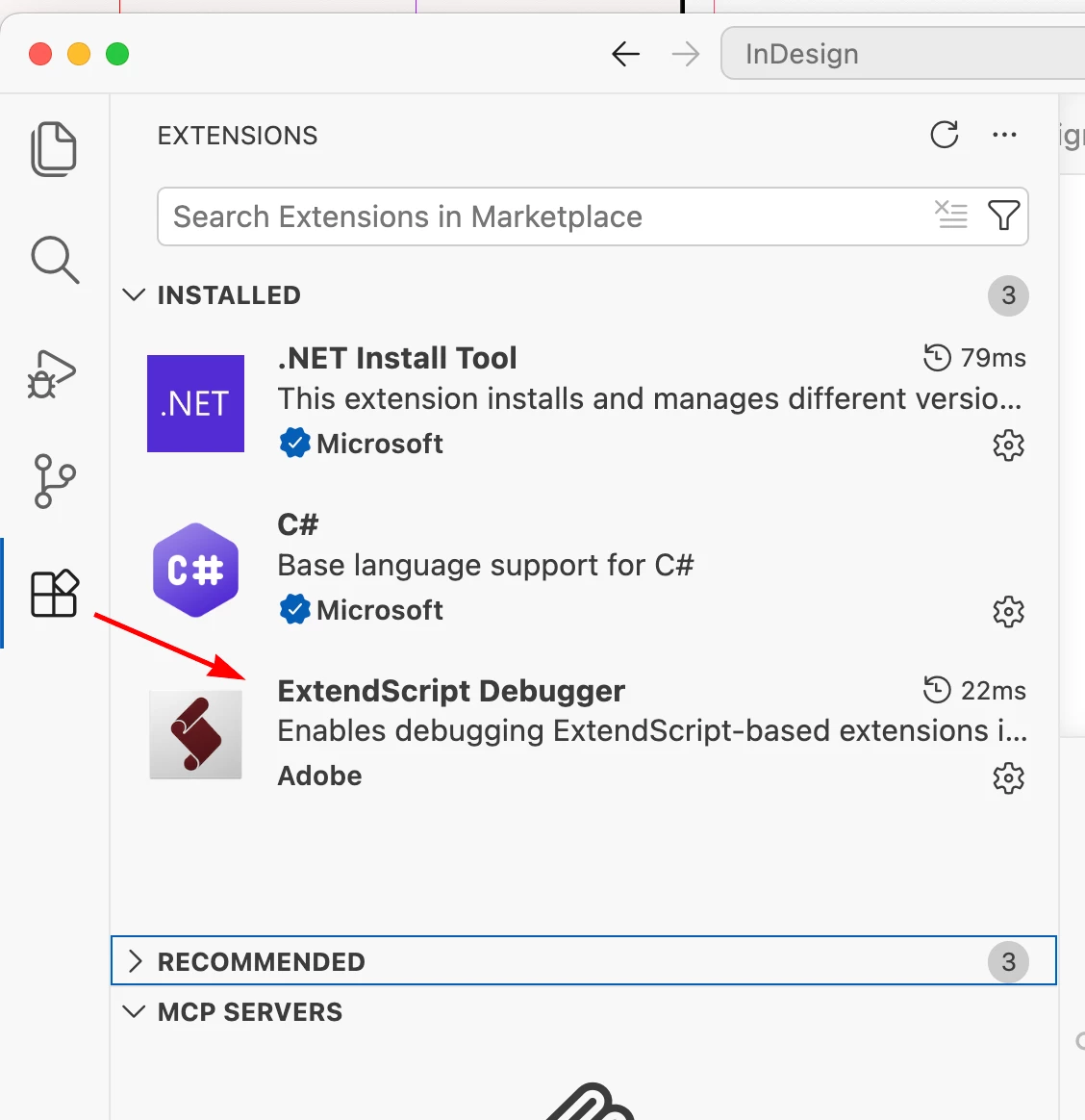
    Do you have the ExtendScript Debugger installed?


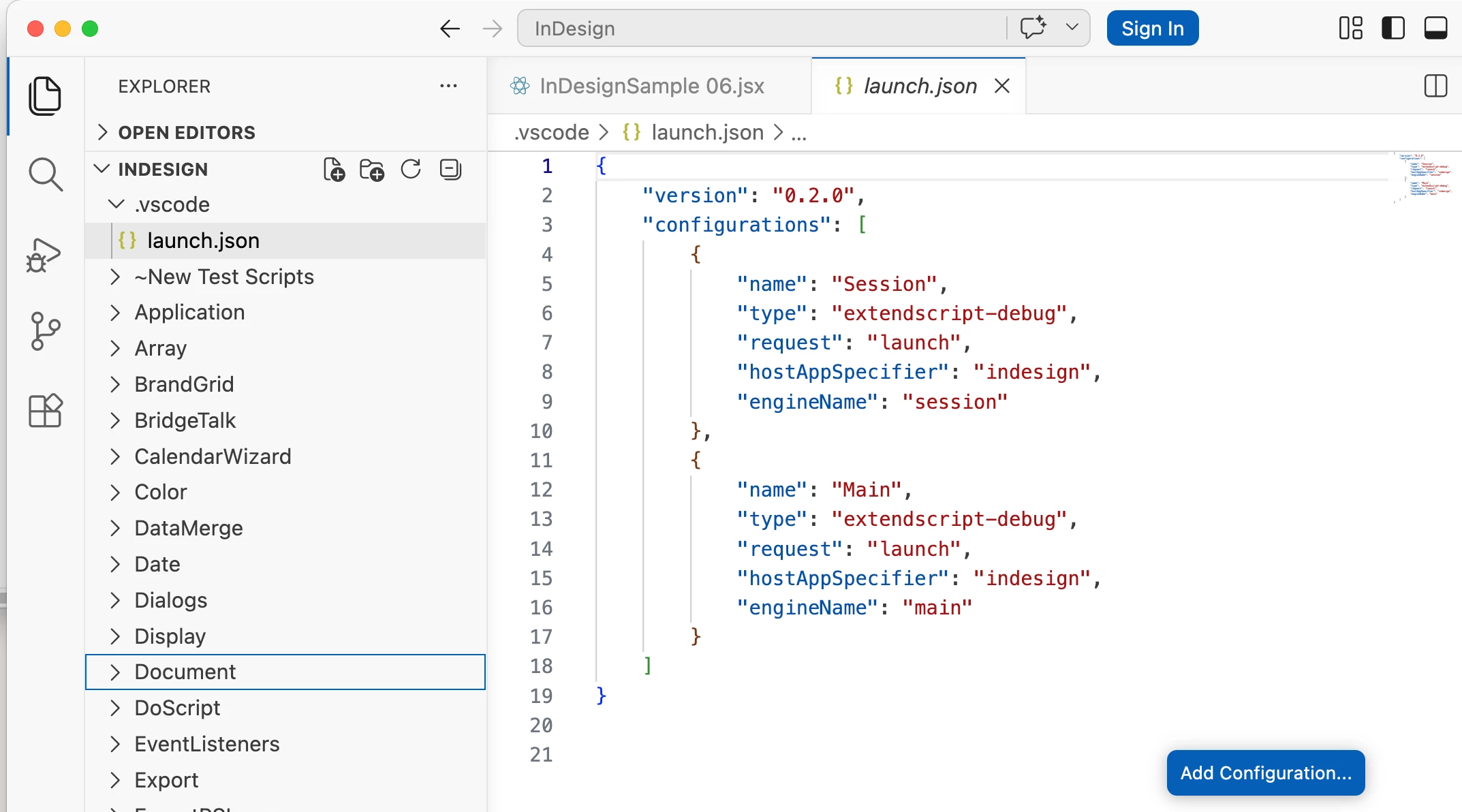
    Also, the directory you test from needs a launch,json configuration file setup. Do you have a launch.json file in your test directory?:


    15 replies

    rob day
    Community Expert
    Community Expert
    October 13, 2026

    When I was testing the script, if, while, or for would cause an infinite loop,


    Hi ​@dublove , Are you using Visual Studio Code to write and test scripts? With VS Code you should be able to stop and infinite loop, which can easily happen with while statements. Otherwise you will have to force quit and restart InDesign:


    Translate
    dublove
    dubloveAuthor
    Legend
    October 13, 2026

    Hi ​@rob day 

    What is the name of this plugin?
    It can even be paused.

    Translate
    rob day
    Community Expert
    Community Expert
    October 13, 2026

    ExtendScript Debugger, in case you missed it see my reply below for details.

    Translate
    Community Expert
    October 13, 2026

    This is not a problem you should work around. This is a logical problem that needs code logic fix not env setup.

    Translate
    -Manan
    dublove
    dubloveAuthor
    Legend
    October 13, 2026

    I use vsCode
    Is there a debugging plugin that I need to use? I have tried to configure it, but it didn't work.
    My method is quite clumsy. I repeatedly use alert() to test multiple nodes.
    Sometimes, incorrect logic can cause my InDesign to crash.

    Translate
    Community Expert
    October 13, 2026

    Add breakpoints inside the loop that you are testing and debug it. Or when it is stuck while being debugged click on the pause execution button in the debugging toolbar, that will sometimes stop the debugger on the line currently being executed. Best it to use explicit breakpoints and the step over the lines

    Translate
    -Manan