


Question
How to Click Through Interactive Buttons in InDesign
Hi!
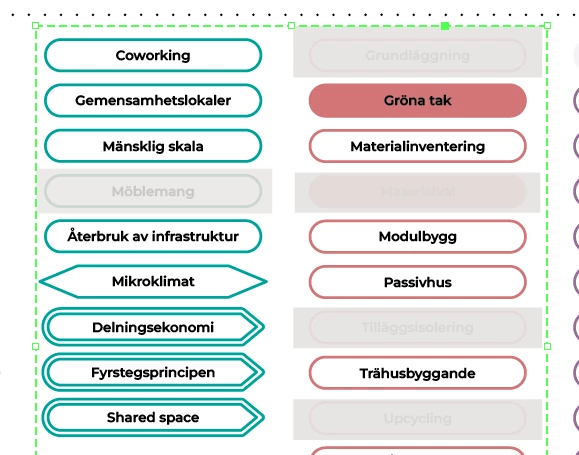
I have an interactive button made up of rectangles (see grey boxes in image). When I click a separate button I want to show this button (essentially hiding some of the coloured boxes). The problem is that the coloured boxes are all links to pages in the indesign document and when I have the grey rectangle button turned on it seems I can't click "through" the button, even though there's no element there. Is there any way to solve this without making every single grey rectangle into a separate button?
Thank you
/Kaj
<Title renamed by MOD>
 AdChoices