
Participating Frequently
January 10, 2022
Answered

How to connect your workspace in Indesign

  • January 10, 2022
  • 3 replies
  • 543 views

Hello everyone,

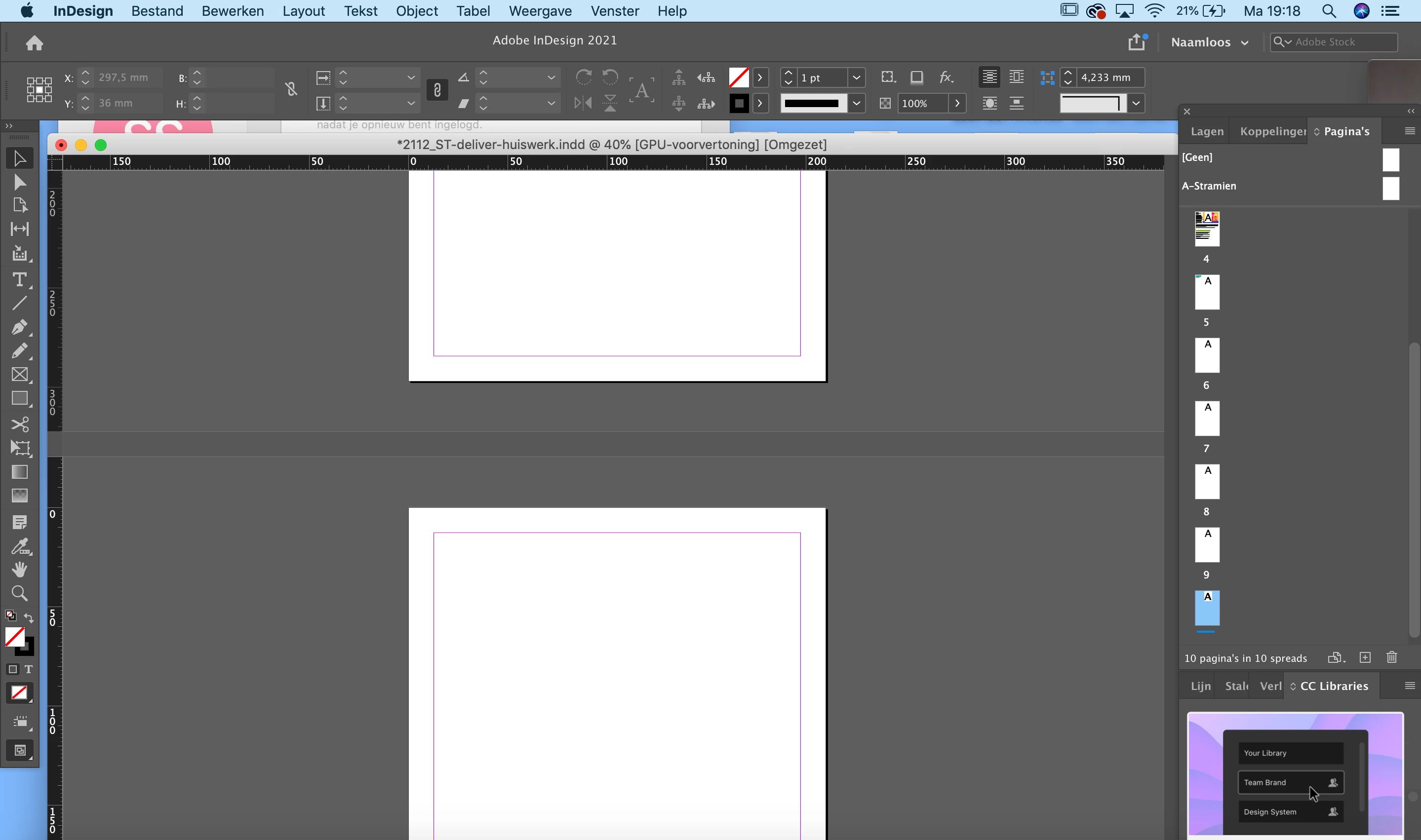
For a while I've been working in my Indesign, but I pushed some buttons and my workplace is now apart from the document. Normaly you can merge this by dragging the workspace up (where you see a blue bar) but unfortunately this doesn't work. Does anyone know how I can put this back together?

Greetings Sade
This topic has been closed for replies.
Correct answer Anshul_Saini

Hi there,


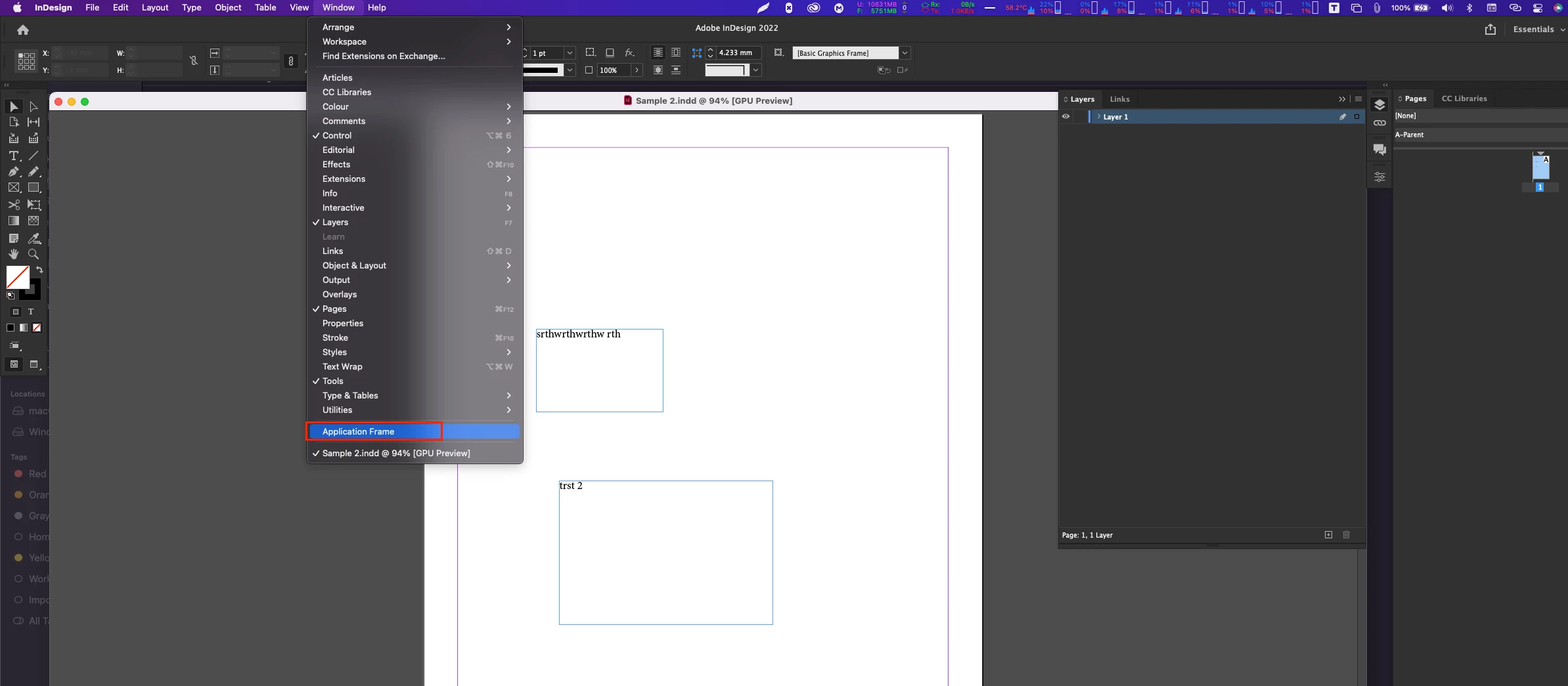
Sorry to hear about the trouble you are facing. I would like to know if the steps suggested above by @John Mensinger & @Barb Binder worked for you? If not, I would suggest you enable the Application Frame from the Windows menu.


Kindly update the discussion if you still need assistance with it. We'd be happy to help.


Regards,

Anshul Saini

3 replies

Anshul_Saini
Community Manager
Anshul_SainiCommunity ManagerCorrect answer
Community Manager
January 10, 2022

Hi there,


Sorry to hear about the trouble you are facing. I would like to know if the steps suggested above by @John Mensinger & @Barb Binder worked for you? If not, I would suggest you enable the Application Frame from the Windows menu.


Kindly update the discussion if you still need assistance with it. We'd be happy to help.


Regards,

Anshul Saini

Sade5EBEAuthor
Participating Frequently
January 10, 2022

Hi Anshul Saini,


Thank you so much for your response! It worked, now I am able to finally work as I usually do, my day can't get better!


Regards,

Sade

John Mensinger
Community Expert
Community Expert
January 10, 2022

What happens if you choose Window > Workspace > Reset [current workspace]?

Sade5EBEAuthor
Participating Frequently
January 10, 2022

Hi! I already tried that, but unfortunately that doesn't work! Thank you for your response!

Barb Binder
Community Expert
Community Expert
January 10, 2022

Drag the title bar for the panels (the one with the x on it) to the far right. As your cursor touches the right side of the monitor, a blue vertical line will appear. Once you see the blue line, you can release the mouse button. 


~Barb

~Barb at Rocky Mountain Training
Sade5EBEAuthor
Participating Frequently
January 10, 2022

Hi Barb, thank you for your response. I tried to drag the panel to the right. But the blue vertical line won't appear.