
maryg56488698
Participant
January 3, 2025
Answered

How to continue text box with content.

  • January 3, 2025
  • 2 replies
  • 1098 views

I currently have a book with the text flowing from one page to another.  After reviewing it I noticed that I didn't add enough boxes.  How can I add another text box and continue the flow?

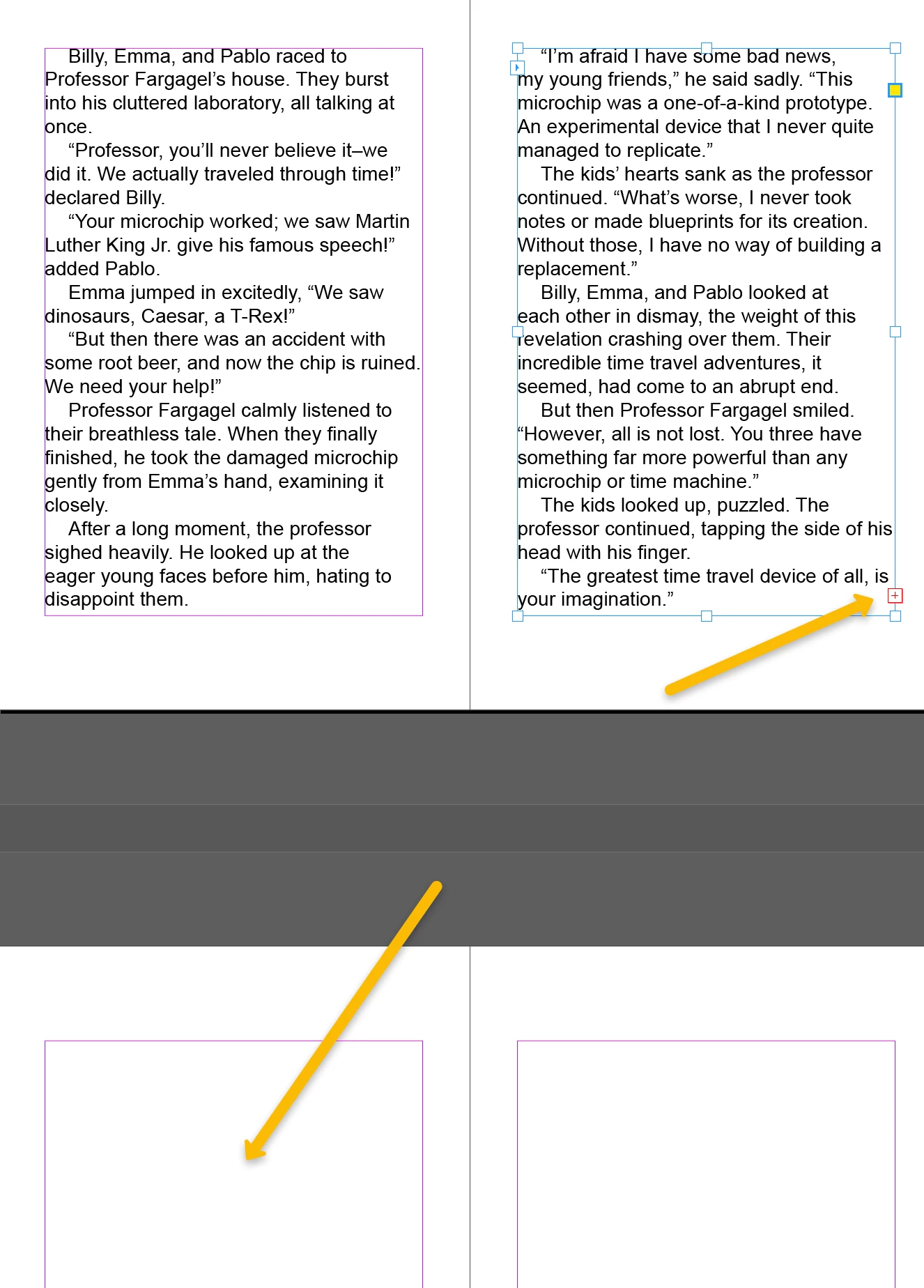
In the below image the text box shows the red "icon" showing I have more text (which I do) but I don't know how to get it to continue to flow on the next empty page.

Correct answer Willi Adelberger

Click on the red +-square, 

hold down the shift key and click on the next page inside the margin guides.

2 replies

Willi Adelberger
Community Expert
Willi AdelbergerCommunity ExpertCorrect answer
Community Expert
January 3, 2025

Click on the red +-square, 

hold down the shift key and click on the next page inside the margin guides.

Willi Adelberger
Community Expert
Community Expert
January 3, 2025

Additional recommendation: If you are typesetting a book , I recommend to use primary text frames in the future.

maryg56488698
Participant
January 4, 2025

Thank you!