Participant
November 7, 2018
Answered

How to copy cell contents to another cell
  • November 7, 2018
  • 3 replies
  • 2584 views

Hi eveybody

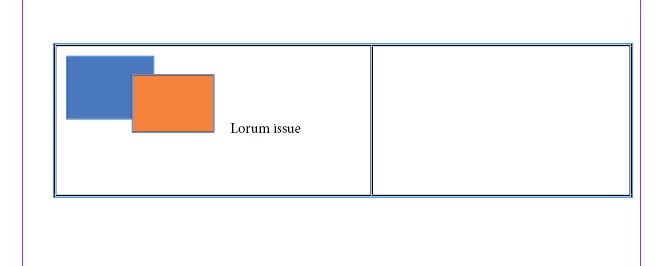
i want copy text and group_item to empty cell but my script only copy text

var myCell = app.activeDocument.textFrames [0] .tables [0] .cells;

var cell_one = myCell [0] .contents;

mycell [1].contents=cell_one;

i can get group_item with code but i dont know how to copy to cell

var item_group_cell_one = myCell [0] .groups [0];

Who can help me, i very hope

This topic has been closed for replies.
Correct answer Manan Joshi

Hi Manan,

FWIW: Don't know what version of InDesign our OP is using.

It could be that there are also graphic cells in the table where no insertion point can be addressed.

Regards,
Uwe


Addressing the valid issues raised by Laubender, i have modified the code. Now the code will test if the destination cell type is graphic, if it is then it will convert the cell to text type. If anything else needs to be done in this case the statement under if can be modified accordingly.

var tb = app.selection[0]   //Select the table before running the code 

var source = tb.cells[0] 

var dest = tb.cells[1]

if(dest.cellType == CellTypeEnum.GRAPHIC_TYPE_CELL)

     dest.cellType = CellTypeEnum.TEXT_TYPE_CELL

source.texts[0].duplicate(LocationOptions.AT_END, dest)  //This will copy the content to the end of the destination cell

-Manan

3 replies

Community Expert
October 22, 2019

Important note: With my code cell properties like strokes and fill will also be transferred.

Properties like height and width will not travel along.

The OP does not like to do that. He wants to copy the formatted contents of cells.


Regards,
Uwe Laubender

( ACP )

Community Expert
October 22, 2019

Hi Philippe,

of course you can also copy/paste two cells at one time.

But for that you have to select the cells and use copy, select the target cell(s) and use paste.


Example:
Have two text frames with one table each on page 1 of your document.

Every table has at least two cells. The two text frames are not threaded, they belong to different stories.


Run the following snippet to copy the first two cells of the first frame to the table of the second frame:


var sourceTable =
app.documents[0].pages[0].textFrames[0].parentStory.tables[0];

var targetTable =
app.documents[0].pages[0].textFrames[1].parentStory.tables[0];

app.select( sourceTable.cells.itemByRange(0,1) );
app.copy();
app.select( targetTable.cells[0] );
app.paste();


Regards,
Uwe Laubender

( ACP )

Community Expert
November 7, 2018

You can try the following code

var tb = app.selection[0]   //Select the table before running the code

var source = tb.cells[0]

var dest = tb.cells[1]

app.select(source.texts.everyItem())

app.copy()

app.select(dest.insertionPoints[0])

app.paste()

Make a selection of the table before running the code, this will copy over the contents of the first cell to the second cell.

-Manan

-Manan
Community Expert
November 7, 2018

Hi Manan,

one could use method duplicate() for texts[0] of a cell to avoid copy(), select() and paste().

Before, you could remove all contents of the target cell with cell.contents = "" . Assign an empty string.

Regards,
Uwe

Community Expert
November 7, 2018

Perfect Uwe, nice and short.

I had never used duplicate, copy paste seemed like natural choices for the issue at hand so used it without further investigation or thought. Thanks for the  heads up on the new api

-Manan