Participant
May 3, 2023
Answered

how to create a half curvy/half rectangular shape in indesign?

  • May 3, 2023
  • 2 replies
  • 554 views

hi! i've been trying to figure this out, i think i knew how to do it once then lost those notes and i need help figuring it out again. i can't figure out the right words to describe this to get the right results in google, and i've tried pen tool tutorials but it's been taking me a while to find this exact point in the tutorials. basically, i want an image with a curvy border that's flush with the side of a page. so i would need to create an image mask with a shape that's part rectangular to align with the edges of the document, and part curvy. i'm having trouble creating the shape.


for example, a shape like this (outlined in red):

I would normally just have the shape hang off the side of the page, but I can't do that in a situation where i have something like a trifold brochure with multiple attached pages.
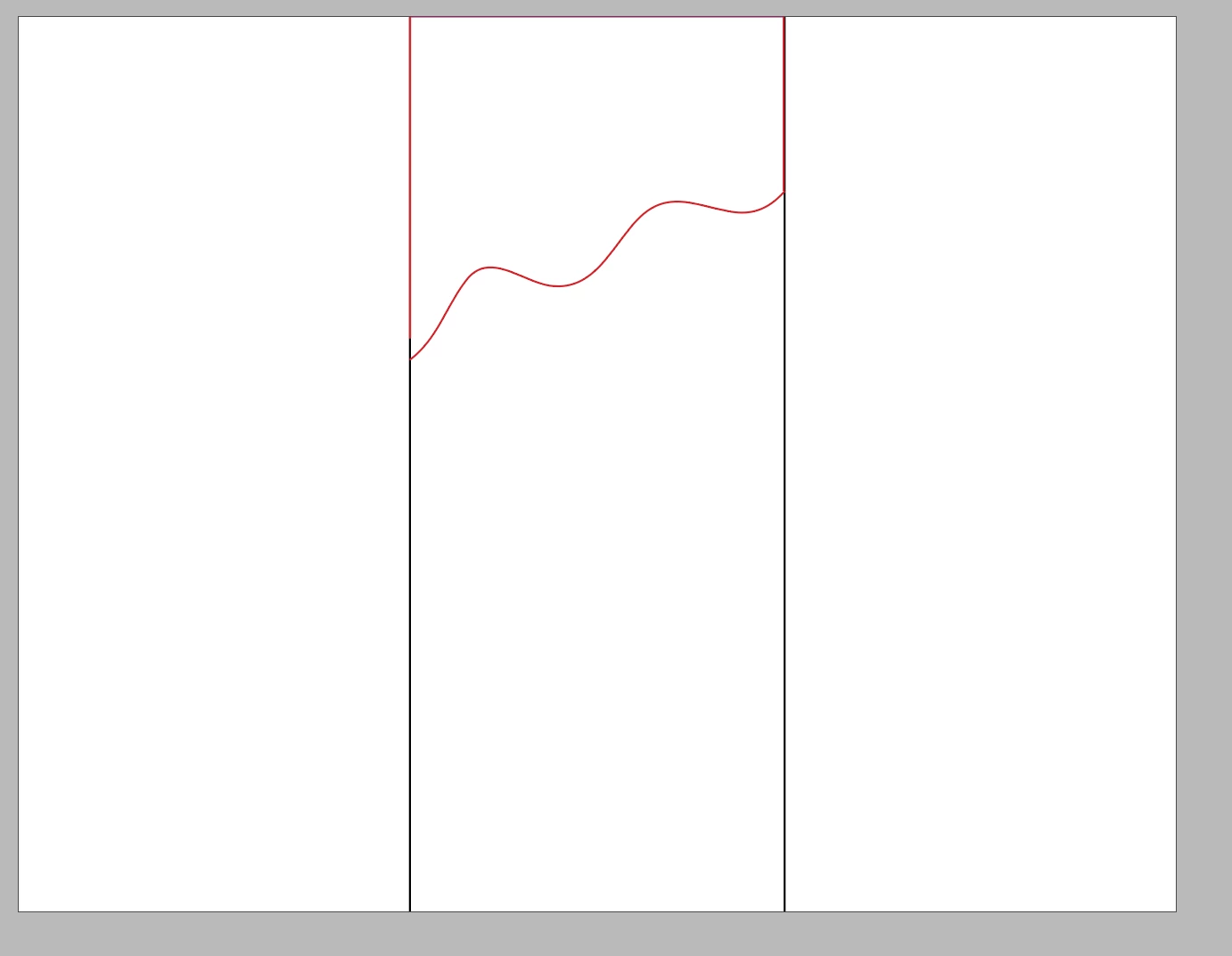
could anyone explain how to do this, or provide a link to a demonstration?


thanks!

This topic has been closed for replies.
Correct answer John Mensinger

It's really not entirely clear which part of this you're having trouble with. At first I thought you were struggling with "the curvy part," but then, I read:

quote

I would normally just have the shape hang off the side of the page, but I can't do that...


That suggests it's the straight vertical edge that's giving you trouble. Can you clarify?

https://www.youtube.com/watch?v=I_IK4tx0HJ0

2 replies

John Mensinger
Community Expert
John MensingerCommunity ExpertCorrect answer
Community Expert
May 3, 2023

It's really not entirely clear which part of this you're having trouble with. At first I thought you were struggling with "the curvy part," but then, I read:

quote

I would normally just have the shape hang off the side of the page, but I can't do that...


That suggests it's the straight vertical edge that's giving you trouble. Can you clarify?

https://www.youtube.com/watch?v=I_IK4tx0HJ0

Willi Adelberger
Community Expert
Community Expert
May 3, 2023

I recommend to do it in Illustrator. There you can draw a rectangle and above a path in that form and command via object > path > divide objects below, then you can copy it from Illustrator and paste it into InDesign.