
Participant
March 1, 2023
Question

How to create a stroke style both with stripe and dash in InDesign?

  • March 1, 2023
  • 2 replies
  • 425 views

Hi experts,


I am creating some easy-drawing lines for my team in InDesign. However, I found that these kinds of dashed lines (attached image) could not be created directly nor could they be added into an 'object style' as they need both stripe (Y) and dash (X). The easiest way I am doing right now is drawing two lines and group them. Could you help me find out a solution to draw each just in one stroke and easy to put them into 'object styles' for others to use conveniently?


Many thanks!
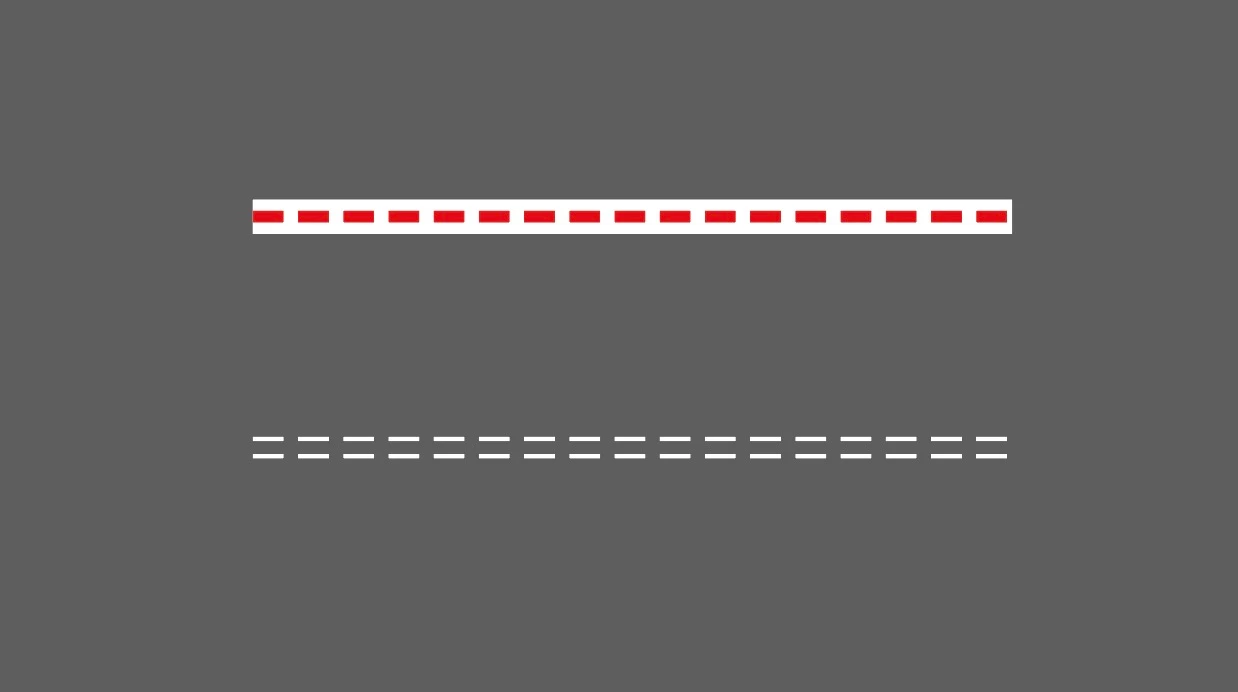
 

This topic has been closed for replies.

2 replies

John Mensinger
Community Expert
Community Expert
March 1, 2023

Maybe someone has a way to do this, but to my knowldege, InDesign does not have native features that produce the result you seek, if I understand you correctly. Multiple strokes on a single path is squarely Illustrator territory.

Participant
March 1, 2023

Agreed. But my colleagues would prefer using InDesign rather than Illustrator. They just want to draw lines and select/eyedrop the target properties directly, simply and quickly...

Anyway, Many thanks, John.

Derek Cross
Community Expert
Community Expert
March 1, 2023

You can create an Object Style for each of these (if I understand your requirements).

Participant
March 1, 2023

Thanks, Derek.

That is not a bad idea. But the process might still be too complex to my colleagues. They need: create a line → apply to an object style → duplicate it → apply it to another object style → combine them.


But honestly, that might be the best way currently. Thanks again for your help!