dsev1
Inspiring
October 12, 2017
Answered

How to create macro in Indesign for pasting symmetrically in a spread?

  • October 12, 2017
  • 4 replies
  • 7405 views

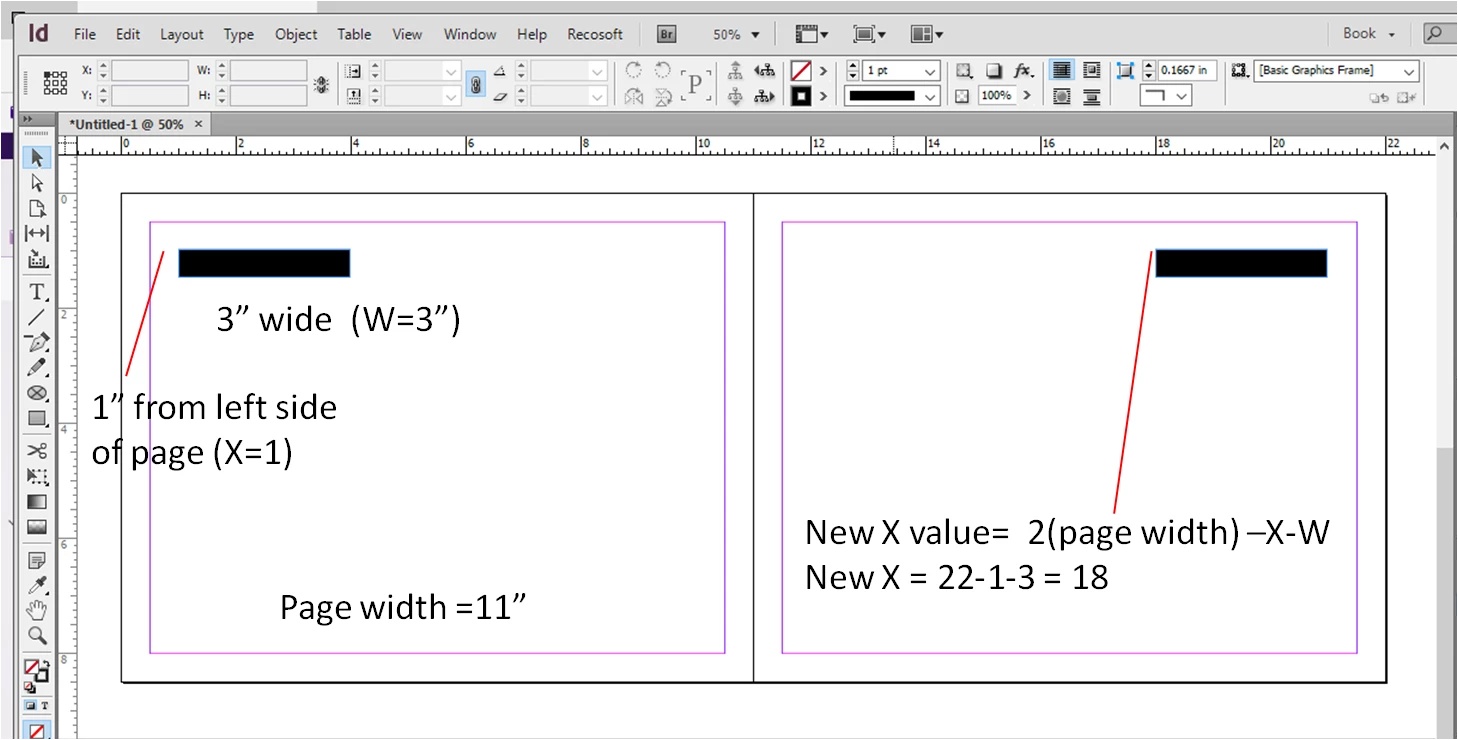
I cannot find a shortcut for copy/pasting in place ACROSS a spread symmetrically.  For examples, like on a master page, you may want have the page numbers equidistant from the edges of the pages.

I'd like to know if someone may know how to do this OR if maybe a macro/scripting could be made.

I figure out a formula for the new X value of the object that one would be copying and pasting:

2* (Page Width) - (original X Value of object) - (Width of object)

(see below).

Any ideas on how to expedite this?

Thanks!
This topic has been closed for replies.
Correct answer Obi-wan Kenobi

… But if you wanna play!… 

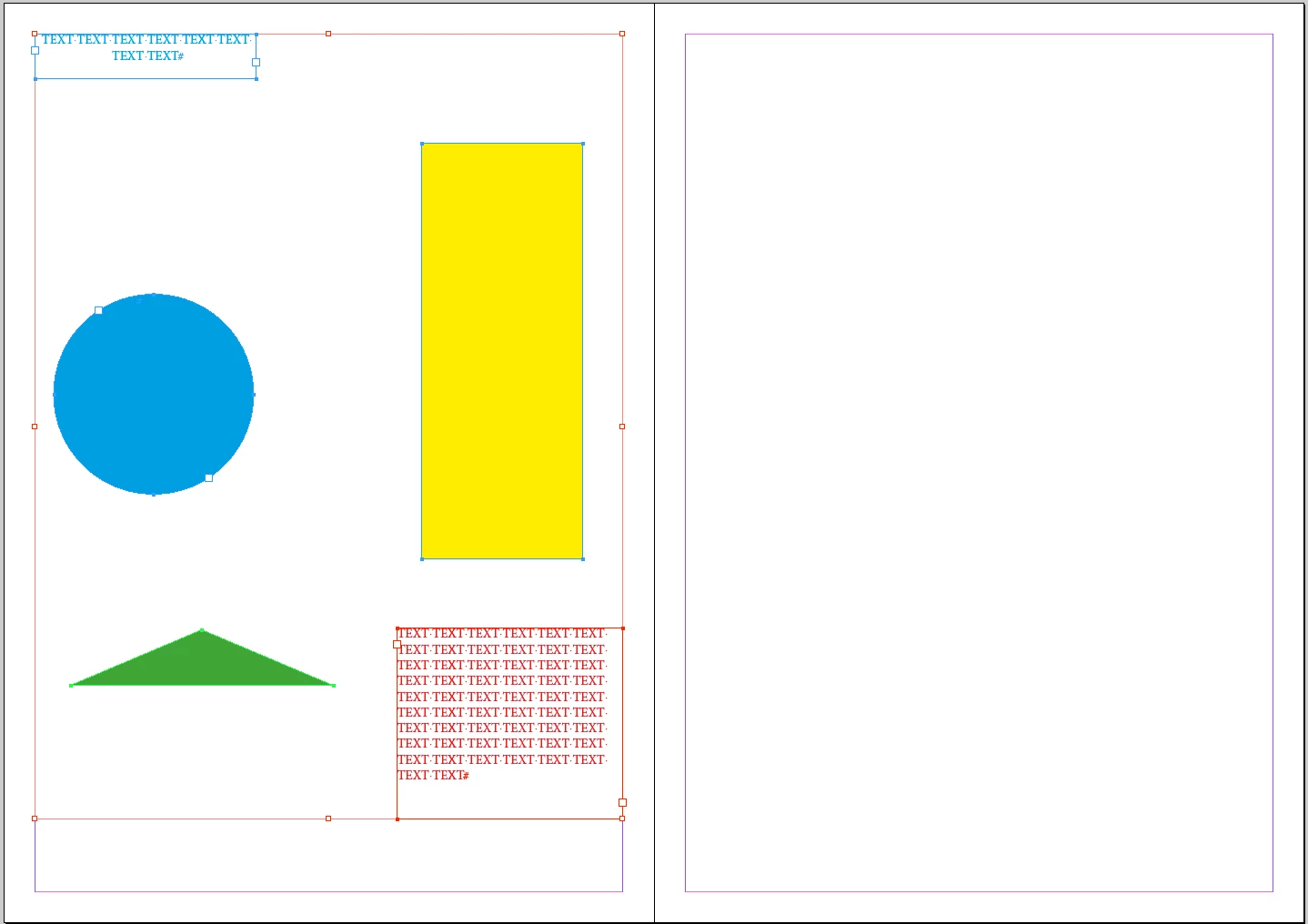
At the beginning, just select the items you want to duplicate on the other side:

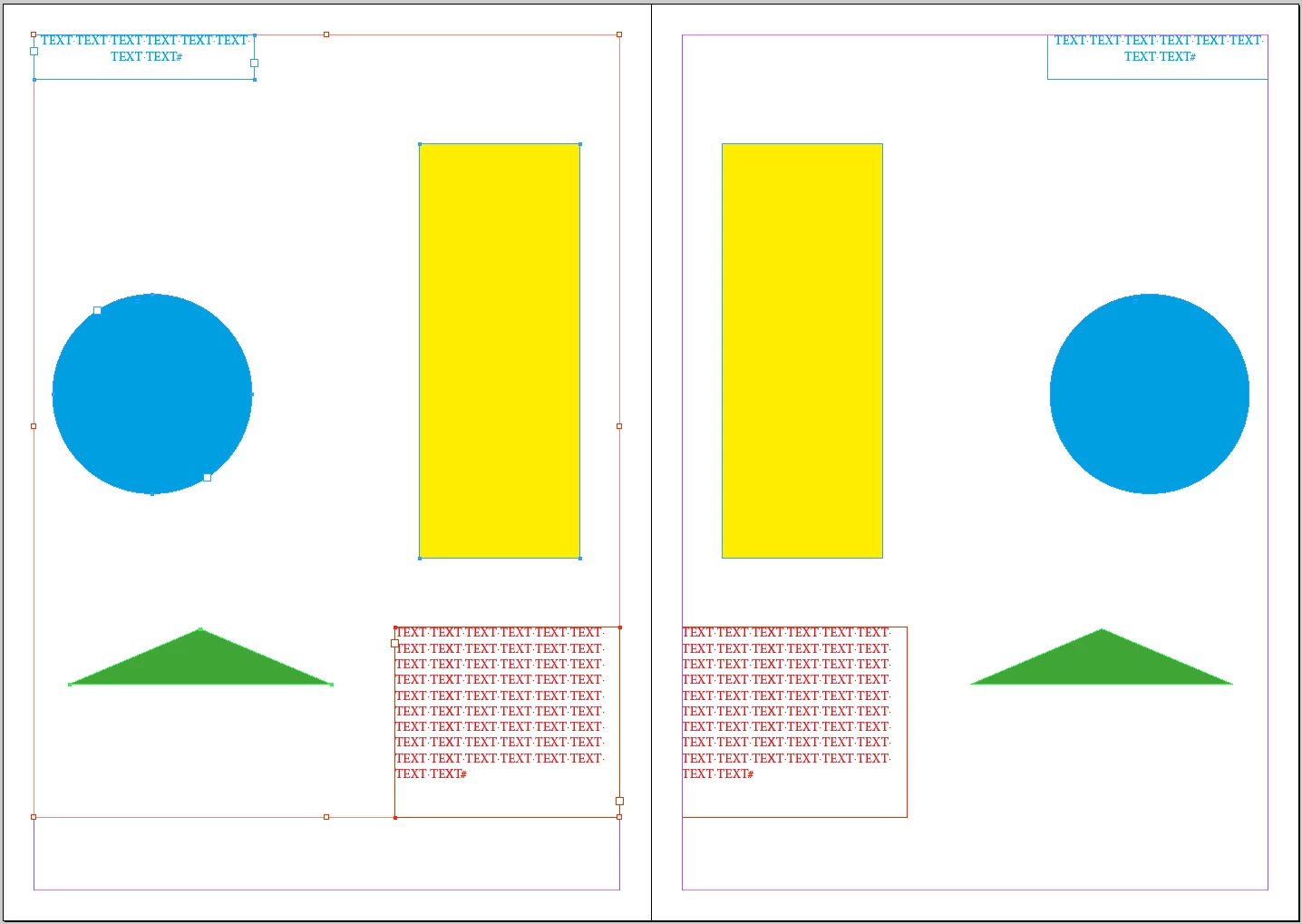
One click later! …

(^/) 

Of course, it works from right to left and on the entire active spread [items on the 2 pages to be duplicated on the other one].

… For fun: this doesn't work if the spread contains only one page! [of course!]

[ It's done by script! … Personally, not for free! ]

4 replies

Loic.Aigon
Legend
October 17, 2017

[Jongware]

Your concern is valid but sometimes a mirrored image is ok, sometimes not. Of course, you could introduce a dialog to let the user choose. But even then you an have mixed scenarii. So eventually, the time saved by getting all mirriored items may balance the one you will spend by manually fixing those peculiarities.

food for thought.

Obi-wan Kenobi
Legend
October 17, 2017

Hi Loic,

Not really sure! …

"To flip or not to flip! That is the (true) question!" [not written by me but by a very old Scripter named Shakespeare!]

The op could decide what item behavior he would like to have, then run the script for "mirroring" all the selected items!

(^/) 

Marc Autret
Legend
October 15, 2017

Hi dsev1,

It seems an ideal case for using the Spread coordinate space. (The below snippet should work whatever the ruler units, origin, or spread view orientation.)

function mirrorSelection(  a,t)

// -------------------------------------

// Duplicate the selected objects across the spread symmetrically.

// (This snippet only performs TRANSLATIONS. Rotation and/or shear

// attributes are not mirrored.)

{

    if( !(a=app.properties.selection) || (!a.length) || !('transform' in a[0] ) )

    {

        alert( "Please select at least a page item." );

        return;

    }


    const CS_SPREAD = +CoordinateSpaces.spreadCoordinates,

          AP_CENTER = +AnchorPoint.centerAnchor,

          MX = [1,0,0,1,0,0];


    while( t=a.pop() )

    {

        MX[4] = -2*t.resolve(AP_CENTER, CS_SPREAD)[0][0];

        t.duplicate().transform(CS_SPREAD, AP_CENTER, MX);

    }

};

app.doScript(

    mirrorSelection, ScriptLanguage.JAVASCRIPT, undefined,

    UndoModes.ENTIRE_SCRIPT, "Mirror Selection"

    );

@+

Marc

Peter Kahrel
Community Expert
Community Expert
October 16, 2017

Awfully clever!

P.

Loic.Aigon
Legend
October 16, 2017

Agreed…

Jongware
Community Expert
Community Expert
October 14, 2017

If you intend to use this for page numbers on the outside, as per your example, then the simplest way is to create a text box as wide as the text frame. Alt+Shift+drag it to the other spread; either use manual guidelines or Smart Guides to position it into the same place. Set the text justification to "Away from spine", and you can use the same paragraph style for both without overrides.

(And of course it can be scripted(*) as well. You might not even need the calculation; page coordinates can be temporarily set to "Page", rather than "Spread", so all positions only need negating -- or so I believe, off the top of my head & rather late at nite.)

(*) InDesign does not have "macros" or otherwise recordable "actions".

Srishti_Bali
Legend
October 13, 2017

Hi dsev1,

This could be possible through scripts only, hence moving this thread to InDesign Scripting

Also, please refer to the similar discussion mentioned below:

Indesign Macros (when a script is a sledge hammer)

Regards

Srishti

Obi-wan Kenobi
Obi-wan KenobiCorrect answer
Legend
October 14, 2017

… But if you wanna play!… 

At the beginning, just select the items you want to duplicate on the other side:

One click later! …

(^/) 

Of course, it works from right to left and on the entire active spread [items on the 2 pages to be duplicated on the other one].

… For fun: this doesn't work if the spread contains only one page! [of course!]

[ It's done by script! … Personally, not for free! ]

dsev1
dsev1Author
Inspiring
October 15, 2017

Wow, excellent!

Are you will to post the script?

Thanks!!