Participant
September 2, 2020
Answered

How to create Text Variable based on page number

  • September 2, 2020
  • 3 replies
  • 892 views

I'm creating a large photobook. Every page is a 2-page spread which I've set up as a Master. However ever page has an incrementing number for each photo.


I realised that {page number / 2} works perfectly and thought I could include a text variable in the master that is set to this but it seems you can't do that.


Does anyone know if this would be possible with scripting or some other method?


Thanks
This topic has been closed for replies.
Correct answer Colin Flashman

you could probably use a "numberd list" paragraph style for this or find a suitable script.


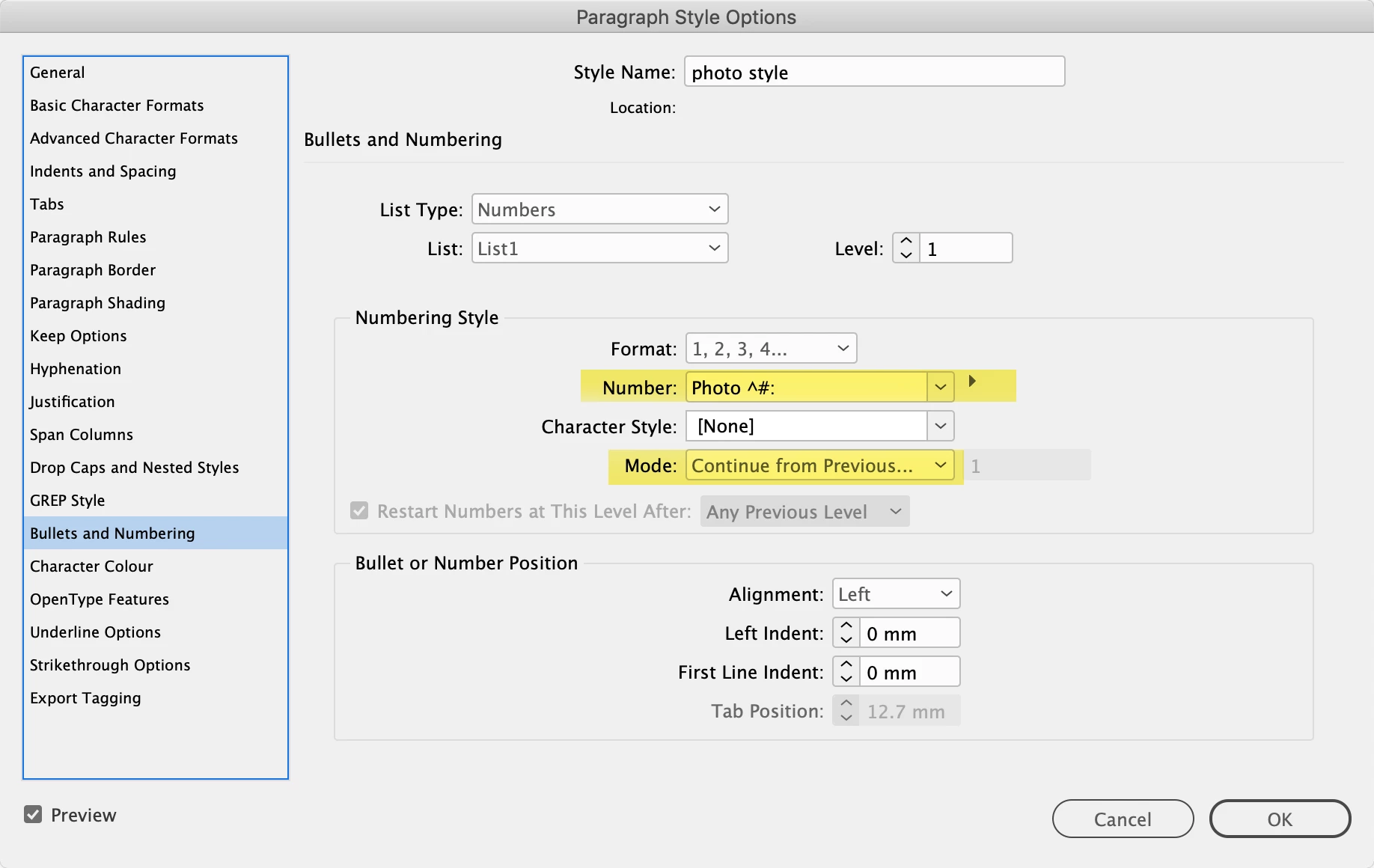
Yes, I would use this method too. Set up a paragraph style e.g. "Photo Number" and format its appearance to taste. Then, go into the bullets and numbering portion and change the following in the Number and Portion part of the style options:

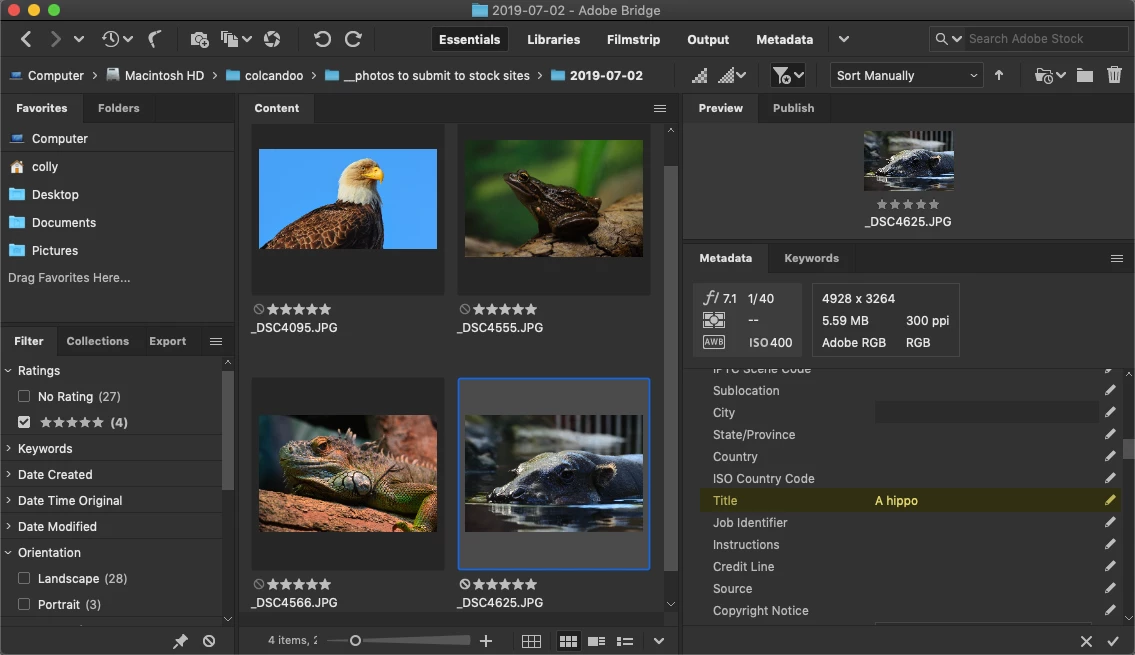
This can then be combined with Live Captions. In Bridge, I've added metadata to the titles of the following 4 images:

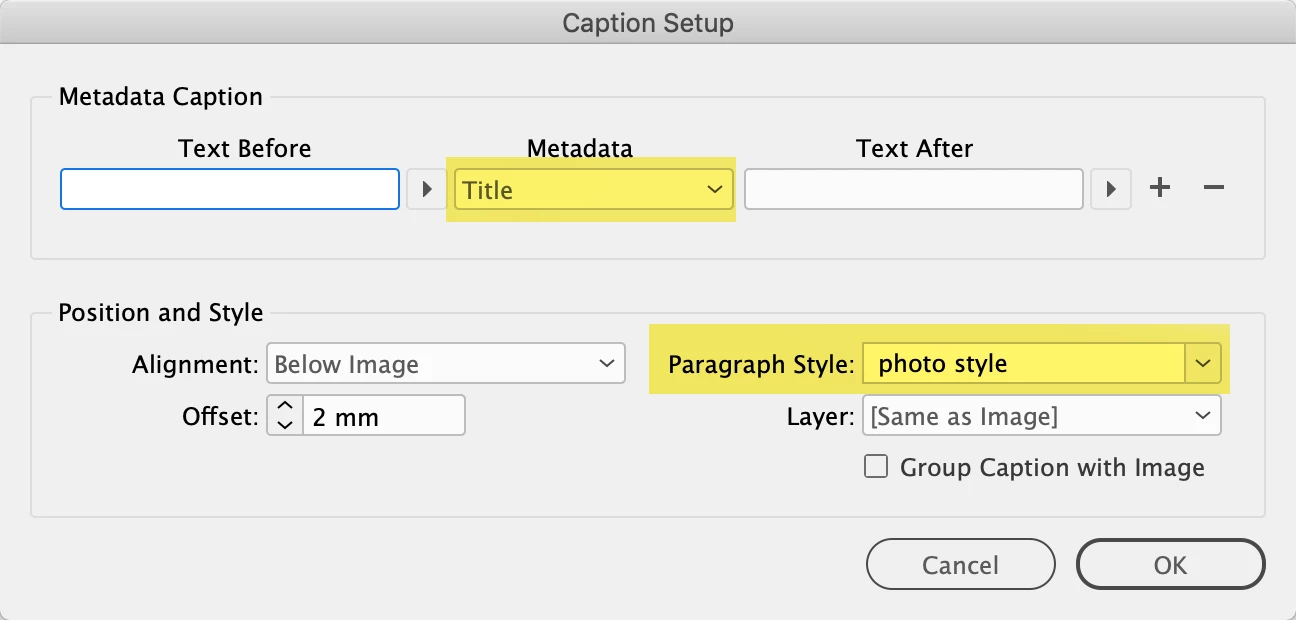
Back in InDesign, I can set up a caption by clicking on an image and by right-clicking to get to the contextual menu, I can then go to caption setup and make sure I set the following:

From here, all I need to do is select an image in InDesign and then from the contextual menu, choose either "generate live caption" or "generate static caption" from the caption option.


3 replies

Grant H
Community Expert
Community Expert
September 3, 2020

Having thought some more about this, wouldnt it be easier enough to create 2 files the one with the photos and info as single pages (but twice the width obv)

Community Expert
September 3, 2020

I'm not entirely sure what you're after, but you can create an auto numbered paragraph style for the images. This can be based on an auto generated caption (Object>Captions>Caption Setup). If the photo numbering is only to be seen in the table of contents, you can put the caption on a hidden layer.

Derek Cross
Community Expert
Community Expert
September 2, 2020

"Every page is a 2-page spread which I've set up as a Master"


Can you expand on what this means?

Nick.IEAuthor
Participant
September 2, 2020

Sorry. Re reading that wasn't clear.

Page 1 is a cover page.

Page 2 is the photo text, description and info

Page 3 is the photo

The page 2/3 spread is what I set up as a master and then repeats for all the other photos.

So photo number 1 is on page 2, photo 2 on page 4, 3 on page 6, etc. Hence why I was trying to create a variable of page number/2 so if I reorder the photos they'll number correctly.

Hope this makes sense.

Grant H
Community Expert
Community Expert
September 3, 2020

you could probably use a "numberd list" paragraph style for this or find a suitable script.