Participant
October 9, 2024
Question

How to creatively shape text boxes

  • October 9, 2024
  • 4 replies
  • 725 views

Hi,


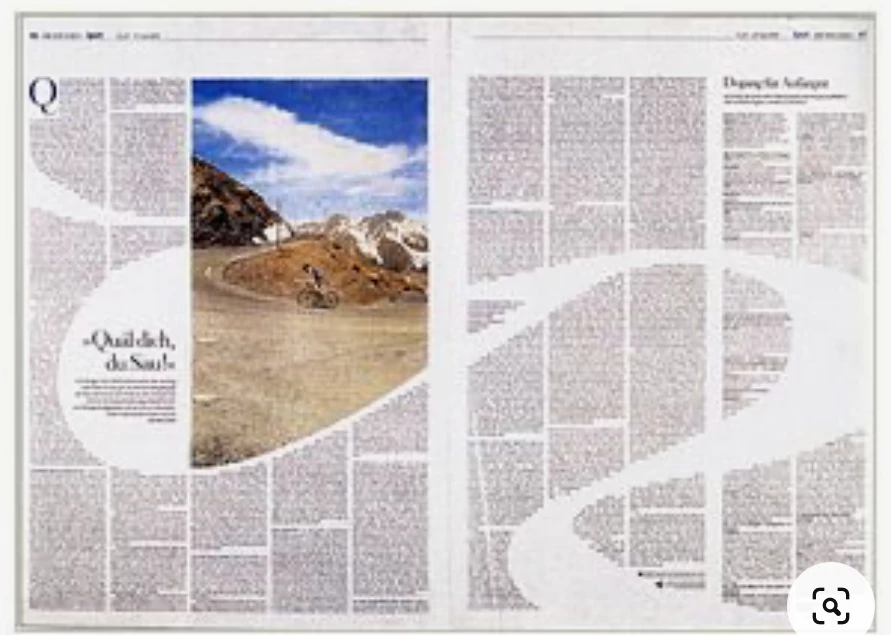
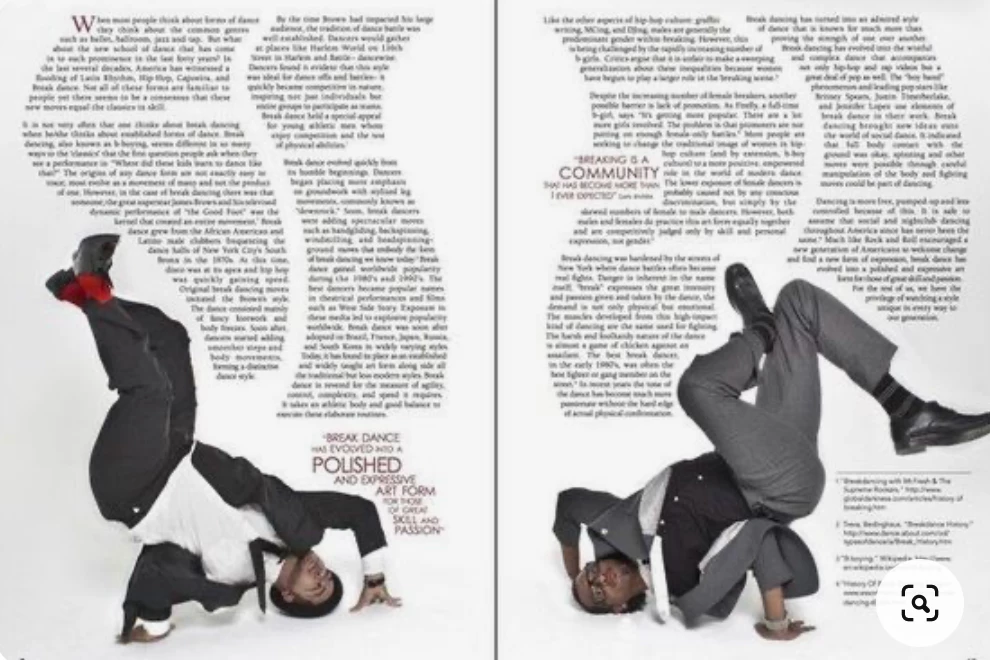
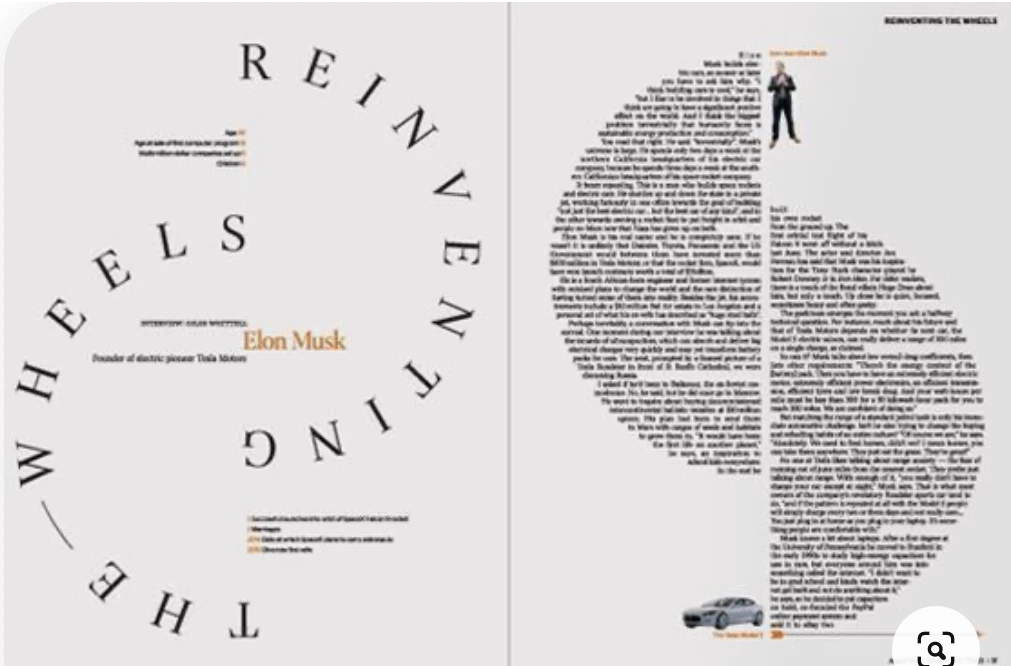
I'm wondering if anyone knows how to creativly shape textboxes. I can't quite figure out where to even begin in trying to shape them in this way. I have attached a few image of what I mean below.


Thank you!
This topic has been closed for replies.

4 replies

Dave Creamer of IDEAS
Community Expert
Community Expert
October 9, 2024

To add the the advice that's already given, here is how to create some shapes...

(BTW, IMHO the first and third spread are OK but I think the second spread would confuse the reader. An example of someone getting too clever for their own good.)

David Creamer: Community Expert (ACI and ACE 1995-2023)
jmlevy
Community Expert
Community Expert
October 9, 2024

The design of the second spread can also be achieved with text wrap.

Steve Werner
Community Expert
Community Expert
October 9, 2024

As a simple example, I created three ellipses with the Ellipse tool. (If you know how to use the Pen and path editing tools, the frames can be more imaginative). They don't have to be text frames.


Choose the Text tool, and click in the first frame which makes it into a text frame. Choose File > Place and choose your text or Word document. It will flow into the first frame. With the Selection tool,, clickl the red + to continue the flow and click on the second frame. Continue this through other frames.


Robert at ID-Tasker
Legend
October 9, 2024

You can either draw a shape from scratch: 


https://helpx.adobe.com/uk/indesign/using/editing-paths.html


Or add a TextFrame and then modify its shape.