Inspiring
April 20, 2017
Answered

how to delete strange space symbol

  • April 20, 2017
  • 3 replies
  • 1004 views

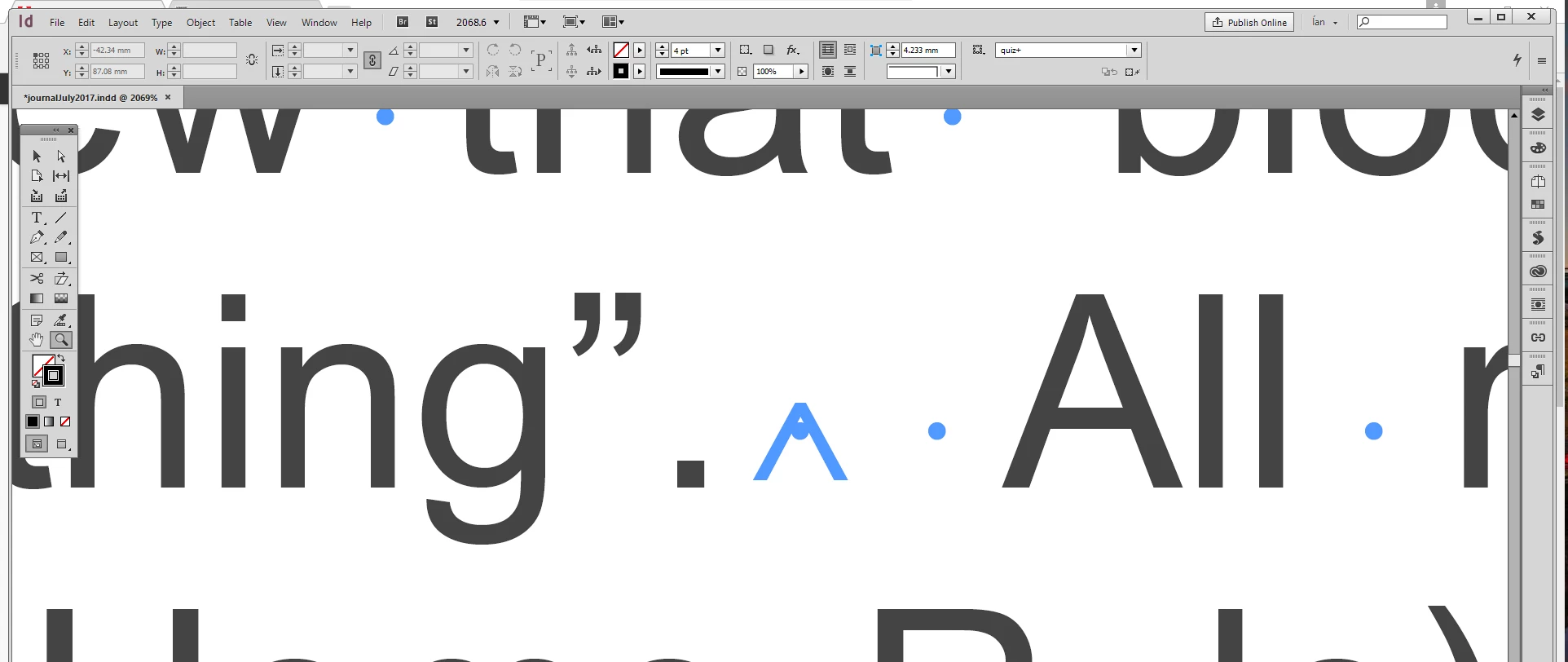
I have a Indesign document that comes from a placed Word.doc. It has numerous symbols as shown in the image. (Like an A with a dot in it)

It appears to be some sort of space marker. However, if I do a search to delete it many of  the spaces I do not want deleted are deleted. Is it possible to do a search for just that marker and replace with a normal space?
    This topic has been closed for replies.
    Correct answer amaarora

    Hi,

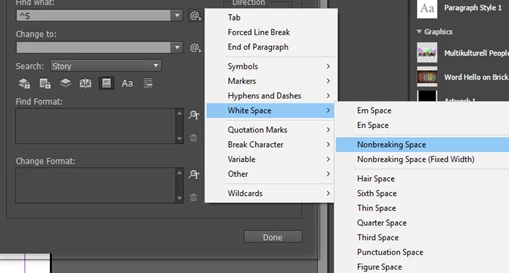
    It looks like a representation of Non Breaking space.

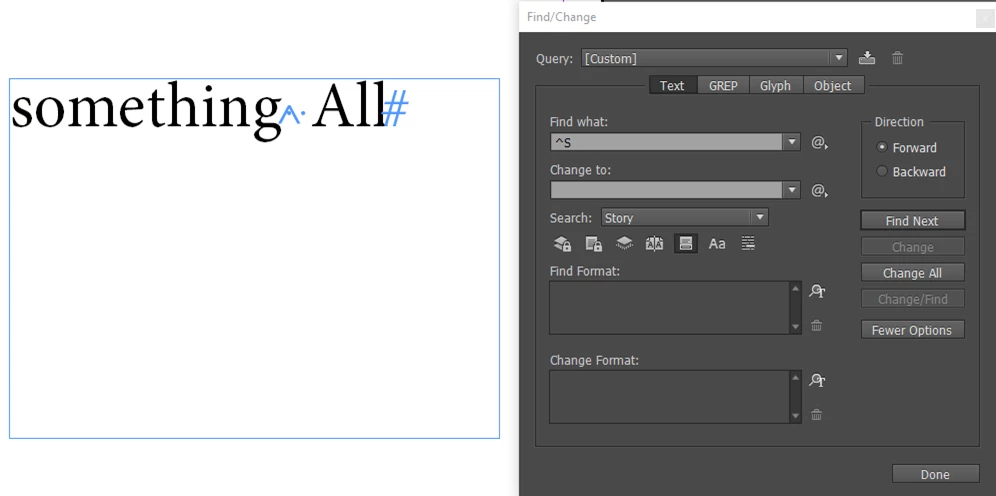
    Can you try the following in the "Find/Change" dialog and let us know the results?

    -Aman

    3 replies

    Jongware
    Community Expert
    Community Expert
    April 20, 2017

    https://indesignsecrets.com/free-guide-to-indesign-special-characters.php

    Anne-Marie's PDF lists just about all of ID's special markers.

    Ian BlogsAuthor
    Inspiring
    April 20, 2017

    Thank you. That finds them.

    amaarora
    Community Manager
    amaaroraCommunity ManagerCorrect answer
    Community Manager
    April 20, 2017

    Hi,

    It looks like a representation of Non Breaking space.

    Can you try the following in the "Find/Change" dialog and let us know the results?

    -Aman