
Question
How to display the user picture/logo in CONTACTS when creating a VCARD in inDesign
Hi everyone. I'm having trouble with the InDesign QR code generator for VCARD.
I read many articles suggesting opting for the "plain text" option instead of "business cards" in inDesign to be able to use V3.0.
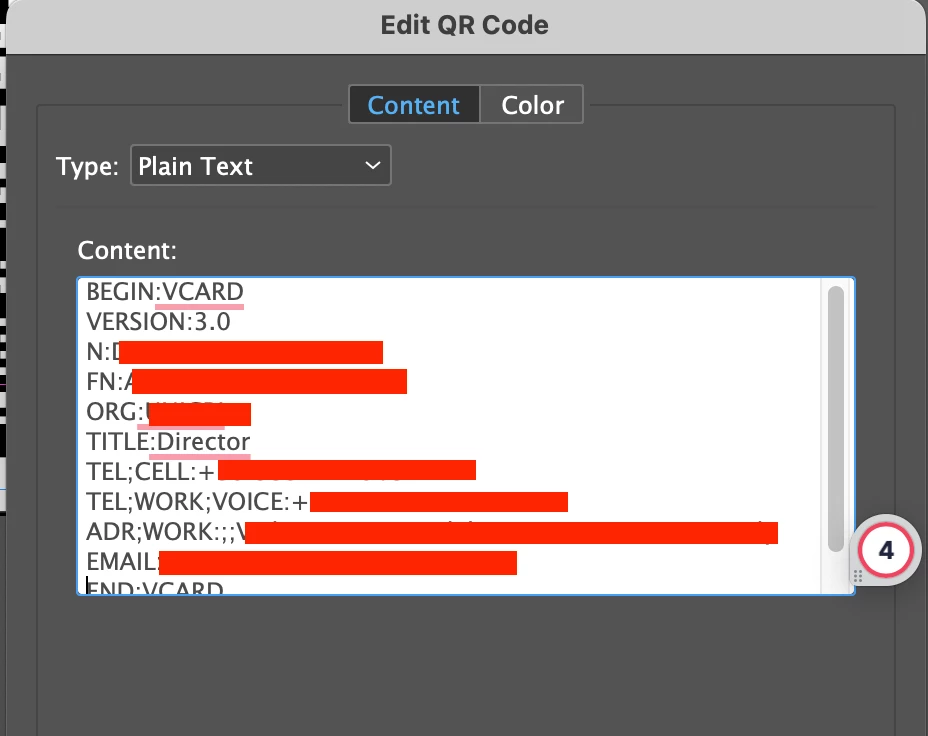
However, I'm unable to display a picture in the contact information. How can I do that?
If I embed the photo as Base64 encoded block text, it is too long, and an error message appears. If I use the VCARD code for photos (copy-pasted from Wikipedia: PHOTO;TYPE=JPEG;VALUE=URI:http://example.com/photo.jpg) it does not work both on Android and IOS.
Can you please help?
Thanks a lot!
 AdChoices