Known Participant
November 2, 2016
Answered

How To do this effect? see background image through the text effect

  • November 2, 2016
  • 3 replies
  • 703 views

Hello,

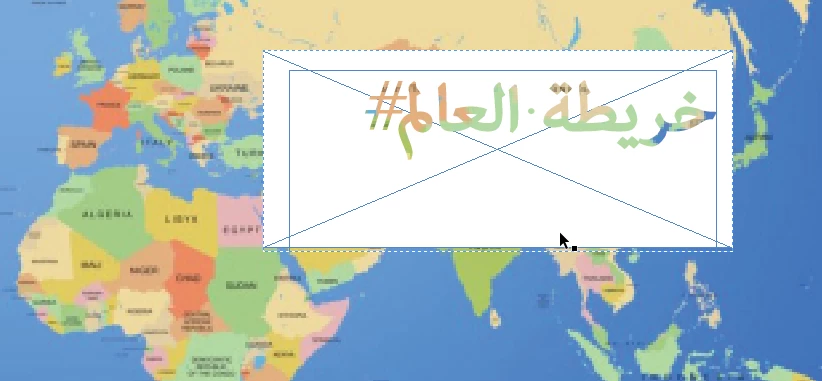
i have an object  (Text box & rectangle white color) they are grouped and there is a background image, if you move that group, you can see background image through the text.

my problem is how to create such this effect.

when i ungroup that group the effect will disappear. and i can't create it again.

like the following
my ver: InDesign CC 2015

i uploaded innd file at the following link for check.

EFFECT.indd - Box

Regards,

Hima

This topic has been closed for replies.

3 replies

Willi Adelberger
Community Expert
Community Expert
November 3, 2016

Make the text in registration color and set the frame (whole object) to screen.

Obi-wan Kenobi
Legend
November 3, 2016

Willi,

If you mean "Superposition" (or "Eclaircir" too) in French, totally Yeap! 

(^/)

Participating Frequently
November 3, 2016

Hi Hima,

The Blog post that Peter linked to shows how to create the effect you are looking for, except that it works on the text frame itself, rather than cutting the text out of another rectangle. So what you could do, is to create a rectangular text box the size and shape you desire, then follow the instructions as in Peter's linked post (using the Effects panel), then adjust where your text sits in the box by going to OBJECT>TEXT FRAME OPTIONS, then adjusting the left, right, top and bottom insets to get the type to sit where you want.

Peter Spier
Community Expert
Peter SpierCommunity ExpertCorrect answer
Community Expert
November 2, 2016