Inspiring
February 4, 2015
Answered

How to Embed graphic files in a script?

  • February 4, 2015
  • 3 replies
  • 548 views

Hi everyone

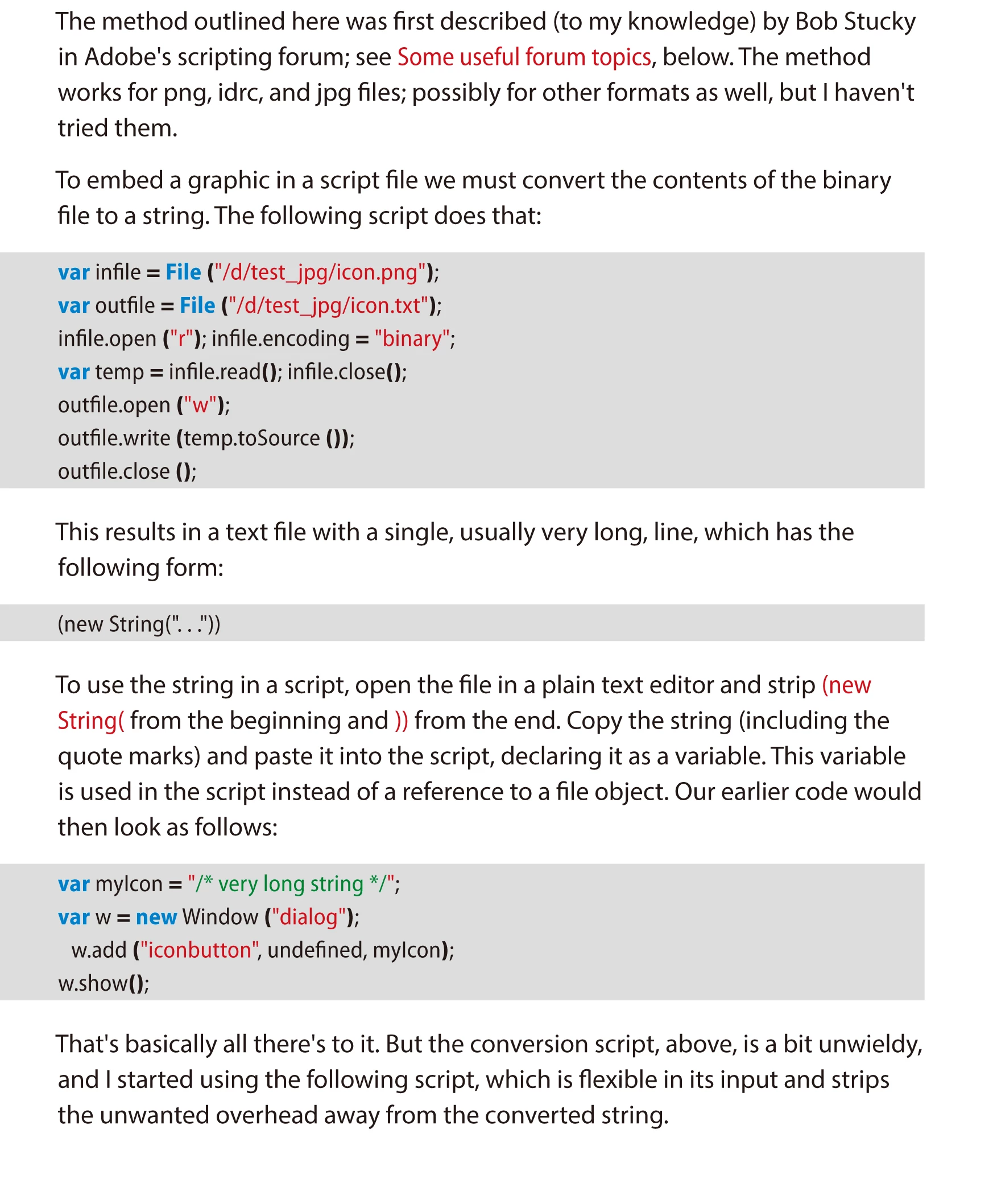
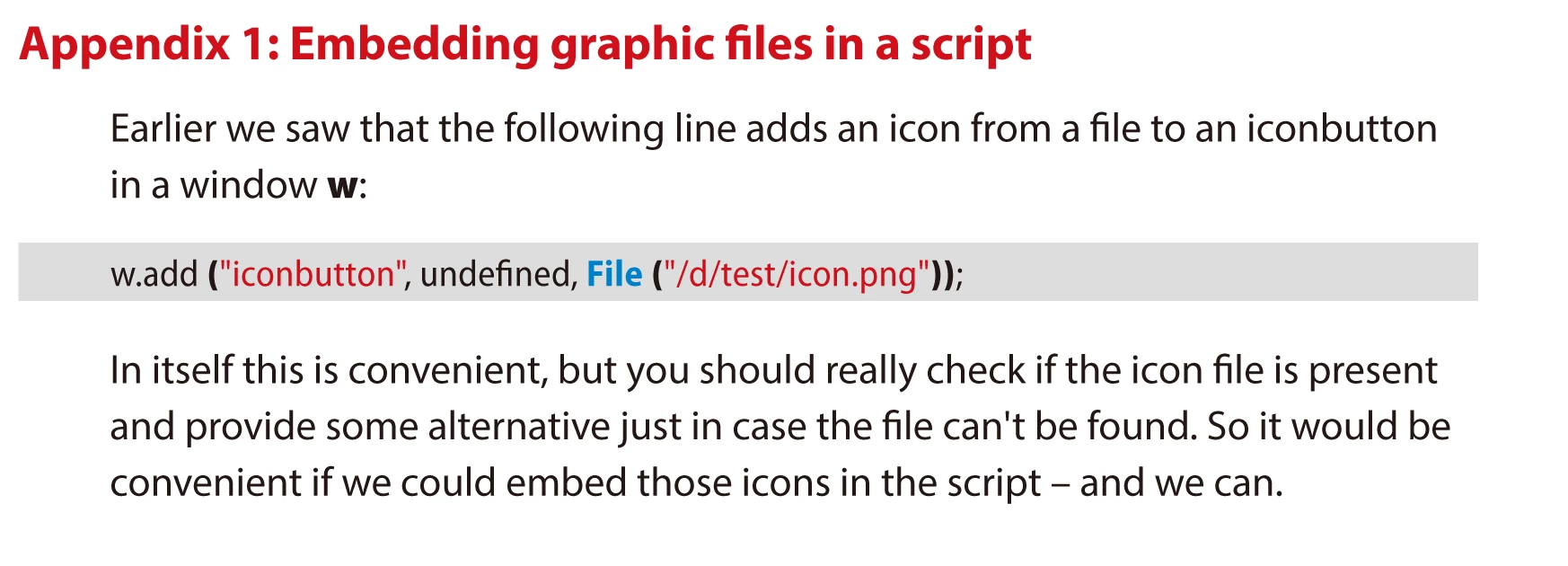
I learn from a pdf file, says that script can embed some type of graphic file into a script.

but I don't really know how to do this

and I attach pdf into this discussion

can someone show me how?

thanks

Regard

Teetan
This topic has been closed for replies.
Correct answer Loic.Aigon

Hi Teetan,

Peter Karhel's book is rather explicite here. I am just restating the steps :

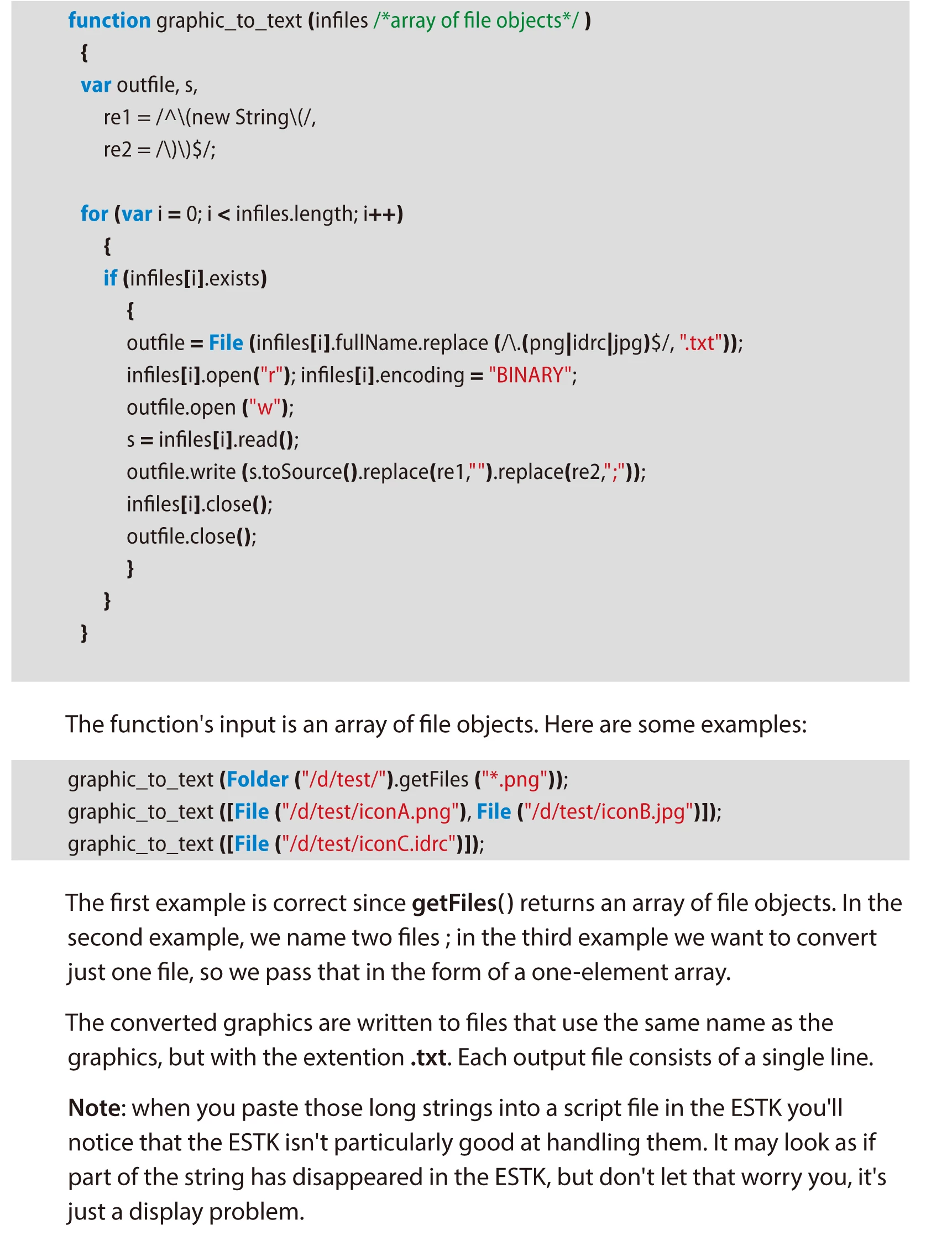
1) copy/paste the graphic_to_text function (it does'nt have to be in your UI Code).

2) call this function passing your image file

3) get the generated text file

4) open it and copy the contents inside (new String("   and "))

5) reference that contents in your UI code like var myPic = "\XE9…";

6) points to that referece w.add('iconbutton', undefined, myPic );

Loic

3 replies

Teetan_VKAuthor
Inspiring
February 5, 2015

Hi Loic

Can I ask one more question?

What's .idrc stand for

What's format it was?

Teetan

Teetan_VKAuthor
Inspiring
February 5, 2015

Thank you Loic

thank you so much

Teetan

Teetan_VKAuthor
Inspiring
February 4, 2015

I write a script and try to embed the icon into script

but error

my script:

var w = new Window("dialog");

var ib = w.add ('iconbutton', undefined, File ("~/Desktop/2_mac.png"));

                ib.onClick = function() {

                alert("you clicked me");

                }

            w.show();


            var infile = File ("~/Desktop/2_mac.png");

            var outfile = File ("~/Desktop/2_mac.txt");

            infile.open ("r"); infile.encoding = "binary";

            var temp = infile.read(); infile.close();

            outfile.open ("w");

            outfile.write (temp.toSource ());

            outfile.close ();

Loic.Aigon
Loic.AigonCorrect answer
Legend
February 5, 2015

Hi Teetan,

Peter Karhel's book is rather explicite here. I am just restating the steps :

1) copy/paste the graphic_to_text function (it does'nt have to be in your UI Code).

2) call this function passing your image file

3) get the generated text file

4) open it and copy the contents inside (new String("   and "))

5) reference that contents in your UI code like var myPic = "\XE9…";

6) points to that referece w.add('iconbutton', undefined, myPic );

Loic