
How to Ensure Your Bleed and Cover Width Are Set Correctly for Print
Hi, I have nearly finished designing my first book and have had so much help in this community, I am very grateful. I am so close to getting this to the printers, which is very exciting. I would really appreciate if you could help me with what I think are my last steps to be sure it prints correctly.
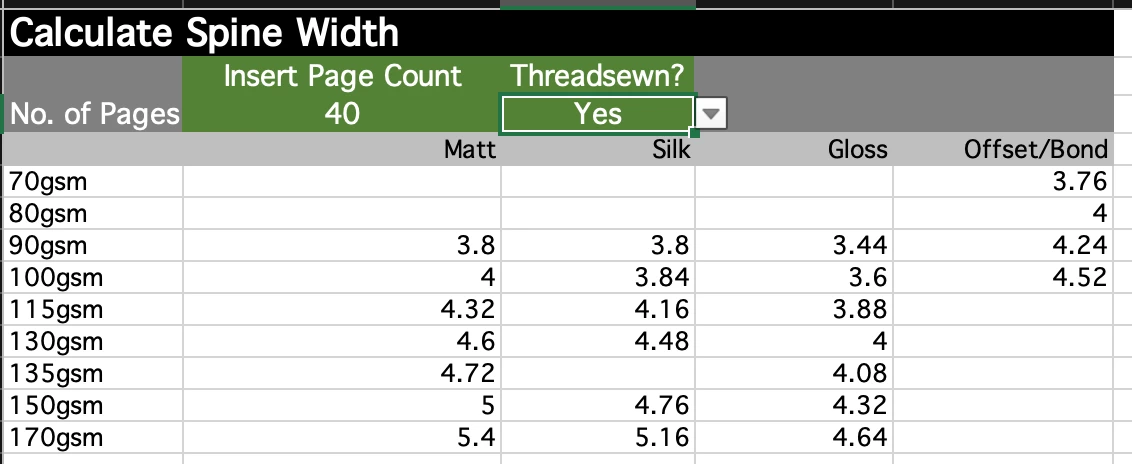
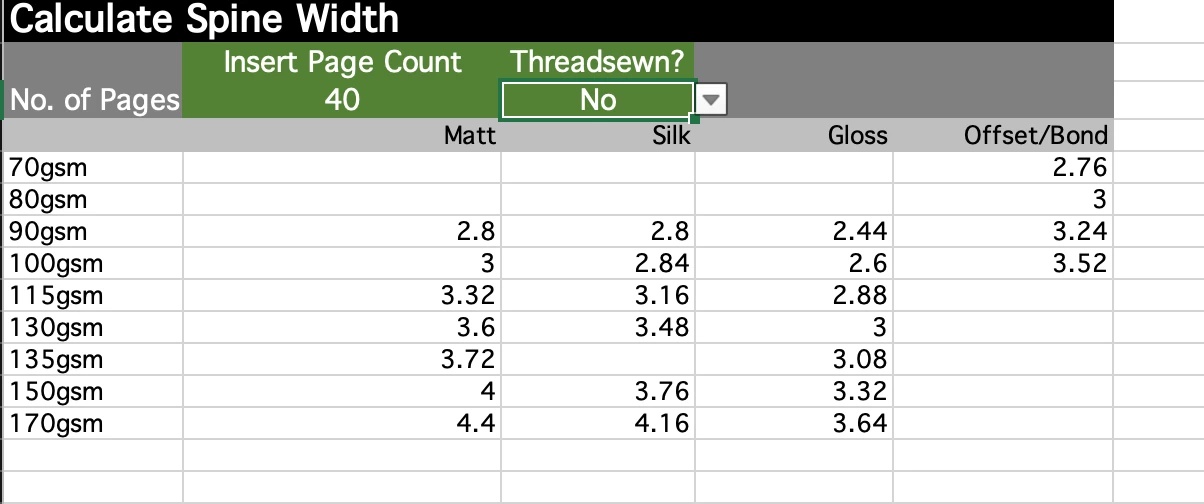
Firstly, could you please confirm I have set the cover width correctly. (I googled how to, so hopefully I have got it right). It has 40 inside pages and I plan to use 80gsm and a 250 to 300 gsm cover. Based on google, I have calculated 4mm width for the spine but would really appreciate your real life experience.
Also, I am wondering if you can tell from looking at the screenshot below if I have set bleed up correctly. I set bleed to 3mm all round in the settings, as per what the printer asked for. But I did some dragging in the document itself.
I want the whole document to have the green background but I’ve changed the colour of the back cover on left and spine for the screenshot below, just to show you where I’ve dragged past the bleed lines. Do I have it right or do I need to do some more dragging.
(Please note: I have no plans to sell this book at this stage - it's my Dad's childhood biography for the family - so I'm not trying to get free advertising here)!

<Title renamed by MOD>


 AdChoices