Participating Frequently
February 23, 2026
Question

How to Exclude Pasteboard When Exporting Spreads to PDF in Adobe InDesign

  • February 23, 2026
  • 3 replies
  • 43 views

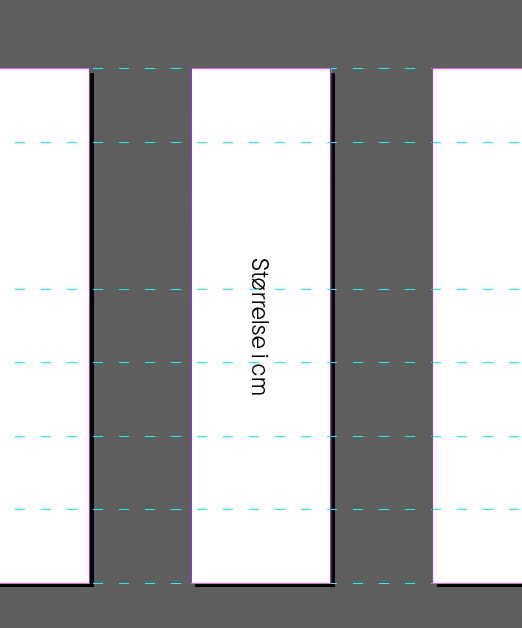
I need desperate (and fast) help. I have received templates for an agency, for use in production of our packaging material. It's a paper banderole. The back and front is the same size on all product, but the gusset (top and bottom) vary a great deal in size. So the agency have put all parts of the design on separate pages, so I will only have to change the page with the gusset on to the correct size before data merging inn all the info. But when exporting to PDF spread (5 parts, 5 pages), the InDesign pasteboard become a white part of the exported document, and the banderole is the wrong size. Can I exclude this in any way?

The pink part here is the real pages, the white part is the pasteboard on the exported PDF.

 

    3 replies

    Mike Witherell
    Community Expert
    Community Expert
    February 23, 2026

    Also, reconsider whether it needs to be exported to the ancient PDFX1a or whether a PDFX-4 might not be better?

    Mike Witherell
    NinaEiAuthor
    Participating Frequently
    February 23, 2026

    Hehe, I know! It was just an old profile I had for all these kind of packaging. I will change it when I export this set. 

    Mike Witherell
    Community Expert
    Community Expert
    February 23, 2026

    Nina,

    I notice that the individual custom-size pages are gapped apart from each other. Should they not butt up to each other? Also, you are exporting as spreads, which means that all the pages and their gap distances become one PDF page.

    Mike Witherell
    NinaEiAuthor
    Participating Frequently
    February 23, 2026

    Yes, the agency had an idea that I only had to change the “Gusset” page size for all the different templates, and export as a normal spread. Nowhere did they mention I had to close all the gaps. I am taking the night to edit all the templates I have made. Yes, we usually deliver these kind of paper banderole as one single page (one page in indesign also), but now where expanding the collection and have to implement many different kind of gusset sizes. My guess is this could have been done in a very different kind of way, but my timeline is so short, so I just have to get it done, and evaluate after (and perhaps have them redo it for the next round) Thank you!

    Mike Witherell
    Community Expert
    Community Expert
    February 23, 2026

    Nina, maybe post a screenshot of your PDF export settings? Maybe post an example PDF marked up indicating the problems?

    Mike Witherell
    NinaEiAuthor
    Participating Frequently
    February 23, 2026

    Yes, sorry. I was in a hurry and trying to keep my workplace out of it :). I have an example file and a screenshot here.


    NinaEiAuthor
    Participating Frequently
    February 23, 2026

    With the exported PDF here.